A fresh Linux privilege escalation bug dubbed "Dirty Frag" has dropped into the wild with no patches, no CVE, and a public exploit that hands attackers root access across major distributions. Security researcher Hyunwoo Kim disclosed the local privilege escalation flaw on Friday after what he said was a broken embargo forced the issue into the open. Kim described Dirty Frag as a "universal LPE" affecting "all major distributions" and warned that it delivers the same kind of immediate root access as the recent CopyFail mess – only this time, defenders do not even have patches to throw at the problem. "As with the previous Copy Fail vulnerability, Dirty Frag likewise allows immediate root privilege escalation on all major distributions," Kim said. "Because the responsible disclosure schedule and embargo have been broken, no patches exist for any distribution." Dirty Frag works by chaining together two separate Linux kernel flaws. One sits in the xfrm-ESP subsystem and dates back to a January 2017 kernel commit, according to Kim, while the second vulnerability affects RxRPC functionality introduced in 2023. Together, the two bugs allegedly let unprivileged local users overwrite protected files in memory and claw their way to root. A long list of distributions in the firing line, according to Kim, including Ubuntu, Red Hat Enterprise Linux, CentOS Stream, Fedora, AlmaLinux, and openSUSE Tumbleweed. Separately, researchers appear to have independently reverse-engineered part of the bug chain from a publicly visible kernel fix commit before the embargo expired, adding to the disclosure mess already surrounding the flaw. One GitHub project titled "Copy Fail 2: Electric Boogaloo" claims to weaponize the ESP/xfrm side of the issue separately from Kim's full Dirty Frag chain. Kim said maintainers signed off on the disclosure of the flaw after somebody else dumped exploit details online first, collapsing the embargo before patches were finished. So now the exploit is public, the fixes are not, and Linux admins get another long week. The disclosure comes as the industry is still dealing with the fallout from CopyFail, another Linux privilege escalation bug that recently landed in CISA's Known Exploited Vulnerabilities catalog after attackers started cashing in on it in the wild. But Dirty Frag makes the recent CopyFail chaos look relatively organized. There's still no CVE, no coordinated patch rollout, and not much in the way of mitigation. Kim published a temporary workaround that disables affected ESP and RxRPC modules before clearing the system page cache. Useful, perhaps, although "turn bits of the kernel off and hope for the best" is not usually the sort of guidance admins enjoy seeing. ®
Meta has quietly pulled the plug on encrypted Instagram DMs, meaning private messages on one of the world’s biggest social networks are no longer especially private. The change took effect today, according to a revised Meta post first published in 2022. In a statement to The Register, Meta said the feature saw limited adoption and pointed users toward WhatsApp instead. "Very few people were opting in to end-to-end encrypted messaging in DMs, so we're removing this option from Instagram in the coming months," the spokesperson said. "Anyone who wants to keep messaging with end-to-end encryption can easily do that on WhatsApp." It’s quite the reversal for a corporation that spent years telling everyone that encryption was the future of online communications, even as governments pushed back against the company’s wider rollout plans. Much of that pressure centered on child protection. Campaigners and agencies, including the NSPCC UK’s National Crime Agency, argued wider encryption would make it harder to detect grooming, child abuse material, and other criminal activity taking place over private messaging services. Privacy advocates, however, say Meta has just blown a hole in one of the few genuinely private corners of the platform. The Center for Democracy & Technology said it had urged Meta to reverse the decision, alongside members of the Global Encryption Coalition Steering Committee. “Without default encryption, millions of Instagram users are left exposed to surveillance, interception, and misuse of their private communications,” the group said. “These risks fall hardest on people who rely on secure messaging for their safety, including journalists, human rights defenders, and survivors of abuse.” Swiss privacy outfit Proton also questioned what exactly happens to existing chats once encryption disappears. Because properly implemented E2EE prevents platforms from reading message contents, the company noted that Meta has not clarified whether previously encrypted conversations will remain inaccessible, get deleted, or become readable. “For Instagram, dropping E2EE is just an example of how little regard Meta has for the privacy and safety of its community,” Proton said in a blog post. Meta has become increasingly aggressive about monetizing and analyzing user interactions. Last year, the company confirmed that interactions with Meta AI tools, including those inside private conversations, could be used for ad targeting. The company has not publicly said whether ordinary Instagram messages could eventually feed into similar systems now that encryption is gone. ®
If you have ever checked your child’s grades online, submitted a college paper through a school portal, downloaded homework assignments, or received messages from a teacher through a classroom app, there is a good chance you have used Canvas, a nationwide learning management system that was just in a massive data breach.
This is exactly the moment McAfee+ Advanced was built for. With our built-in Scam Detector to flag risky links, QR codes, and deepfakes; Identity Monitoring that alerts you when your data appears where it shouldn’t; and Personal Data Cleanup that removes your information from the dark web and data brokers, McAfee+ Advanced is an all-in-one solution for protection after a data breach.
Now let’s get into what you need to know about this breach:
Who Is Behind the Canvas Breach?
The ransomware group ShinyHunters is claiming responsibility for the attack. The group alleges it stole roughly 275 million records tied to nearly 9,000 schools and educational institutions worldwide.
How Did the Canvas Cyberattack Happen?
Instructure, the company behind Canvas, confirmed a cyber incident affecting its cloud-hosted environment. The attackers later posted claims about the breach on their leak site, where ransomware groups pressure organizations into paying by threatening to release stolen data publicly.
What Information Was Stolen in the Canvas Breach?
The stolen data reportedly includes:
Student names
Teacher and staff names
Email addresses
Student IDs
Course and enrollment information
School-related records
ShinyHunters claims the breach exposed roughly 275 million records and more than 231 million unique email addresses.
How Could the Canvas Data Breach Impact Families and Students?
Even if financial information was not exposed, this kind of data can still be extremely valuable to scammers. Criminals can use real school names, real classes, teacher names, and student information to create highly convincing phishing emails, fake school alerts, scholarship scams, tuition scams, or password reset messages.
A scam message referencing your child’s actual school or assignment is much harder to spot as fake.
This is what a Canvas message might look like when forwarded to your email inbox. Hackers claim to have millions of these types of messages.
This is a real message from Canvas from a community college professor after yours truly took an anthropology class for fun during the pandemic. It’s full of links to apply for programs and reach out to professors. It has exact details about courses I’ve taken.
While this correspondence is real, it’s exactly the type of messaging that scammers could fake and replicate, replacing real links with fake “paid” opportunities to pursue degrees.
Now think of the millions of messages and specific scenarios scammers have access to, to create dubious and convincing scams. That’s why protecting yourself after a breach is key.
What To Do Right Now
Here are some actions you can take immediately ot protect yourself after this breach:
Change you or your child’s Canvas password immediately, and update any other accounts where they reuse that password
Turn on multi-factor authentication(2FA) on parent and student accounts wherever the school permits it — Instructure’s own post-incident guidance specifically called out enforcing MFA as a recommended precaution
Ask your school what identity protection is being offered if sensitive data was involved
Consider placing a credit freeze on your or your child’s file to block new accounts from being opened in their name
Avoid clicking links in any messages that reference the breach, go directly to the official site instead
And that, my friends, is issue number one in this week’s This Week in Scams. Let’s get into what else is on our radar in cybersecurity and scam news.
Fake Amazon Recall Texts Are Targeting Shoppers
Your phone buzzes. It’s a text from an unknown number, but the message looks official.
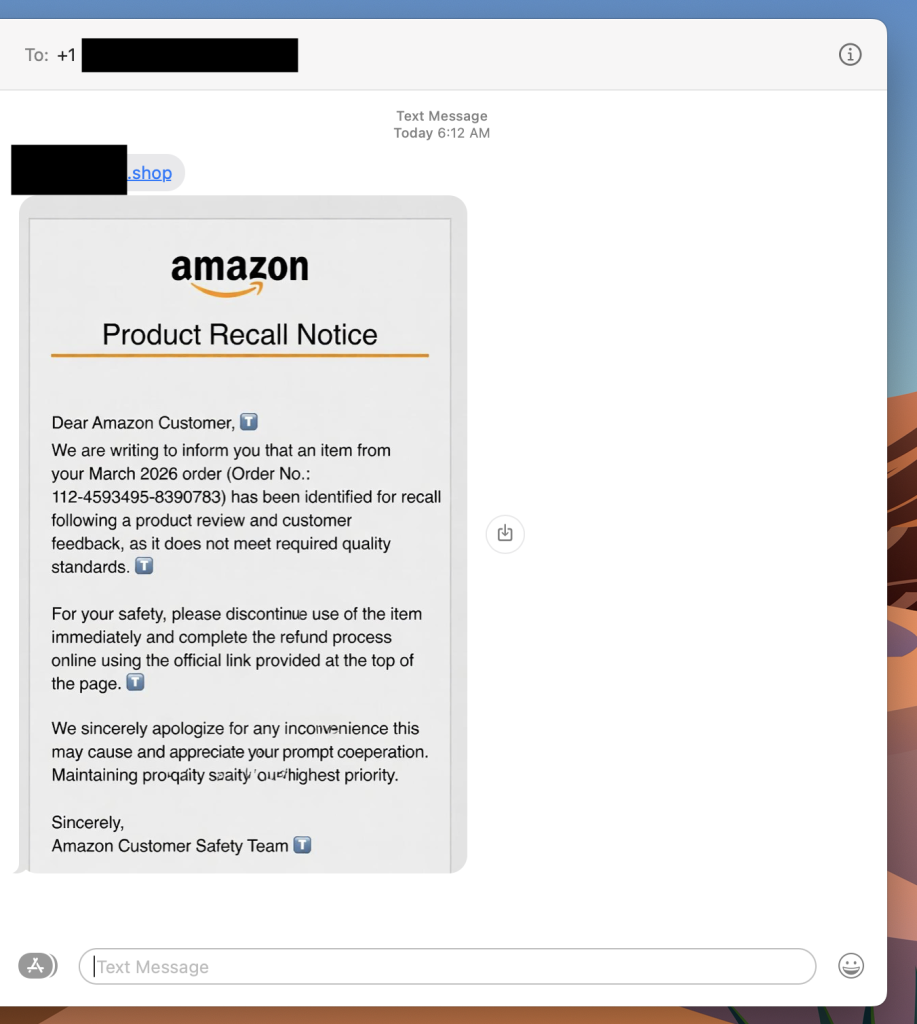
“Dear Amazon Customer, we are writing to inform you that an item from your March 2026 order has been identified for recall.” There’s an order number. A link at the top of the message. A note about quality standards and a refund waiting for you.
It looks real. It has the Amazon logo, the branded formatting, even a reference to the “Amazon Customer Safety Team.” The only thing it doesn’t have? Any connection to Amazon at all.
A photo of a scam recall text I received this week. Luckily Scam Detector flags the link as risky if you try to click.
This is a fake Amazon recall scam, and it is making the rounds right now. The goal is to get you to click that link, which takes you to a site designed to harvest your login credentials, payment information, or both.
If you get a text like this, do not click the link. Go directly to amazon.com in your browser, log in, and check your orders and messages from there. Amazon does not initiate recall or refund processes through unsolicited texts with outside links.
What Is a Fake Amazon Recall Scam And How Does It Work?
A fake Amazon recall scam is a text message or email in which criminals impersonate Amazon to convince you that one of your recent orders has been flagged for a product recall. The message directs you to an external link leading to a phishing site designed to steal your Amazon credentials, credit card details, or personal information.
Red Flags To Watch For
The text comes from an unknown number, not a short code or verified sender
The link goes to a domain that is not amazon.com
The message asks you to complete a refund through an external link
Small typos or awkward phrasing appear in what looks like official communication
The greeting says “Dear Amazon Customer” rather than your actual name
What To Do If You Get One
Do not click the link
Go to amazon.com directly and check your orders and account notifications
Where McAfee Steps In (So You Don’t Have to Guess)
Scams today are layered. A fake email leads to stolen credentials. A breach leads to targeted phishing. And those follow-ups are getting harder to spot.
With McAfee+ Advanced, multiple layers work together so you’re not left figuring it out after the damage is done:
Identity Monitoring alerts you if your personal info shows up where it should not, so you can act fast
Students around the world have an excuse to bunk off after hacking crew ShinyHunters did something nasty to educational SaaS Canvas. Canvas is widely used by schools and universities to communicate with students, publish and store course material, and collect assignments. An outfit called Instructure develops the software and an entry on its Status Page dated May 2 features Chief Information Security Officer Steve Proud stating the org "recently experienced a cybersecurity incident perpetrated by a criminal threat actor." "We are actively investigating this incident with the help of outside forensics experts. We are working quickly to understand the extent of the incident and actively taking steps to minimize its impact," he added. Numerous posts report that attempts to log into Canvas earlier this week failed, but did produce a notice from an entity claiming to be the notorious hacking crew ShinyHunters, who claimed the outage was only possible due to lax patching. The crew also claimed to have stolen data from institutions that use Canvas and threatened to leak it unless a "settlement" is reached by May 12. Canvas has thousands of customers, meaning any confirmed breach could have wide impact. As of Thursday evening US time, Canvas says its wares are now available "for most users" and won't offer further comment. A student of The Register's acquaintance – OK, one of my kids – shared an email advising that his uni has prevented access to Canvas while it tries to understand the situation and the risk of data leakage. We've seen multiple universities posting notices about the incident that say more or less the same thing. Most also warn students of heightened phishing risk and urge caution. Several also advise that as they require students to lodge assignments in Canvas, students can assume they have an extension on deadlines. Your correspondent's offspring does not mind this one little bit. This is an evolving story. The Register will update it as more information becomes available. ®
Meta appears to have decided Britain's Online Safety Act would be much easier to swallow if Ofcom stopped counting all the money the social media giant makes everywhere else. The Facebook and Instagram owner has launched a legal challenge against the UK comms regulator, arguing that the way Ofcom calculates fees and potential penalties under the Online Safety Act is fundamentally wrong because it relies on global turnover rather than UK-specific revenue. The law allows Ofcom to fine companies for up to 10 percent of their qualifying worldwide revenue, or £18 million, whichever is higher. For Meta, which brought in about $201 billion last year, that means the numbers stop sounding like regulatory penalties and start sounding like national infrastructure projects. Meta is now seeking a judicial review in the High Court over how Ofcom defines "qualifying worldwide revenue." The dispute boils down to three complaints. First, Meta argues that Ofcom should only consider UK revenue tied to regulated services, not the company’s global income. Second, it objects to rules that treat multiple services under the same corporate umbrella as jointly liable, potentially exposing the wider organization to larger penalties. Third, it is challenging how Ofcom aggregates revenue across services rather than assessing them individually. An Ofcom spokesperson told The Register: "Meta have initiated a judicial review in relation to online safety fees and penalties. Under the Online Safety Act, these are to be set with reference to a provider's 'Qualifying Worldwide Revenue', which we have defined based on a plain reading of the law. "Disappointingly, Meta are objecting to the payment of fees, and any penalties that could be levied on companies in future, that are calculated on this basis. We will robustly defend our reasoning and decisions." A Meta spokesperson told The Register: "We are committed to cooperating constructively with Ofcom as it enforces the Online Safety Act. However, we and others in the tech industry believe its decisions on the methodology to calculate fees and potential fines are disproportionate. We believe fees and penalties should be based on the services being regulated in the countries they're being regulated in. This would still allow Ofcom to impose the largest fines in UK corporate history." The case marks the latest flare-up between Silicon Valley and Britain over the Online Safety Act, which has already triggered complaints from US politicians, free speech campaigners, and tech firms unhappy about the scale of Ofcom’s new powers. The regulator has not been shy about flexing them either. It has already threatened action against Elon Musk's X over sexually explicit AI-generated images linked to Grok and, in March, issued its first fine under the regime against 4chan. Meta appears to have looked at where that enforcement road leads and decided now was the time to argue about the math. ®
With the launch of the first 16 satellites, Russia begins construction of a network for satellite internet that aims to cover the entire country by 2030. But getting there won’t be easy.
Thousands of schools around the US were paralyzed on Thursday after education tech firm Instructure shut down access to its Canvas platform following a breach by hackers going by the name ShinyHunters.
Chrome users were caught off guard by a 4-GB Google AI model baked into Chrome, sparking privacy concerns. The good news: You can easily uninstall it. The bad? You might not want to.
Mozilla fixed 423 Firefox security bugs in April, a repair rate more than five times higher than the 76 fixes issued in March and almost 20 times higher than its 21.5 monthly average last year. The browser maker previously said Anthropic's ballyhooed Mythos Preview model found 271 of these in Firefox 150. Now, a trio of technical types has come forward to provide a bit more detail about what Mythos (and its less storied sibling Opus 4.6) actually found. But they also highlight something that may matter more than the model: the agentic harness – the middleware mediating between AI and the end user. Brian Grinstead, Firefox distinguished engineer, Christian Holler, Firefox tech lead, and Frederik Braun, head of the Firefox security team, observe that over the past few months, AI-generated security reports have gone from slop to rather more tasty. They attribute the transformation to better models and development of better ways of harnessing those models – steering them in a way that increases the ratio of signal to noise. But they also appear to be aware that there's some skepticism in the security community about Mythos. So they've decided to publicize selected wins in an effort to encourage others to jump aboard the AI bug remediation train. "Ordinarily we keep detailed bug reports private for several months after shipping fixes and issuing security advisories, largely as a precaution to protect any users who, for whatever reason, were slow to update to the latest version of Firefox," they said. "Given the extraordinary level of interest in this topic and the urgency of action needed throughout the software ecosystem, we’ve made the calculated decision to unhide a small sample of the reports behind the fixes we recently shipped." The post links to a dozen Firefox bugs with varying degrees of severity. The list includes, for example, a 20-year-old heap use-after-free bug (high severity) that a web page could trigger using the XSLTProcessor DOM API without any user interaction. Many of these bugs are sandbox escapes, they note, which are difficult to find using techniques like fuzzing. AI analysis, they say, helps provide broader security coverage. And they add that it has helped validate prior browser hardening work designed to prevent prototype pollution attacks – audit logs showed AI models making unsuccessful exploitation attempts using this technique. Following Anthropic's announcement of Project Glasswing – a program for companies to gain early access to Mythos because it's touted as too dangerous for public release – security experts expressed skepticism. For example, Davi Ottenheimer, president of security consultancy flyingpenguin, wrote in an April 13 blog post, "The supposedly huge Anthropic 'step change' appears to be little more than a rounding error. The threat narrative so far appears to be ALL marketing and no real results. The Glasswing consortium is regulatory capture dressed up poorly as restraint." He subsequently ran a test in which he strapped Anthropic's lesser models Sonnet 4.6 and Haiku 4.5 into a harness called Wirken with an auditing skill called Lyrik. The result was eight findings in two minutes at a cost of about $0.75, Ottenheimer claims, noting that two of the eight matched bugs Mythos had identified. Other security folk have also reported that bug hunting and exploit development can be quite productive with off-the-shelf models like Opus 4.6, which among other virtues costs about 5x less than Mythos. In an email to The Register, Ottenheimer said, "There's a fundamental philosophical failure in the Mozilla post. A reading and a measurement are not the same thing. I don't see a measurement, but they seem to want us to believe we're looking at one. "When they give us the 'behind the scenes math' it's circular, a trick. 'Mythos found 271 bugs' is what Mythos found, not what other tools could not find against the same code. Why leave it as an assumption if it can be proven?" Ottenheimer said Mozilla advocates that every project adopt a similar approach without proving the merits of that approach. "It's like saying if you don't drink Coca-Cola, you can't run a mile under six minutes, because that's what a guy sponsored by Coca-Cola just did," he said. "The bar moves on rhetoric, marketing, not proper evidence. That is the capture crew again." He notes that the merits of Mythos might be more convincing if Mozilla had reported they couldn't do this work without Mythos. And since they're not saying that, he suggests, it's worth asking why there's no transparent comparison of Mythos to other models. He points to Mozilla's admission that Opus 4.6 was already identifying "an impressive amount of previously unknown vulnerabilities." "Mozilla never quantifies what Opus 4.6 [did] before saying what Mythos added," he said. "So 271 attributed to Mythos doesn't fit the analysis. And there's a deeper reveal when they say 'we dramatically improved our techniques for harnessing these models.' The improvement may be entirely in the harness, not as much in the model. This maps to my own experience. A nail gun has advantages over the hammer, yet without being in the right hands the outputs are as bad or worse." ®
How explicit does the maker of a footgun need to be about the product's potential to shoot you in the foot? That's essentially the question security firm Adversa AI is asking with the disclosure of a one-click remote code execution attack via an MCP server in Claude Code, Gemini CLI, Cursor CLI, and Copilot CLI. The TrustFall proof-of-concept attack demonstrates how a cloned code repository can include two JSON files (.mcp.json and .claude/settings.json) that open the door to an attacker-controlled Model Context Protocol (MCP) server. MCP servers make tools, configuration data, schemas, and documentation available in a standard format to AI models via JSON. The vulnerability arises from inconsistent restrictions governing the scope of settings: Anthropic blocks some dangerous settings at the project level (e.g. bypassPermissions) but not others (e.g. enableAllProjectMcpServers and enabledMcpjsonServers). The JSON files simply enable those settings. "The moment a developer presses Enter on Claude Code's generic 'Yes, I trust this folder' dialog, the server spawns as an unsandboxed Node.js process with the user's full privileges — no per-server consent, no tool call from Claude required," Adversa AI explains in its PoC repo. The likely result is a compromised system. The PoC demonstrated in this video. It worked on Claude Code CLI v2.1.114, as of May 2. Other agent CLIs are also said to be affected, but specific PoCs have not been published. "It's the third CVE in Claude Code in six months from the same root cause (project-scoped settings as injection vector)," Alex Polyakov, co-founder of Adversa AI, told The Register in an email. "Each gets patched in isolation but the underlying class hasn't been finally fixed. Most developers don't know these settings exist, let alone that a cloned repo can set them silently." Anthropic, according to the security biz, contends that the user's trust decision moves the issue outside its threat model. CVE-2025-59536 was considered a vulnerability because it triggered automatically when a user started up Claude Code in a malicious directory. TrustFall, however, is considered out of scope because the user has been presented with a dialog box and made a trust decision. Adversa argues that the decision is not being made with informed consent, citing a prior, more explicit warning notice that was removed in v2.1 of the Claude Code CLI. "The pre-v2.1 dialog explicitly warned that .mcp.json could execute code and offered three options including 'proceed with MCP servers disabled,'" writes Adversa's Sergey Malenkovich. "That informed-consent UX was removed. The current dialog defaults to 'Yes, I trust this folder' with no MCP-specific language, no enumeration of which executables will spawn, and no opt-out for MCP while keeping the rest of the trust grant." Then there's the zero-click variant to consider for CI/CD pipelines that implement Claude Code. When Claude Code is invoked in CI/CD, that happens via SDK rather than the interactive CLI. So there's no terminal prompt. Malenkovich argues that Anthropic should make three changes. First, block enableAllProjectMcpServers, enabledMcpjsonServers, and permissions.allow from any settings file inside a project. The idea is that a malicious server should not be able to approve its own servers. Second, implement a dedicated MCP consent dialog that defaults to "deny." And third, require interactive consent per server rather than for all servers. Anthropic did not respond to a request for comment. ®
It’s World Password Day, and there’s really no better way to celebrate than with news that a majority of supposedly secure password hashes can be cracked with a single GPU in less than an hour, some in less than a minute. Using a dataset of more than 231 million unique passwords sourced from dark web leaks - including 38 million added since its previous study - and hashing them with MD5, researchers at security firm Kaspersky found that, using a single Nvidia RTX 5090 graphics card, 60 percent of passwords could be cracked in less than an hour, and a full 48 percent in under 60 seconds. Sure, that’s not exactly your run-of-the-mill desktop graphics processor given its price, but it highlights an important point: It takes surprisingly little to crack the average password hash. Aspiring cybercriminals don’t even really need their own 5090, Kaspersky notes, as they can easily rent one from a cloud provider and crack hashes for a few bucks. The bottom line is that passwords protected only by fast hashing algorithms such as MD5 are no longer safe if attackers obtain them in a data breach. “One hour is all an attacker needs to crack three out of every five passwords they’ve found in a leak,” Kaspersky noted. Much of the reason password hashes have become so easy to crack is password predictability. Per Kaspersky, its analysis of more than 200 million exposed passwords revealed common patterns that attackers can use to optimize cracking algorithms, significantly reducing the time needed to guess the character combinations that grant access to target accounts. In case you’re wondering whether there’s a trend to compare this to, Kaspersky ran a prior iteration of this study in 2024, and bad news: Passwords are actually a bit easier to crack in 2026 than they were a couple of years ago. Not by much, mind you - only a few percent - but it’s still a move in the wrong direction. “Attackers owe this boost in speed to graphics processors, which grow more powerful every year,” Kaspersky explained. “Unfortunately, passwords remain as weak as ever.” How about a World Let’s-Stop-Relying-On Passwords Day? News of the death of the password has, unfortunately, been greatly exaggerated in the past couple of decades, yet most of us still rely on them multiple times a day. It likely won’t surprise El Reg readers to learn that us vultures are inundated with pitches for events like World Password Day, and most of them received this year had the same takeaway: We really need to get a move on with ditching passwords, or, at the very least, rethinking our security paradigms. Chris Gunner, a CISO-for-hire at managed service provider giant Thrive, told us in emailed comments that there’s no reason to ditch passwords entirely, but they need to be just one part of a broader identity-based security strategy. “Even a strong password can be undermined if the wider identity and access environment is not properly managed,” Gunner said. Passwords should be paired with a second factor, preferably biometric, said Gunner, because it’s the most difficult for hackers to bypass. “MFA controls should then be joined by identity governance and endpoint protection so gaps between systems are reduced,” Gunner added, recommending that a broader zero trust model be established as well, restricting lateral movement possibilities via a compromised account. Senior IEEE member and University of Nottingham cybersecurity professor Steven Furnell said that World Password Day messaging shouldn’t stop at telling people to improve their personal security posture either. Passwords aren’t going anywhere for a long while, Furnell explained in an email, and inconsistent adoption of new security technologies will mean users will be left at risk as certain providers fail to adapt. “Many sites and services still don’t offer passkey support, so users will find themselves with a mixed login experience,” Furnell explained. “While some might argue that it’s the user’s responsibility to protect themselves properly, they need to know how to do it.” The professor noted that, in many cases, users aren’t told how to create a good modern password, and in other cases, sites simply don’t enforce adequate password requirements to make passwords secure, to the degree that they can be made so. “This World Password Day, the main message ought not to be to the users, who often have no choice but to use passwords anyway, but to the sites and providers that are requiring them to do so,” Furnell told us. You heard the man - time to upgrade that user security stack. No matter how safe you think those passwords might be, with their complex requirements and proper hashed storage, it probably won’t take too long for someone to break in, making it an organizational responsibility to ensure there’s yet another locked door behind the first one. ®
According to McAfee’s 2026 State of the Scamiverse report, Americans now spend 114 hours a year trying to figure out what’s real and what’s fake online. That’s nearly three full workweeks lost to second-guessing messages, alerts, and links.
And when scams do succeed, they move quickly. The typical scam unfolds in about 38 minutes, leaving little room for hesitation.
That creates a gap: People want to check before they act, but the tools haven’t always met them in that moment.
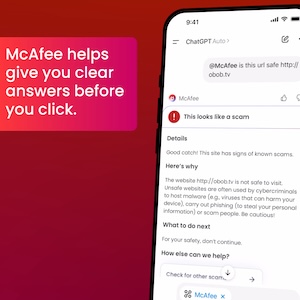
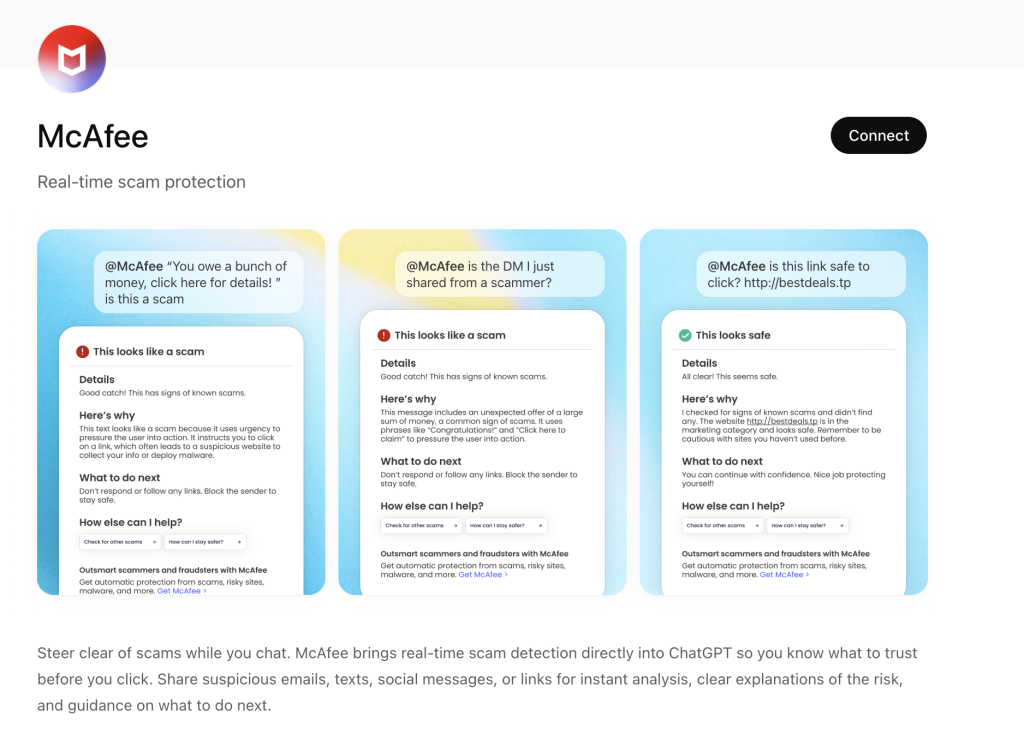
ChatGPT + McAfee is designed to close that gap, bringing scam detection directly to a platform people are already using to ask questions and make decisions.
And it’s available to anyone. You don’t have to be a McAfee subscriber.
This isn’t just detection. It’s guidance in the exact moment you’re deciding what to do.
Instead of guessing, you can paste a message or drop in a screenshot and get a clear explanation of what’s risky, and what to do next, powered by McAfee’s threat intelligence.
What You Can Do with ChatGPT + McAfee
With this integration, checking something suspicious becomes as simple as asking a question.
Paste a message. Drop in a link. Upload a screenshot.
McAfee analyzes it and explains what’s going on clearly and in context.
Here’s how it works:
Feature
What it does
How it protects you
Link safety check
Paste a suspicious URL and get a reputational analysis based on McAfee threat intelligence
Scam links are often designed to look legitimate. A quick check helps avoid phishing and malware
Message analysis
Submit texts, emails, or social messages for evaluation
Many scams now rely on urgency and tone. Analysis helps surface subtle red flags
Screenshot uploads
Upload screenshots of messages, emails, or posts for review
Scams don’t always come as clean text. This makes it easier to check what you’re actually seeing
Clear explanations
Get a breakdown of why something is flagged as risky or safe
Not just a warning—an explanation that helps you recognize patterns next time
Guided next steps
Receive recommendations on what to do next
Helps prevent escalation, especially in moments of uncertainty
It’s a quick, accessible way to get answers in the moment. But it’s just one part of a broader system designed to protect you more comprehensively.
Behind the scenes, ChatGPT + McAfee is powered by the same intelligence that fuels McAfee’s broader scam protection ecosystem.
When you submit something for review:
Links are checked against known threat signals
Messages are analyzed for scam patterns and language cues
Results are translated into clear, human-readable explanations
The goal isn’t just to flag risk. It’s to help you understand it.
A New Way to Stay Ahead of Scams
Scams aren’t slowing down. If anything, they’re becoming more convincing, more personalized, and harder to detect.
That’s where ChatGPT + McAfee comes in. But this is only one part of a much bigger system designed to protect you before, during, and after a scam attempt.
With McAfee+ Advanced, multiple layers work together so you’re not left figuring it out after the damage is done:
Identity Monitoring alerts you if your personal info shows up where it should not, so you can act fast
Companies like Lovable, Base44, Replit, and Netlify use AI to let anyone build a web app in seconds—and in thousands of cases, spill highly sensitive data onto the public internet.
PWNED Welcome back to PWNED, the weekly column where we turn a white hot spotlight onto the cracks and crevices in company security and write about those who have let their guard down, often in the name of convenience, incompetence, or just plain laziness. Today’s tale of woe concerns the need to secure a network and the dangers of an insecure password. Our story comes courtesy of Roger Grimes, CISO advisor at security firm KnowBe4. He recounts a time when he had to get into a client’s network but didn’t have the credentials. Grimes was installing accounting software for a client and, as a result, needed to take the network down for a day. To make sure that he didn’t disturb any work, he decided to log into the system on a Saturday. Unfortunately, he was missing the admin password he needed to uninstall old software and add the new app. Since it was the weekend, no one was answering their work phones to give him the information he needed, and there was a good chance he would have to delay the upgrade until the following weekend. Grimes could have given up right there, but he had an idea. Why not try to figure out what the password was? The situation reminded him of a movie. “You know, the scene where the hacker is sitting at the terminal trying to log on, but the victim refuses to give up credentials. So the hacker starts typing random passwords out of thin air,” he said. “And wouldn’t you know it? They correctly guess the password at the last possible moment.” After trying numerous passwords, the advisor thought about a famous movie he had just watched: Citizen Kane. He decided to try “rosebud,” and voilà. (This vulture can identify with the Orson Welles focus, having just watched The Third Man this week.) It’s a good thing that it was Grimes, a legit contractor, guessing passwords instead of some miscreant. Picking a password from a movie plotline is a bad idea and, in this case, made even worse by the lack of numbers, capital letters, or symbols in the password. If you’re picking out a password, you might be better off generating a strong password that’s a string of random numbers and letters and then having it remembered by a password manager. Then, for the password manager itself, consider a passphrase that contains capital letters, symbols, and numbers such as “Shoe-Please6-Wrapped-Carbon-Wear” so you can try to remember it. You might also use a passphrase for your admin password – you can generate a random one using Keeper’s Passphrase Generator. Have a story about someone leaving a gaping hole in their network? Share it with us at pwned@sitpub.com. Anonymity available upon request. ®
To stop children from bypassing its age checks, Meta is revamping its age-verification tools with an AI system that analyzes images and videos for “visual cues,” such as height and bone structure.
You can't trust anyone these days! Get together with seven of your colleagues, and there’s a decent chance one of the eight will say they’ve either sold company login details in the past year or know someone who has, says UK fraud prevention outfit Cifas. That 13 percent figure is shocking. Just as strikingly, Cifas found a similar 13 percent of employees overall believed selling access to company systems was justifiable, though the org’s Workplace Fraud Trends report did not spell out those justifications. Regardless, Cifas says it suggests that there’s a worrying shift happening among attitudes toward insider-enabled fraud that should trouble leadership. Then again, leadership might not be too worried based on the data. Cifas doesn’t give a precise number for the share of rank-and-file employees who feel selling credentials is justified, but it does call attention to how leadership feels, and the more power they have, the more they seem to think it’s okay to sell their access. Thirty-two percent of managers, 36 percent of directors, and 43 percent of C-suite executives said it was justifiable to sell their login details. Even more shockingly, a full 81 percent of business owners felt the exact same way. As for why, that’s not entirely clear, though Cifas told us it’s heard various excuses in the past. Financial challenges, the belief it would be a harmless one-off, confidence they wouldn’t get caught, and disgruntlement were among the reasons cited for selling credentials. If you’re wondering who to keep an eye on, Cifas suggests looking at IT and telecoms professionals, who showed the highest tolerance for fraud-related behavior across multiple scenarios covered in the study. Those scenarios included the aforementioned selling of login details, as well as secretly moonlighting for a competitor, using fraudulent references on job applications, expense fraud, and the like. Selling access to company systems was one of the less common types of fraud covered in the survey, but the 13 percent figure reflects respondents who said they had done it or knew someone who had - meaning that, in a company of 1,000 people, around 130 might report direct or indirect exposure to the behavior. The fact that leadership respondents and IT and telecoms professionals showed higher tolerance for such activity makes the findings more concerning, even if the survey focused specifically on selling login details, in some cases to a former colleague. This data is specific to the UK, mind you, but there’s no reason to assume a relaxed attitude toward such a critical cybersecurity weakness is confined to the Isles - that’s just as likely as the person buying those credentials keeping it to themselves. When asked if Cifas had comparable data from prior years to compare this to, the organization described its findings as revealing “a worrying shift in attitudes toward insider-enabled fraud.” However, the firm said that this is the first year it compiled this report, so it doesn’t have comparable data. Nonetheless, Cifas Director of Learning Rachael Tiffen said in a press release that the point is that organizations need to be aware of how many employees might be willing to sell access to company systems. “These findings show how vital it is for organisations to build fraud‑aware cultures, where employees at all levels understand their responsibilities and the consequences of their actions,” Tiffen said. Be sure to pay them well, too. ®
Researchers at Rapid7 say that they have spotted what they believe was an Iranian intelligence cyber unit masquerading as the Chaos ransomware gang to hide a state-sponsored espionage operation. The intrusion was spotted earlier this year, and investigators say breadcrumbs left behind give them "medium confidence" in saying it was the work of MuddyWater, which has been linked to intrusions affecting Western government and banking networks in recent months. Attackers began with a Microsoft Teams phishing campaign, which is not uncommon. They also encouraged targets to share their screens. Again, it was nothing too out of the ordinary. However, what must have required some expert persuasion work was that they convinced these individuals to enter their credentials into local text files, and even modify MFA settings to allow attacker-controlled devices to complete authentication. Rapid7 researchers Alexandra Blia and Ivan Feigl wrote: "While connected, the [threat actor (TA)] executed basic discovery commands, accessed files related to the victim's VPN configuration, and instructed users to enter their credentials into locally-created text files. "In at least one instance, the TA also deployed a remote management tool (AnyDesk) to further facilitate access." From there, browser artifacts suggested that attackers lifted credentials through phishing pages. At least one mimicked a Microsoft Quick Assist page. Armed with valid credentials, the attackers then executed various commands via RDP, which downloaded payloads using curl. These payloads included a backdoor malware dubbed Darkcomp, a malicious Microsoft WebView2 loader to disguise traffic, and an encrypted configuration file that sent instructions to Darkcomp. Then it was a case of performing lateral movement by using additional compromised accounts and scooping up sensitive data along the way. The attackers used the same accounts to send emails internally notifying organization leaders about the intrusion and data theft, and included an onion link leading to Chaos ransomware’s data leak site (DLS), where a corresponding entry appeared with all data redacted and hidden behind a countdown timer. Follow-up emails aimed to build the illusion of a genuine ransomware attack, although the illusion was short-lived. The attackers instructed recipients to look for a file containing "access credentials" they could use to begin ransom negotiations. Unlike the plaintext credential files the attackers had socially engineered the original targets into creating, this file did not actually exist. There was no way to contact the attackers, whereas in a typical scenario the intruders would be looking for a payout. There was also no file encryption, which is inconsistent with Chaos affiliates' typical way of working. "Despite these inconsistencies in the initial proof-of-compromise, the TA later published the stolen data on its DLS in line with modern extortion tactics," Blia and Feigl wrote. "The leaked data was assessed to be legitimate." If not for financial gain, then what? MuddyWater – if that is indeed the group behind this – did not extort the organizations in question, nor did they deploy a ransomware payload, but they did pose as an established ransomware group. Rapid7 believes the group did this as an extension of its false-flag operations to provide a plausible front for cyberespionage activity, or preposition work to underpin potential destructive cyberattacks. It wouldn't be the first time MuddyWater or Iranian intelligence (MOIS) was found LARPing as a ransomware crew. Both have previously been linked to an attack on an Israeli hospital, allegedly carried out by a Qilin affiliate. "Following the subsequent public attribution of that incident to the MOIS, it is plausible that the group adopted alternative ransomware branding, in this case Chaos, in an effort to reduce attribution risk and maintain a degree of plausible deniability," said the researchers. The unique benefits of masquerading as ransomware crooks include muddying attribution for attacks by leaving behind ransomware breadcrumbs, as well as redirecting defensive efforts toward locating signs of ransomware deployment instead of the backdoors that underpin espionage activity. ®
It's not just you. Scammers, hackers, and other cybercriminals are complaining about “AI shit” flooding platforms where they discuss cyberattacks and other illegal activity.
Privacy groups, VPN providers, and civil liberties outfits have lined up to warn the UK government that its latest plan to slap age gates across swathes of the internet risks breaking the web while doing little to keep kids safe. In a joint statement, signatories including the Electronic Frontier Foundation, Mozilla, the Open Rights Group, Proton, and the Tor Project took aim at proposals now moving forward after the Children's Wellbeing and Schools Bill cleared Parliament, with access to some platforms, services, and specific features potentially restricted by age checks. "The open internet is a global public resource that has long since become foundational to the flourishing of individuals, businesses, and societies," the letter states, warning that "this openness and the opportunities it affords are coming under threat in the UK." Ministers are now consulting on measures that could include curfews for younger users and restrictions across services ranging from games and VPNs to static websites. The signatories say that will quickly turn into a system where everyone, not just children, has to prove their age to get full access. "Implementing such access restrictions hinges on all users having to verify their ages, not just young people," the letter warns, adding that the approach "focuses on restricting young people's access, rather than ensuring services are designed to uphold their rights and interests by default." Early results are not exactly inspiring. It's been months since tougher checks under the Online Safety Act began rolling out, and some systems have already been fooled by little more than a drawn-on mustache, raising questions about how effective the tech really is at keeping minors out. This hasn't gone unnoticed. "Existing age assurance technologies are either insufficiently accurate, undermine privacy and data security, or are not widely available across populations," the letter says, warning that rolling them out broadly "creates serious new security threats." It is not just a privacy headache either: the groups argue the policy could tilt the market further toward Big Tech. Mandating checks across more services risks "cementing the dominance of gatekeeper app stores, operating systems, and platforms' walled gardens," while turning the web into "a patchwork of age-gated jurisdictions." Instead of doubling down on access controls, the groups argue policymakers are targeting the wrong problem. "These risks are real and require thoughtful policy interventions that address the root of the issue, not just simplistic policies like access bans," the letter says, pointing to business models built on "massive collection of user data" as a bigger driver of harm. The closing line does not leave much room for interpretation: "Now is the time to hold tech to account, not undermine the open internet." ®

 Login
Login