 Login
Login
I started clearing my Roku cache, and it fixed my biggest TV complaint
Clearing my Roku cache takes less than a minute. When I remember to do it, my system runs like new.





Hey everyone,
I’ve been working on an experiment in AI-driven application security called SentinAI. I’m a backend engineer in fintech, and I spent part of my recent leave trying to explore a simple question:
Most SAST tools are basically metal detectors:
they’re great at catching obvious patterns like unsafe functions or missing headers.
But they struggle with the stuff that actually matters in real systems:
Attackers don’t think in patterns.
They think in systems.
So I built something experimental to explore that gap.
Instead of a single LLM prompt (which tends to hallucinate easily), SentinAI uses a structured multi-agent flow:
Maps the system:
Tries to break it:
Validates everything:
Anything below a confidence threshold (~40%) is dropped.
The goal is not to “find everything.”
It’s to only surface things that are actually exploitable.
A few things stood out while building this:
Coming from fintech, sending proprietary code to external APIs is not acceptable.
So SentinAI is built to run:
I expanded it beyond Web2 into smart contract security:
Total coverage: ~45 vulnerability patterns.
I’m still actively figuring out:
One thing I’ve already noticed:
That’s still an open problem.
This started as a “leave experiment” and somehow got ~200+ organic npm installs without any promotion.
I cleaned it up and open-sourced it mainly to:
Curious to hear honest thoughts from people here:
Scam messages are getting smarter and faster.
According to McAfee’s 2026 State of the Scamiverse report, Americans now spend 114 hours a year trying to figure out what’s real and what’s fake online. That’s nearly three full workweeks lost to second-guessing messages, alerts, and links.
And when scams do succeed, they move quickly. The typical scam unfolds in about 38 minutes, leaving little room for hesitation.
That creates a gap: People want to check before they act, but the tools haven’t always met them in that moment.
ChatGPT + McAfee is designed to close that gap, bringing scam detection directly to a platform people are already using to ask questions and make decisions.
And it’s available to anyone. You don’t have to be a McAfee subscriber.
This isn’t just detection. It’s guidance in the exact moment you’re deciding what to do.
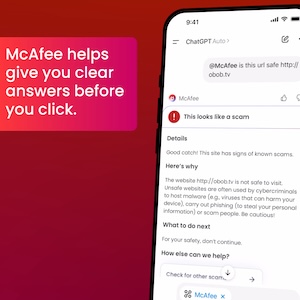
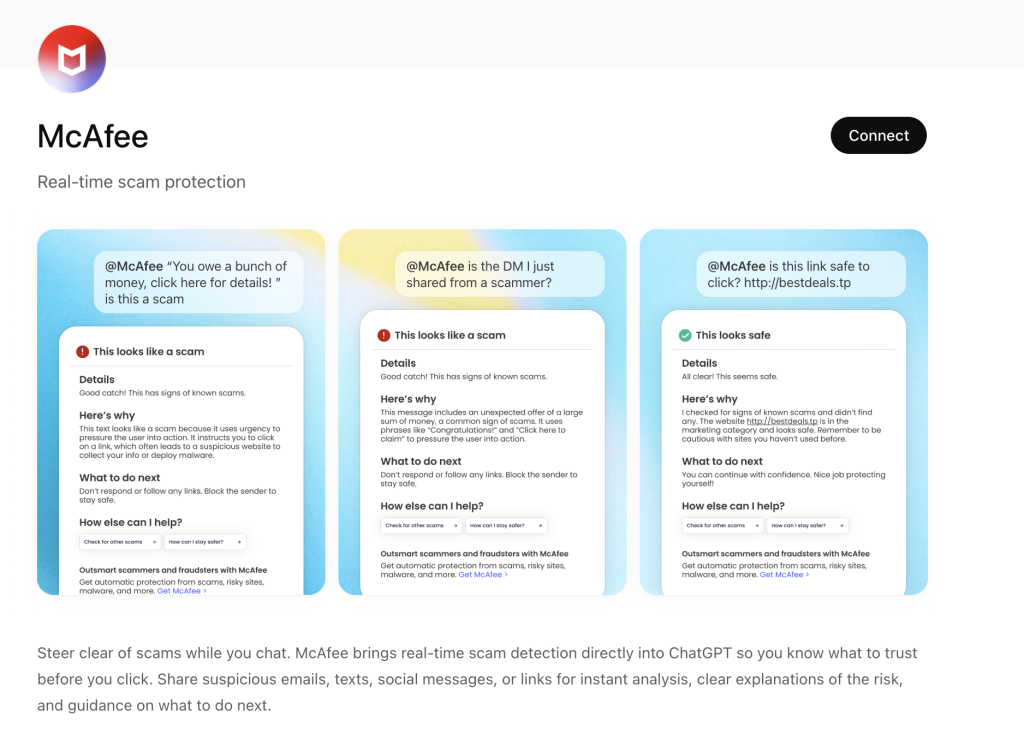
Instead of guessing, you can paste a message or drop in a screenshot and get a clear explanation of what’s risky, and what to do next, powered by McAfee’s threat intelligence.
With this integration, checking something suspicious becomes as simple as asking a question.
Paste a message. Drop in a link. Upload a screenshot.
McAfee analyzes it and explains what’s going on clearly and in context.
| Feature | What it does | How it protects you |
| Link safety check | Paste a suspicious URL and get a reputational analysis based on McAfee threat intelligence | Scam links are often designed to look legitimate. A quick check helps avoid phishing and malware |
| Message analysis | Submit texts, emails, or social messages for evaluation | Many scams now rely on urgency and tone. Analysis helps surface subtle red flags |
| Screenshot uploads | Upload screenshots of messages, emails, or posts for review | Scams don’t always come as clean text. This makes it easier to check what you’re actually seeing |
| Clear explanations | Get a breakdown of why something is flagged as risky or safe | Not just a warning—an explanation that helps you recognize patterns next time |
| Guided next steps | Receive recommendations on what to do next | Helps prevent escalation, especially in moments of uncertainty |
It’s a quick, accessible way to get answers in the moment. But it’s just one part of a broader system designed to protect you more comprehensively.
Add the app to your ChatGPT account here.
Behind the scenes, ChatGPT + McAfee is powered by the same intelligence that fuels McAfee’s broader scam protection ecosystem.
When you submit something for review:
The goal isn’t just to flag risk. It’s to help you understand it.
Scams aren’t slowing down. If anything, they’re becoming more convincing, more personalized, and harder to detect.
That’s where ChatGPT + McAfee comes in. But this is only one part of a much bigger system designed to protect you before, during, and after a scam attempt.
With McAfee+ Advanced, multiple layers work together so you’re not left figuring it out after the damage is done:
The ChatGPT experience gives you a fast, intuitive way to check something in the moment.
McAfee+ Advanced makes sure you’re protected across everything else.
The post Now Available: Use ChatGPT with McAfee to Spot Scams Faster appeared first on McAfee Blog.


