 Login

Want a free Apple Watch? Play ZDNET's 'Guessing Game' to win one - only 1 day left
What do you think Apple will announce? It's your last chance to enter the final round of ZDNET's Big Guessing Game.



The current ransomware situation is a bit of a kludge (deep breath): a lot of ransomware (which often doesn't even involve "ware", it's just extortion) is carried out by kids who successfully make a truckload of money but can't spend it without getting caught and the companies they breach rapidly get piled onto by class action lawyers that keeps them busy fighting and being cautious not to say anyting to customers lest that then gets used against them in litigation. That's mostly it; more in this week's video:






This week in scams and cybersecurity news,
Looking for a free download of this summer’s biggest movie could come with something you definitely didn’t ask for: malware.
Here’s what to watch for.
Speaking of Trojan horses….
Security researchers have reportedly identified malicious downloads disguised as pirated copies of The Odyssey, including files designed to look like high-quality movie releases.
Some fake files even use familiar video-player icons and movie-style filenames to appear legitimate.
But instead of opening a movie, downloading or running the file can launch malicious software capable of stealing information from the device. Other scams reportedly use fake streaming sites that ask users to enter personal or payment information to access a supposedly “free” movie.
McAfee researchers routinely see cybercriminals attach malware to the things people are already searching for, especially popular movies, TV shows, games, mods, and software.
In a recent example, McAfee Labs uncovered the WeedHack malware campaign targeting Minecraft players, which disguised malicious software as free game mods and clients. Our researchers recorded more than 116,000 infections from the campaign since January.
The media changes. The scam doesn’t.
A supposed movie file can hide:
One especially obvious warning sign: movies should not arrive as executable .exe files. Legitimate video files generally use formats such as .mp4, .mkv, or .avi.
When in doubt, don’t download it.
With McAfee+, multiple layers can help protect you when a tempting download isn’t what it claims to be:
Device Security helps detect malicious apps, files, and downloads before they can compromise your device.
Web Protection helps block risky websites, including malicious download pages, even if you accidentally click.
Scam Detector flags suspicious texts, emails, links, QR codes, and other messages that may try to direct you toward fraudulent sites.
Identity Monitoring alerts you if your personal information appears in known data leaks or on the dark web so you can take action quickly.
Together, these protections help address both sides of fake-download scams: stopping malware before it gets onto your device and helping protect your information if criminals try to steal it.
Here are some other breaches, scams, and cybersecurity headlines making waves this week:
Trezor breach reportedly exposes information belonging to nearly 14,000 crypto customers.
Hardware wallet maker Trezor says a breach involving one of its shipping providers exposed personal information including names, email addresses, phone numbers, and home addresses for thousands of customers.
McAfee’s 2026 State of the Scamiverse predicted that crypto and financial scams were likely to intensify this year, and cryptocurrency-related messages remain among the scams McAfee Scam Detector regularly identifies and blocks.
Cyberattacks continue to climb worldwide.
New threat research found organizations experienced an average of 2,336 cyberattacks per week in July, a 16% increase from the previous year, while reported ransomware victims also rose sharply. Education, government, telecommunications, and other major sectors remained frequent targets.
Android malware can turn a victim’s phone into part of a contactless-payment scam.
Researchers investigating the targeted WindRelay campaign say criminals impersonated banks over the phone, persuaded victims to install malicious Android apps, and then instructed them to tap their physical bank cards against their phones.
That allowed attackers to relay contactless card information in real time, with researchers reporting some attacks unfolded during calls lasting only about 13 minutes.
✓ Stream and download from legitimate sources. New theatrical releases appearing for free on unfamiliar websites should immediately raise suspicion.
✓ Check the actual file type before opening a download. A movie should never require you to run an .exe application.
✓ Never install a “special player,” browser update, or extension just to watch a movie. Close the page and go directly to a trusted streaming service instead.
✓ Treat urgency and exclusivity as warning signs. “Watch it before everyone else,” “leaked copy,” and “limited access” are designed to get you clicking before you think.
And we’ll be back next week with more cybersecurity news and scam alerts.
The post Fake “The Odyssey” Downloads Are Spreading Malware: This Week in Scams appeared first on McAfee Blog.
It can be daunting to determine who’s responsible for showing ads on the websites we visit, or who’s harvesting data from the mobile apps we use every day. That information is already semi-public, but it is not easily parsed and traditionally much of it has remained walled away in the hands of large advertising platforms. Not anymore: A powerful and free new service called DecryptAds scrapes and correlates this adtech data and makes it simple to quickly learn a great deal about the entities that are tracking you.

A Decryptads summary of the advertising partnerships declared by espn.com.
The newly launched decryptads.com says it is constantly scraping the files that websites and apps make publicly available to disclose the companies that are permitted to run ads or collect user data. These files include:
–ads.txt: all of the adtech companies and data brokers that may run ads or harvest data from the site;
–app-ads.txt: entities that can harvest data from or display ads on mobile and smart TV apps;
–buyers.json/sellers.json: the entities buying, selling or reselling ad inventory for a given site or app.
Zach Edwards is chief research officer for DecryptAds and a threat researcher at the security company Infoblox. Edwards said he and two other founders decided the service was needed because the adtech data in these files is generally only useful when it can be cross-referenced to build a more complete picture of the advertising ecosystem for each website or app.
“It’s an adtech tool but we’re trying to approach adtech from a security perspective,” Edwards said. “It’s really built for a lot of privacy and security use cases that have been dramatically underserved.”
Those use cases, he said, include tracking down the source of malicious ads that try to foist malware on targeted users, identifying ad networks located in adversarial nations, and detecting the fast growing swarms of AI-generated slop websites and apps. And as decryptads.com demonstrates, these potential security and privacy threats are near impossible to detect just by viewing a single apps.txt or app-ads.txt file.
“Supply-chain integrity issues rarely live in a single file,” the site explains. “They show up as broken cross-references between ads.txt, app-ads.txt, and sellers.json files; as cloned declaration sets across unrelated domains; as seller removals that only make sense when viewed across exchanges; and even as supply paths in bid logs that never actually appear in any given publisher’s authorized-seller list.”
A search in DecryptAds for the hugely popular sports network espn.com reveals 143 ad partners and 19 registered data broker domains are listed within its ads.txt and app-ads.txt files. That data broker information is gradually becoming available because four states — California, Oregon, Texas and Vermont — have recently passed laws requiring data brokers to register if they buy or sell data on consumers from those states. DecryptAds reports that almost half of those data brokers are collecting geolocation data from espn.com visitors who aren’t blocking ads, while another three disclose that they collect device fingerprints and sensitive personal information.

A visual representation of the complex ad supply chain declared by espn.com. Image: decryptads.com.
DecryptAds also makes it easy to learn the beneficiaries and national origins of the advertising firms lurking in apps and websites, displaying a conspicuous warning when adtech partners of an app or website are based in “geo-risk” areas like China and Russia, or in countries with strong financial and political ties to both — such as Cyprus and the United Arab Emirates (UAE).
According to DecryptAds, espn.com works with four different advertising entities that are based in either Russia, China or the UAE, including the adtech firm Between Digital, which lists a New York address. However, the dossier on Between Digital flags them as a Russian firm, showing that their publisher offers (PDF) are processed through Alfa Bank, Russia’s largest private commercial bank and one of several financial institutions placed under U.S. sanctions in 2022 after Russia invaded Ukraine. KrebsOnSecurity sought comment from both Between Digital and the company’s founder, and will update this story in the event that either replies.
A search for several top U.S. military news websites — including armytimes.com, airforcetimes.com, defensenews.com, navytimes.com, marinecorpstimes.com and federaltimes.com — shows they all allow Between Digital to serve ads and track users, as well as two entities in the UAE and another in the ownership secrecy haven of Panama. DecryptAds reports that Between Digital is collecting ad data on approximately 55,000 partner websites.

The “Geo Risk” section of decryptads.com.
Pivoting on Between Digital’s app-ads.txt file reveals hundreds of domains featuring simple web-based games that are frequently interrupted by ads. Edwards said Between Digital’s own declarations show the company is listed as both a publisher and a reseller on approximately two-thirds of their portfolio.
“It means they are basically playing both sides of the bidding equation, which creates opportunities to direct client spend at your owned and operated properties or client infrastructure, essentially creating opportunities for conflicts of interest,” Edwards told KrebsOnSecurity. “The problem we have right now is that for years we’ve had almost no one policing these ads.txt and app-ads.txt files.”
The Opera Web browser remains quite popular, and probably many users are unaware that since 2016 it has been majority owned and controlled by the Chinese company Kunlun Tech (the operational headquarters of Opera remain in Oslo, Norway).
Opera.com’s profile at DecryptAds identifies 27 registered data brokers collecting information, including 15 adtech partners in the UAE, six in China, three in Cyprus, two in Russia and one each in Hong Kong and Ukraine. DecryptAds makes clear, however, that these companies represent just seven percent of the adtech partners specified in Opera.com’s ads.txt and app-ads.txt files.
One feature of DecryptAds that sent this author down multiple hours-long research rabbit holes is its Legal Dossier lookup, which takes several minutes for each search but eventually churns out oodles of useful information about who owns a particular domain or app, when it was registered, and any aliases or relationships it may have to adtech companies and other websites or apps.
For example, last month KrebsOnSecurity wrote about researchers from Bitsight who found that an extremely popular line of TV streaming sticks called H96 quietly rent out each user’s Internet connection to strangers. Bitsight also discovered that when these devices aren’t being used to stream pirated video content, they are spoofing themselves as mobile phones clicking ads on AI-generated slop websites.
Bitsight concluded that the same Chinese company that made several of the malicious apps common to all of these H96 streaming sticks — the Fengwo Group — also also ran the network of ads and AI slop websites being clicked on by tens of thousands of these devices that are pretending to be mobile phones.

Examples of ad landing pages linked to the Fengwo Group. These sites were designed to show ads only to H96 devices that were spoofing their device type as mobile phones. Image: Bitsight.
A DecryptAds legal dossier on the (now dormant) Fengwo Group domain name for the AI slop website pictured on the left in the screenshot above (medicalbeautyhub dot com) shows it shares a seller ID (1674071) with a gaming website — giacoloredstones[.]com — which features yet another seller ID (103488000).
Pivoting on that latter seller ID reveals hundreds of active websites within Russia’s Yandex ad system featuring extremely low-quality games or simple utilities that pepper visitors with ads.
Edwards said that when advertising networks suspect a given advertiser is engaged in unauthentic clicks or displaying malicious ads, very often those networks will quietly remove the offender from their list of approved partners without letting anyone else know about their suspicions.
This practice, he said, makes it easier for dodgy adtech firms to avoid accountability and continue victimizing others. To address that visibility gap, DecryptAds features a quiet removals feed that records and correlates all of the sellers.json removals across ad exchanges for the same seller domain or name.

A screenshot of the Quiet Removals Feed at decryptads.com.
“The way the adtech industry works, someone will write a report about ad fraud and only share it with their own clients and they won’t make it public,” Edwards said. “The ban is just removing them from the sellers.json file, but they told nobody. One day it was there, the next it was gone. So if you’re trying to navigate who is suspicious, that’s usually tough to do because there are a lot of adtech companies removing things all at once.”
Malvertising, the term given to the practice of inserting malicious ads that foist malware or redirect visitors to phishing pages, remains an all-too-frequent occurrence in the modern adtech industry. But Edwards said these malicious ads are far more commonly found now on newly generated AI slop websites than on high traffic destinations that typically employ a variety of technologies and third party tools to quickly flag bad ads.
“None of these slop AI content farms are paying for that kind of protection,” he said. “They’re just signing up the lowest quality partners, and it essentially becomes a greased rail to target the users of those sites with malicious ads. Most malvertising attacks don’t happen on espn.com or huffpost.com, but rather [on] some lower quality content farm and someone just went there because it came up in a search.”
Edwards said the AI slop websites are populated with machine-generated blog posts and images, and cover a wide array of themes from home improvement and decorating to food recipes, hunting, cars and consumer technology. He said organizations that get hit with malicious ads are often at a loss for what to do next, unaware that in most cases the answer is one of the entities listed inside the website’s ads.txt or app-ads.txt file.
“A lot of serious organizations are starting to understand that if we’re not breaking down this ad data, we’re not going to know who’s targeting government people with zero-click payloads on an almost daily basis,” he said.
Edwards maintains that truly getting a handle on the malvertising and AI slop problems will require more data-sharing by the major ad networks. Specifically, he says those platforms do not broadly share what’s known as the “supply chain object” or SCO, structured data attached to each advertising bid request that lets buyers see every seller, reseller and intermediary involved in passing an ad impression from the publisher to the final buyer.
“That SCO tells you who sold it or resold it, and who was the final entity that bought the impression that served that malware payload,” Edwards explained. “You may see the malicious zero-click redirection, but without the supply chain object — which is only served server side — you won’t know who targeted your people with malware and won’t have a way to try and prevent it properly. But if we can encourage the adtech industry to expose that SCO, it will get easier to find the culprit behind any one bad ad.”
DecryptAds also offers an application programming interface (API) that allows researchers to automate queries and integrate the site’s functionality into popular AI platforms.
The only sane reaction to the examples described above is to block all online ads outright. This approach is broadly endorsed by security experts because it also makes it more difficult for adtech firms and data brokers to build detailed profiles on you and track your movements around the web and in the real world.
However, much depends on how you normally prefer to browse the Internet, and how much trust you place in third party browser plugins and extensions. For those primarily surfing via a regular desktop or laptop Web browser, uBlock Origin Lite is an excellent free and well-maintained open source option. uBlock Origin also should work with mobile browsers like Firefox, but apparently only on Android-based devices.
Adblock Plus is a decent option for iPhone and iPad users. For power users, Adblock and uBlock Origin both support custom blocking rules from easylist.to, which publishes a frequently updated list that removes most advertisements from webpages.
The well established browser extension NoScript blocks all non-approved Javascript code, and it generally does a fine job blocking most ads from loading. However, script blockers like NoScript may not be suitable for average users who don’t enjoy constantly having to referee which scripts should be allowed to load so that each site displays properly.
More technically inclined/adventuresome readers should strongly consider a hardware approach to blocking ads at the local network level, because that is easily the cheapest, most secure and scalable way to do it. A tiny, low-cost and broadly available computer known as a Raspberry Pi can be turned into a powerful ad blocker for all devices on a local network when fitted with a microSD memory card and a free program called Pi-hole. Once you’ve set it up properly and changed your router’s network settings to use the Pi-hole’s DNS sinkhole and DHCP servers, it should prevent ads from displaying on any devices connected to that network.
Bear in mind that ad blockers often do little to block ads and/or tracking that occurs from within mobile apps that users have chosen to install on their devices. Many websites now push users to install a mobile app, supposedly in order to more fully access and enjoy the site’s services and content. But in my experience, they’re not doing this because the user experience is somehow way better on the app (as LinkedIn tries to convince us non-app users several times a week via email). On the contrary, I find most mobile apps to be horribly designed, annoying, and/or completely unnecessary, and when given the option I will almost always choose to interact with a website or service directly in a Web browser.
No, the cold truth is that big web destinations tend to get pushy with their apps because they make it easier for these companies to keep you on their platforms longer and to collect (and in many cases resell) far more precise data about who, what and where their users are. Also, companies pushing customers the hardest to install mobile apps always seem to liberally opt everyone in to having their data used to train large language models these days. So be cautious about the apps you install on your mobile devices (including any smart TVs!), and poke around their listings at DecryptAds if you want to learn more about their privacy practices and any relationships they may have to adtech firms.


After more than a decade of anticipation, Grand Theft Auto VI has finally arrived. Millions of players are heading back into Rockstar’s world of crime and chaos. But while gamers are playing at crime, scammers are looking to commit the real thing.
In the months leading up to launch, cybercriminals were already exploiting the hype with fake early-access offers, suspicious downloads, and promises of free copies. Now, with GTA 6 officially available, players face a new wave of scams designed to steal passwords, gaming accounts, and money.
Here’s what players should know before downloading or buying GTA 6:
McAfee’s researchers have already uncovered how cybercriminals exploit popular games through malicious downloads, unauthorized apps, and fake gaming websites. Here’s what they’re seeing around GTA 6, and how players can protect themselves.
Rockstar hasn’t announced a PC version of GTA 6, but scammers are already advertising unofficial installers, cracked copies, and downloadable game files.
Researchers at Cynet uncovered a fake GTA 6 download promoted through Google Colab that delivered WARDEN Stealer, malware capable of stealing browser passwords, cookies, Steam and Roblox credentials, and cryptocurrency wallet data.
ESET researchers have also warned about fake GTA 6 downloads spreading Vidar, another information-stealing malware strain.
How to stay safe: Avoid GTA 6 PC installers, cracks, key generators, or unofficial emulators. Verify supported platforms directly through Rockstar Games.
Scammers are also exploiting demand for free copies of GTA 6.
Researchers at Netcraft identified fraudulent gaming websites promising free downloads, only to redirect visitors through surveys and promotional offers instead.
Not every giveaway is fake, however. Streaming platform Kick is running a legitimate Sunset Reward Case promotion from November 12 through December 7, offering 10,000 GTA 6 Ultimate Edition codes to eligible viewers. The promotion is available through kick.com and the official Kick app.
Lookalike giveaway pages, fake code generators, and messages asking players to verify their accounts through unfamiliar links are another story.
How to stay safe: Check promotions directly through the streaming platform’s official website or app. Be suspicious of guaranteed free copies, unfamiliar surveys, and requests for account credentials.
Other scams involve websites advertising discounted GTA 6 codes, exclusive editions, or special deals unavailable through authorized retailers.
Some imitate legitimate storefronts, while others direct players to fake Rockstar, PlayStation, or Xbox login pages designed to steal account credentials.
Unusually low prices, cryptocurrency-only payments, and unfamiliar website addresses are common warning signs.
How to stay safe: Purchase GTA 6 through Rockstar Games, the PlayStation Store, Xbox Store, or an authorized retailer. Navigate directly to the retailer’s website rather than clicking unsolicited offers.
Fake gaming websites can look surprisingly convincing, using official artwork, familiar logos, and promises of free downloads or discounted game codes to lure players in.
Some redirect visitors to suspicious downloads, while others imitate legitimate storefronts to steal payment information or gaming account credentials.
How to stay safe: Visit Rockstar Games, the PlayStation Store, or the Xbox Store directly to verify offers.
If you’ve downloaded a suspicious GTA 6 installer or unofficial game file, take action even if the download didn’t appear to work.
Malware can run in the background without displaying obvious signs of infection.
GTA 6 isn’t the first game to attract cybercriminals. Earlier this year, McAfee Labs uncovered WeedHack, a malware campaign disguised as free Minecraft mods and game clients.
Since January 2026, the campaign infected more than 116,000 devices, averaging roughly 2,000 to 3,000 new infections every day at its peak. Attackers lured players through fake mod websites and convincing YouTube videos before installing malware capable of stealing passwords, cryptocurrency wallets, Discord credentials, Minecraft accounts, and more.
One of the campaign’s most concerning findings wasn’t just the malware itself, but how inexpensive and accessible the tools had become. The malware was marketed almost like legitimate software, lowering the barrier for inexperienced attackers.
Over the summer, McAfee researchers also uncovered suspicious downloads and unauthorized mobile apps tied to Meccha Chameleon, one of 2026’s surprise indie gaming hits.
The inexpensive title reportedly sold more than two million copies within days, fueled largely by livestreams, social media clips, and word of mouth. Unfortunately, that kind of overnight success doesn’t just attract new players.
According to PC Gamer, players had begun using automated “auto-paint” cheats that scanned the environment and instantly camouflaged characters, removing much of the creativity and skill the game was designed around.
The game’s popularity also created confusion about where players could safely download it.
McAfee researchers identified multiple Android apps and an unofficial piracy site using the Meccha Chameleon name, despite the game’s independent developer not announcing an official Android release.
First, a gamer might navigate to a piracy site to download a free game. The game itself might not contain malware, but malicious or unwanted software can still be distributed during the download process.
Researchers examined steamgg[.]net, a piracy site offering a download of Meccha Chameleon. The advertised game file wasn’t identified as malicious.
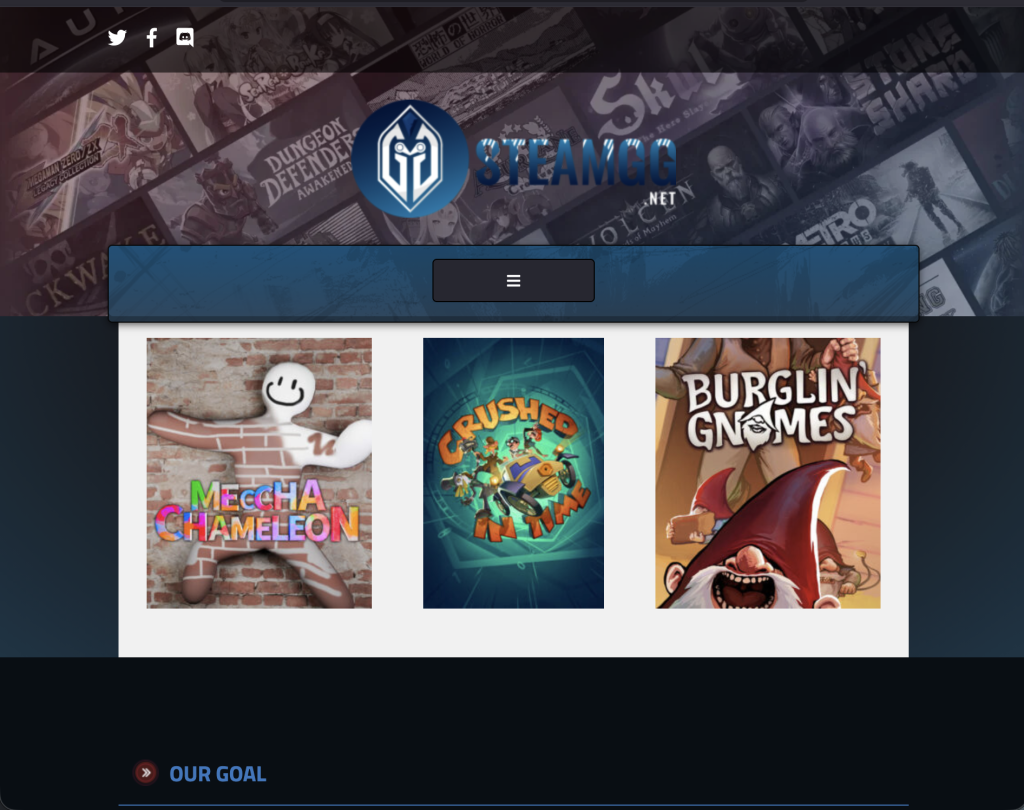
But clicking download opened a misleading new tab.

The new tab made it appear that the user was downloading the game from steamgg[.]net. Instead, they were redirected to a completely unrelated download.
McAfee’s finding: The advertised Meccha Chameleon file wasn’t malicious, but the site’s misleading download redirect could expose users to unwanted software.
Researchers also found unauthorized Meccha Chameleon apps uploaded to the Google Play Store.
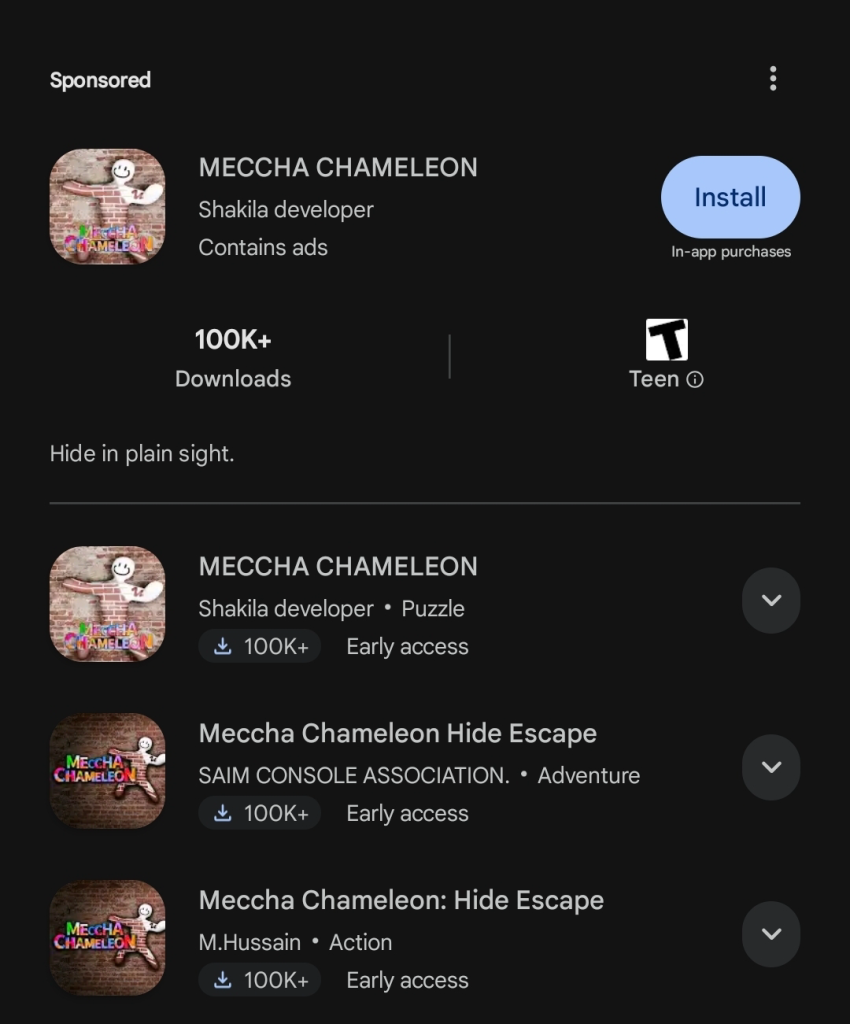
“Repackaged or unauthorized apps and sites are a major risk with viral games,” says McAfee Threat Researcher and lifelong gamer Charles McFarland.
“Because many players are unfamiliar with the original developer, it’s easier for unauthorized apps and copycat listings to blend into app stores,” McFarland explains. “Once installed, the app can have free access to your phone’s data, texts, contacts, and more.”
Before downloading a newly popular game, especially on mobile, verify that the developer has actually released it for your device.
No PC version has been announced. Any PC download, crack, keygen or “PS5 emulator” is fake. The only real option is streaming from your own console.
No mobile version. Any APK or app-store listing is fake.
The only free routes in the news are Kick’s Sunset Reward Case and Twitch launch-week drops, and both are chances, not guarantees. Code generators, surveys and “verify your account” pages are scams.
Purchase through Rockstar Games, the PlayStation Store, Xbox Store, or authorized retailers. Avoid unfamiliar storefronts advertising suspiciously cheap codes or unsupported downloads.
Be cautious of unofficial cheat tools and trainers. These downloads can contain malware designed to steal passwords or compromise gaming accounts. Avoid executable files from unknown websites or Discord servers.
Yes, boxed copies contain a download code. Contact the retailer or PlayStation or Xbox support through their official sites only, and ignore “support” messages offering help.
The official sources are rockstargames.com, the PlayStation Store and the Xbox Store. Have McAfee Labs confirm any named site first.
No. Meccha Chameleon is still officially available only on PC through Steam, and mobile apps using its name are not authorized versions of the game.
Yes, cybercriminals can disguise malware as Minecraft mods, as McAfee Labs discovered in its WeedHack investigation.
Common GTA 6 scams include fake PC and mobile downloads, fraudulent giveaways, counterfeit game codes, phishing websites, and malware disguised as cheats.
The post GTA 6 Is Here. So Are the Scams. Here’s What McAfee Experts Found appeared first on McAfee Blog.


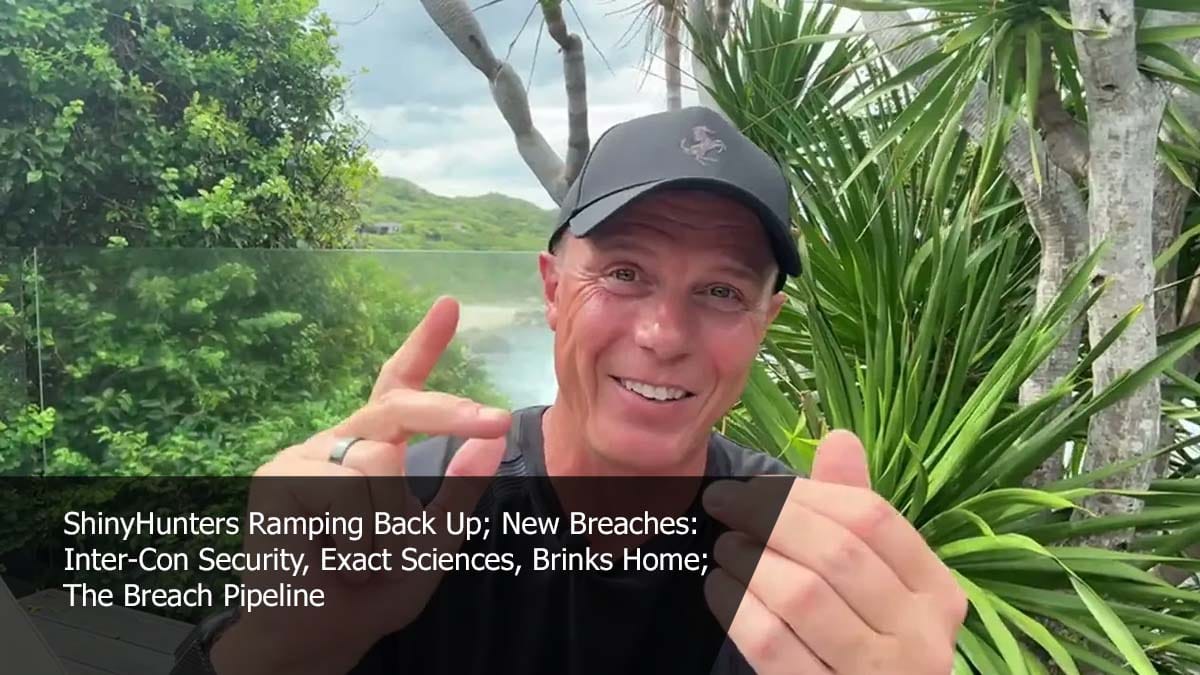
A little wind noise, a little connectivity flakiness, and a little lip-sync issues from YouTube, but look at that view! 🤩 Back to business, it's the Brinks Home FAQ I found most interesting this week. I mean, how do you write your own FAQ then fail to actually answer most of the questions?! Being conscious that they're the target of criminal extortion and are genuinely the victims here, I still struggle to grasp how simple incident response questions can be so lawyer-speaked as to remove all sensible meaning from the responses. But this is how these things tend to play out these days (speaking generically, yet to be seen fully for Brinks): hacker gets data by just calling up and asking for it (vishing -> OAuth), hacker demands money, hacker gets no money so dumps the data, company gets a gazillion class actions overnight and lawyers up to the hilt, customers get notified "where legally required" (which it usually isn't) 🤷♂️
Microsoft today released updates to remedy at least 398 security vulnerabilities in its Windows operating systems and supported software, including one weakness that is already being actively exploited and two others that were publicly detailed prior to today.

Image: Shutterstock, Mallika Home Studio.
August’s overstuffed bundle of patch joy from Microsoft did not eclipse its recording breaking release of more than 570 security updates last month, but it is double June’s then-record batch of nearly 200 fixes. Microsoft has attributed the recent patch deluge to vulnerability discoveries aided by artificial intelligence, and experts roundly agree that Windows users should get used to the idea of Patch Tuesdays (the second Tuesday of each month) covering hundreds of newly discovered security flaws.
Fully 42 of the 398 flaws that Microsoft patched today earned Redmond’s most-dire “critical” rating, meaning they are severe enough that malware or malcontents could exploit them to gain remote control over a Windows computer with little to no help from the user.
The sole known “zero day” bug fixed by Microsoft this month is CVE-2026-68820, a privilege escalation weakness in a core Windows component called afd.sys, which the security firm Automox describes as “the driver behind Windows socket connections on effectively every endpoint.”
“This isn’t a front-door bug,” Automox’s Landon Miles wrote in a Patch Tuesday blog post. “It’s step two in a chain: an attacker phishes their way into a low-privilege foothold, then uses the driver flaw to take the box. The 7.0 score reflects the high attack complexity, because race conditions are fiddly. The exploit has to be thrown over and over until the timing lands. Someone is clearly landing it anyway.”
CVE-2026-62832 is another privilege escalation flaw that Microsoft has labeled likely to be exploited; this flaw, in the Windows User Profile Service, may be related to the recent “LegacyHive” public disclosure from the prolific bug hunter known as Nightmare Eclipse. The other publicly disclosed flaw is CVE-2026-72971, a low-impact local tampering vulnerability that Microsoft reckons is unlikely to be exploited.
Other major software makers are likewise increasing their patch volumes and cadence thanks to AI, including Adobe which last month moved to twice-monthly security bulletins published on the 2nd and 4th Tuesday of each month. Cisco, Google, Mozilla and Oracle also are shipping updates far more frequently and abundantly.
By all accounts, AI is quite good at finding security holes in software. But for now at least, patching the resulting bugpocalypse remains a heavily human-centric endeavor, and the jury is still out on whether AI technologies will turn out to be as good at fixing vulnerabilities as they are at finding and exploiting them. This is an important question when one considers that these same AI technologies also are suggesting fixes for the vulnerabilities they find.
Researchers at 1Password recently examined what happens when different large language models (LLMs) generate vulnerability patches for newly disclosed, complex vulnerabilities. They found the LLMs produced patches that failed to fix the flaw or added a new weakness in the process (or both) more than half the time.
Ed Skoudis, president of the SANS Technology Institute, said his team has seen excellent results using AI to generate patches, provided there are humans in the loop to test the suggested fixes and push for iterative improvements.
“AI is rapidly becoming astonishingly good at finding vulnerabilities, but this research shows that fixing them is a very different problem,” Skoudis wrote in a SANS newsletter today. “Don’t expect one-shot AI patching to work reliably. Instead, iterate, test, challenge, improve, and verify. AI can be an extraordinary patching partner, but today it still needs a skilled human at the keyboard.”
Tyler Reguly at Fortra says while reports of Microsoft patching hundreds of vulnerabilities in one go have prompted some organizations to try to patch faster, it’s important to bear in mind that only one of the almost 400 bugs addressed today is known to be actively exploited. Reguly suggested security leaders check in with their teams to see how they’re handling the increasing workloads, which often involve testing fixes before deploying them in production environments.
“If you’re a chief security officer talk to your teams about how they are shifting or modifying their workflows to better accommodate the patching shift that we’re seeing and support them across various organizational units by enabling the changes they want to see made,” Reguly said. “There’s no need to rush these updates, no matter what various vendors and organizations try to tell you. You need to make sure that you are rolling out safe updates that will not negatively impact your systems.”
Speaking of the humans behind the keyboards, don’t neglect to backup your system and/or data before applying this month’s monster patch load. The day after each month’s Patch Tuesday is sometimes derisively referred to as Reboot Wednesday, but it generally doesn’t hurt to wait a few days to apply these huge update bundles because it sometimes takes a couple of days for the occasional misbehaving patch to get ironed out properly by Microsoft.
For a clickable, per-patch breakdown by severity and urgency, check out this roundup from the SANS Internet Storm Center.

